66
3.6.1 North Bridge Configuration Sub-Menu
This menu gives options for customizing North Bridge Chipset settings. Select a
menu by highlighting it using the Arrow (Ç/È) keys and pressing Enter. The
settings are described on the following pages.
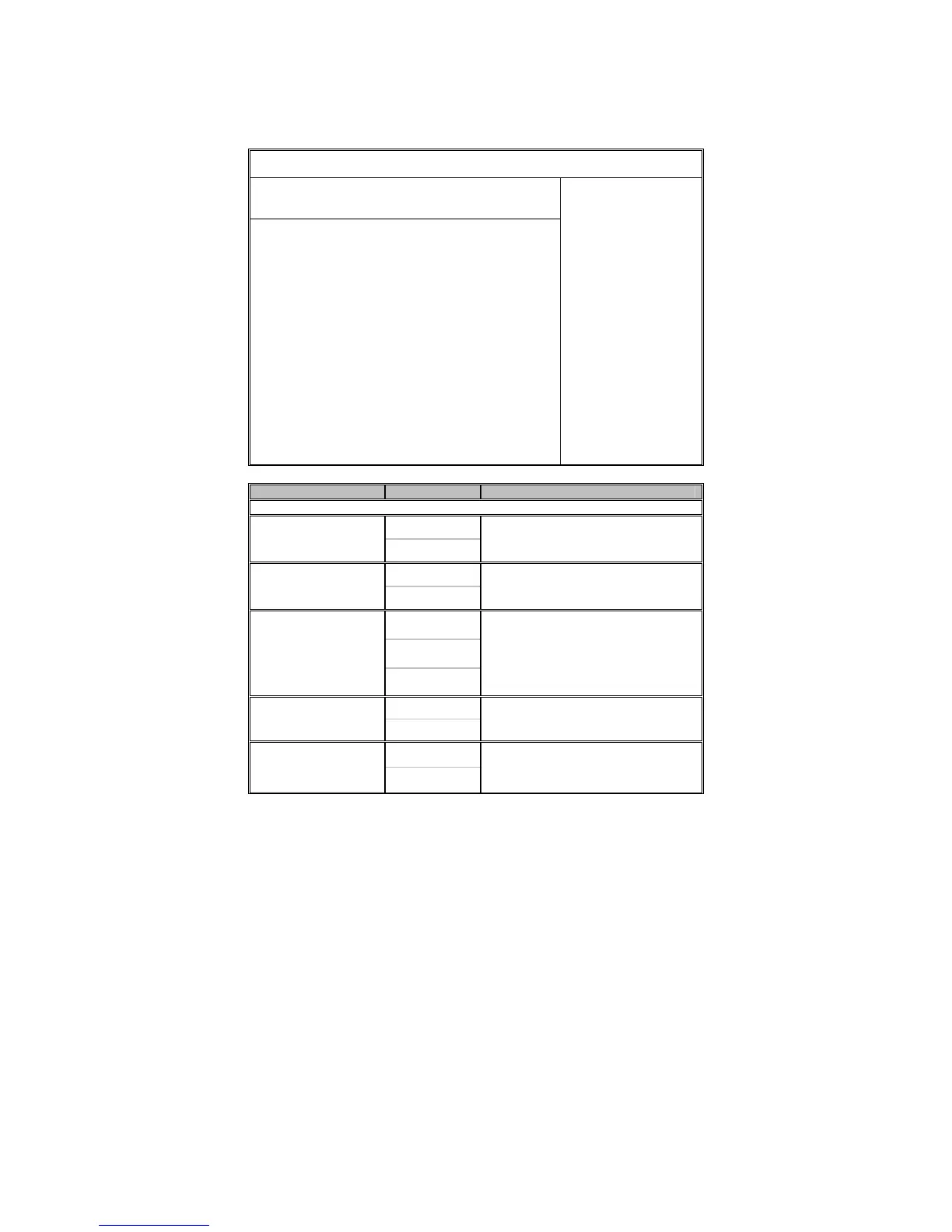
BIOS Setup Utility
Main Advanced PCI/PnP Boot Security Chipset Exit
North Bridge Chipset Configuration
Hyper-Threading Function
Crystal Beach / DMA
MCH Channel Mode
Patrol Scrubbing
Demand Scrubbing
Channel Dependent Sparing
Channel 0
Channel Specific Sparing
Rank Interleaving
Channel 1
Channel Specific Sparing
Rank Interleaving
Boots Graphic Adapter Priority
Read Completion Coalescing
[Enabled]
[Disabled]
[Channel Interleave]
[Enabled]
[Enabled]
[Disabled]
[Enabled]
[Disabled]
[4:1]
[Enabled]
[Disabled]
[4:1]
[Auto]
[Auto]
← → Select Screen
↑↓ Select Item
Enter Go to Sub Screen
F1 General Help
F10 Save and Exit
ESC Exit
Feature Option Description
North Bridge Chipset Configuration
Enabled
Hyper-Threading
Function
Disabled
Enable or disable hyper-threading
functionality
Disabled
Crystal Beach / DMA
Enabled
Crystal Beach / DMA configuration
Channel
Sequencing
Channel
Interleave
MCH Channel Mode
Single Channel
0
Sequencing: allocates address channel
0 then 1.
Interleaving: interleaves channel across
channels.
Single Channel: forces single ch-0.
Enabled
Patrol Scrubbing
Disabled
ECC patrol scrubbing enabled /
disabled
Enabled
Demand Scrubbing
Disabled
ECC demand scrubbing enabled /
disabled



 To Next Page