http://www.tyan.com
28
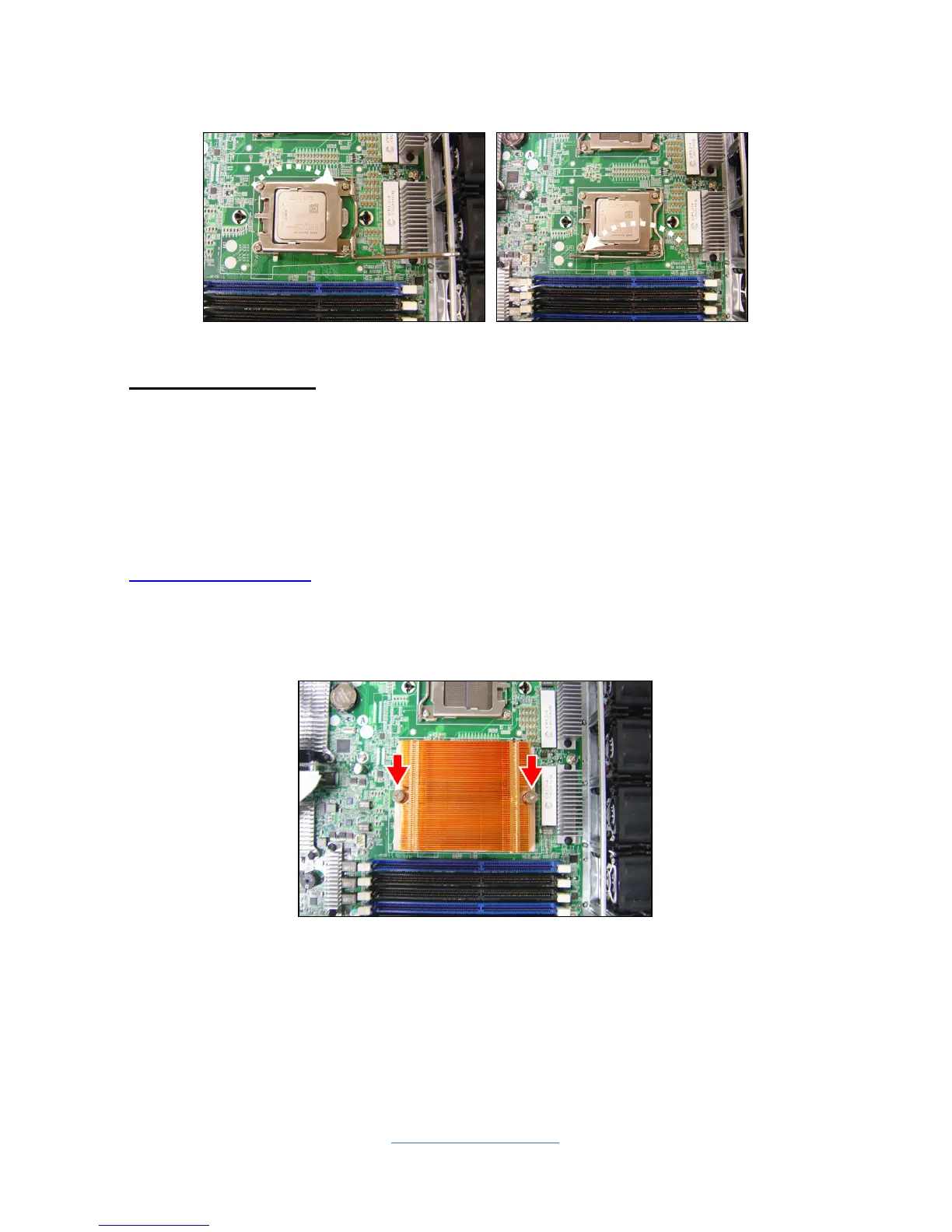
6. Close the socket cover and press the CPU socket lever down to lock the CPU
in place.
Heat sink Installation
After installing the processor, you should proceed to install the heat sink. The CPU
heat sink will ensure that the processor do not overheat and continue to operate at
maximum performance for as long as you own them. The overheated processor is
dangerous to the motherboard.
For the safest method of installation and information on choosing the appropriate
heat sink, using heat sinks validated by AMD
®
. Please refer to the AMD
®
website:
http://www.amd.com
The following diagram illustrates how to install the heat sink onto the CPU of S8010.
7. Place the heat sink on top of the CPU and secure it to the motherboard with 2
screws.



 To Next Page