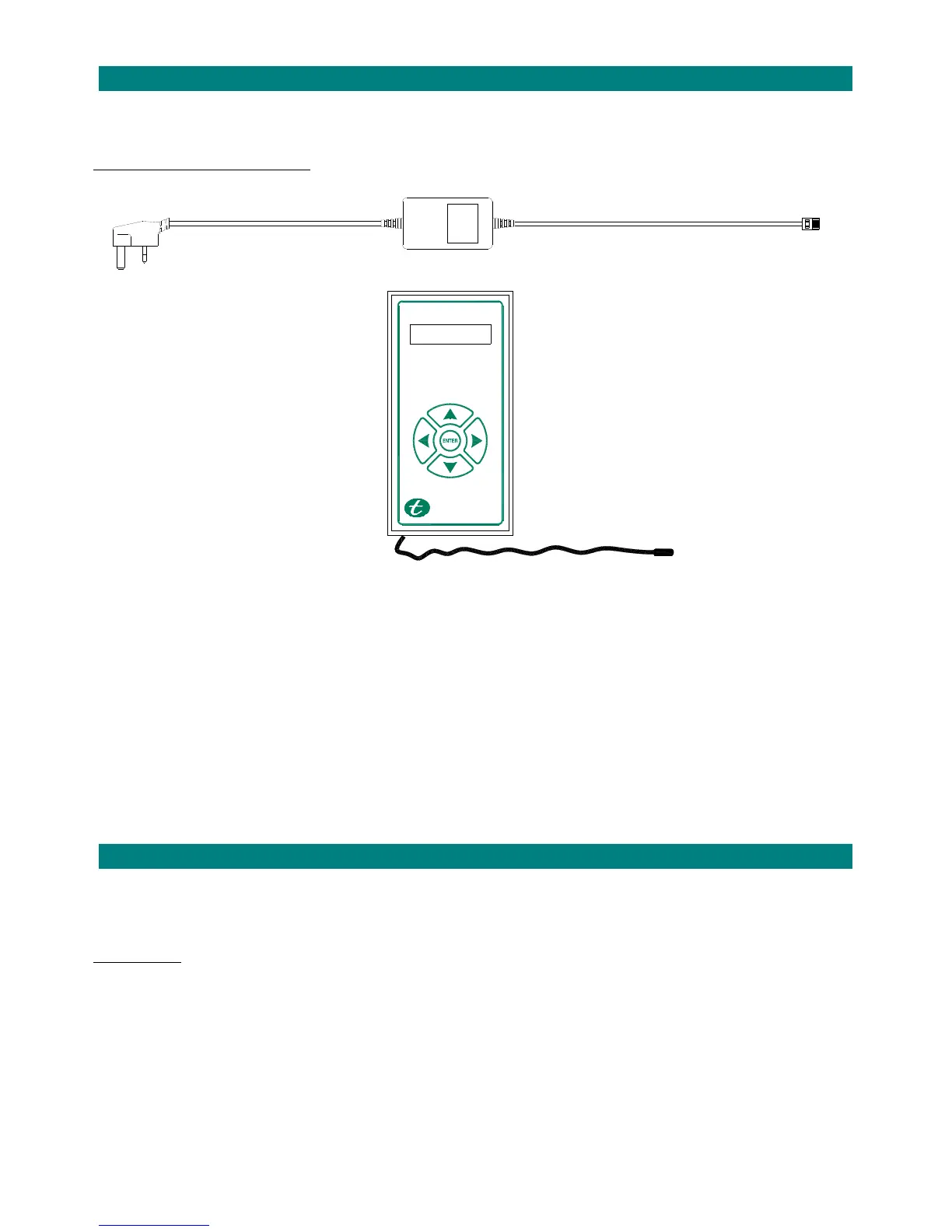
TheAltecResponseportablealarmunitissuppliedwithapowerleadandarechargeablebattery.
HowtoConnecttheAltecResponse
POWERLEAD
DISPLAY
OUTPUTSOCKET
NAVIGATIONKEYS
POWERSOCKET
AERIAL
1. TheAltecResponsewillusuallybedeskmountedwithin3metresofanelectricsupply,ifanextensioncableisnecessary
careshouldbetakentoensurethatnoonecantripoverthelead.
2. TheAltecResponseshouldnotbelocatedwithin2metresofaDECTtelephonebasestation,failuretoprovidethis
separationmayresultinreducedrangeoftheAltecradiodevices.
3. SlidethebatterycompartmentcoveropenontherearoftheAltecResponsecaseandconnectthebatterylead.
Refitthecover.
4. PlugthePOWERLEADintothePOWERSOCKETandconnecttoanelectricsupply.
5. TheOUTPUTSOCKETisonlyusedforconnectingadditionaldevicessuchasaflashinglight.
6. TheflexibleblackAERIALreceivessignalsfromtheTelecaresensorsandmustnotbecut‐downinlengthorcoiled‐up.
2.HOWTOSWITCHTHEALTECRESPONSEO
OncetheelectricsupplyispluggedinandswitchedontheAltecResponsedisplaywillilluminate.
Thebatterysymbolbarsshouldbeflashingtoindicatethebatteryisbeingcharged.
After10secondsthedisplaywillgoblank,theunitisstillonbutthedisplaygoesofftosave
power.
BatteryPower
IfthereisnomainssupplyconnectedtheAltecResponsecanbeswitchedonbyholdingtheENTERkeyforapprox2seconds
untilthedisplayilluminates.Thebatterysymbolbarswillnotbeflashing–thenumberofbarsilluminatedwillgivean
indicationofchargeremaining.
Fromafullchargetheunitshouldlastapprox4hoursonstandby.Whenthebatteryisalmostexhaustedtheunitwill
announce“LowBattery”andflashanemptybatterysymbolonthedisplayevery2minutes.TheAltecResponsemustbe
pluggedinandleftonchargeforat
least8hourstorestorefullbatterypower.



 To Next Page