EasyManua.ls Logo

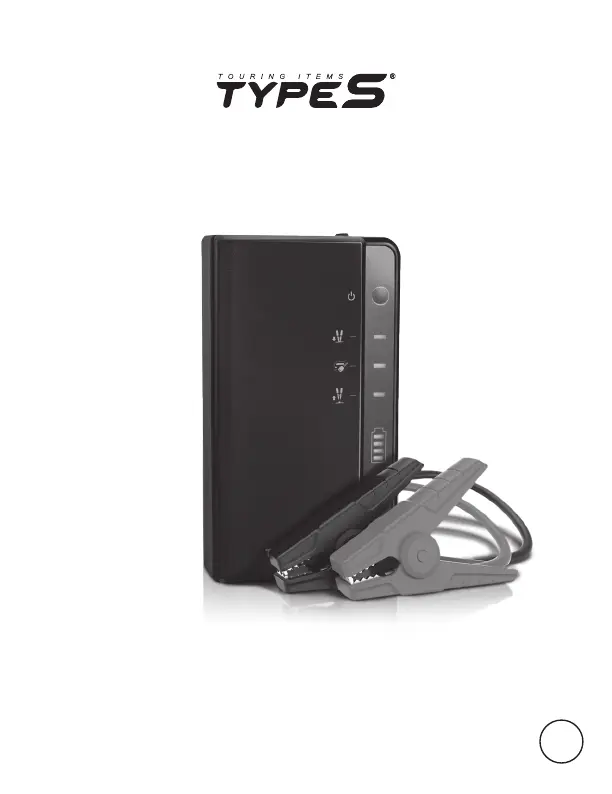
TypeS AC532806-120 - User Manual

TypeS AC532806-120
16 pages
Print Icon
To Next Page IconTo Next Page
Loading...
User Manual
BC
IMPORTANT, RETAIN FOR FUTURE REFERENCE: READ CAREFULLY
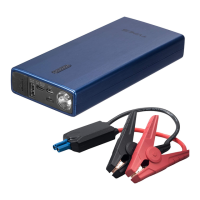
JUMP STARTER &
POWER BANK
ITM. / ART. 1510120
WP ITM. AC532806

Questions and Answers

  • T
    Timothy BurkeAug 7, 2025
    Why my TypeS AC532806-120 cannot jump start?
    • R
      Richard BrownAug 8, 2025
      If your TypeS Remote Starter won't jump start, it could be due to several reasons. First, ensure the red jumper cable is clamped to the positive (+) post and the black cable to the negative (-) post or car interior. If the 45-second timer has expired, disconnect and reconnect the cables. Also, check the battery level; recharge via USB until at least three solid lights or 51% charge.
  • F
    fturnerAug 21, 2025
    What to do if hazard light or flashlight does not turn on on TypeS AC532806-120 Remote Starter?
    • J
      jessica71Aug 21, 2025
      If the hazard light or flashlight on your TypeS Remote Starter does not turn on, it could be due to a low battery. Recharge the unit using a USB cable. As a safety feature, the hazard light or flashlight will not work while the unit is charging. Unplug the unit or wait until charging is complete before using the light.

Summary

Technical Specifications

Warning

Instructions Pertaining to Risk of Fire, Electric Shock, or Injury to Persons

Details essential safety precautions to prevent hazards during operation.

Warning Cont.

Important Safety Instructions

Outlines crucial safety measures to be followed when using the jump starter.

Vehicle Compatibility Warning

Warns about using the jump starter only with 12V vehicles and potential damage.

Power Level Indicator Lights

Charging the Jump Starter

Jump Starting

Before You Jump Start

Pre-jump start checks and preparations for vehicle and product.

Jump Starting Cont.

Connecting Jumper Cables

Step-by-step instructions for connecting RED and BLACK clamps to the battery.

Checking Polarity Protection

Guidance on checking LED status on the Polarity Circuit Protection Box.

Initiating Jump Start

Details on when the vehicle ignition LED lights up and the start window.

LED Floodlight Modes

Troubleshooting

Cannot Jump Start

Troubleshooting steps for issues preventing jump starting, like clamp connection.

TypeS AC532806-120 Specifications

General IconGeneral
BrandTypeS
ModelAC532806-120
CategoryRemote Starter
LanguageEnglish

Related product manuals