EasyManua.ls Logo

TypeS 1279003 - User Manual

TypeS 1279003
16 pages
Print Icon
To Next Page IconTo Next Page
Loading...
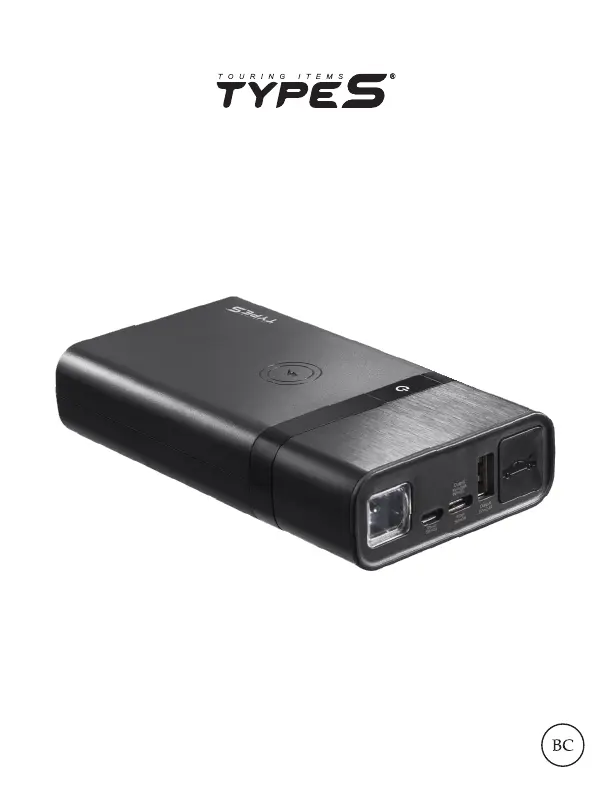
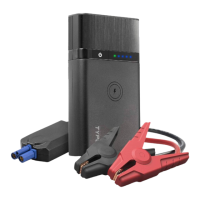
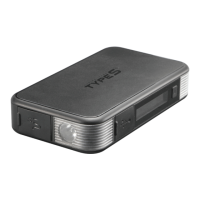
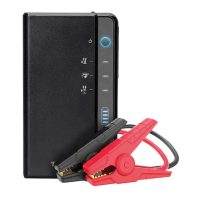
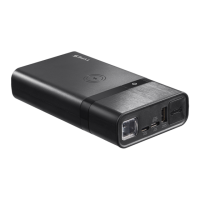
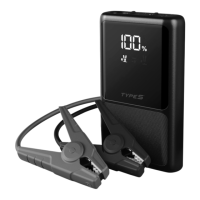
JUMP STARTER
& Portable Power Bank with Wireless Charging
ITM. / ART. # 1279003
WP ITM. AC56794
AC56794-60
User Manual

Questions and Answers

  • J
    Joshua PowellAug 9, 2025
    What to do if my TypeS 1279003 Remote Starter cannot jump start my car?
    • C
      Claudia BakerAug 9, 2025
      If your TypeS Remote Starter fails to jump start, it could be due to several reasons. First, ensure the red jumper cable is clamped to the positive (+) post and the black cable to the negative (-) post or car interior. Second, the jump starter might have timed out; disconnect and reconnect the cables. Finally, the unit may have low battery; recharge it via USB until at least three solid lights or 51% charge are displayed.
  • S
    Sherry RomanAug 15, 2025
    Why doesn't the flashlight on my TypeS Remote Starter turn on?
    • D
      Deborah BennettAug 16, 2025
      If the flashlight on your TypeS Remote Starter doesn't turn on, it could be due to a low battery. Recharge the unit using a USB cable. Alternatively, the flashlight is disabled while the unit is charging as a safety precaution. Unplug the unit or wait until charging is complete before using the flashlight.
  • D
    David JensenAug 21, 2025
    What to do if the wireless charging feature on my TypeS 1279003 Remote Starter doesn't charge my smartphone?
    • M
      Mandy DonaldsonAug 22, 2025
      If your smartphone isn't charging wirelessly with the TypeS Remote Starter, first adjust its position on the charging pad. If your phone case is thicker than 0.3 mm, remove it to ensure proper contact. Also, verify that your smartphone supports wireless charging, as this feature is required for wireless charging to work.
  • J
    John DunnAug 28, 2025
    Why is there no LED indicator light on my TypeS 1279003?
    • J
      James RoblesAug 28, 2025
      If there is no LED indicator light on your TypeS Remote Starter, it could be due to a low battery. Please refer to the Power level indicator on page 4 of the manual. Another possibility is that the power bank is in off mode. Press the power on/off button to turn it on.
  • Y
    ybyrdSep 2, 2025
    What does it mean if the LED light on the clamp box of my TypeS 1279003 Remote Starter keeps flashing?
    • M
      Margaret JamesSep 2, 2025
      If the LED light on the clamp box of your TypeS Remote Starter keeps flashing, it indicates that the protection circuit is active. Please refer to the status table on the indicator box or page 9 of the manual for more information.

Summary

Technical Specifications

Performance and Charging Metrics

Details jump start current and estimated charging time.

Charging the Jump Starter

Charging External Devices

USB Device Charging

Guides on charging external devices using the USB output ports.

Wireless Charging Operation

Instructions for placing devices on the wireless charging pad.

Jump Starting Procedure

Connect Red Clamp to Battery

Attaching the positive (red) clamp to the car battery's positive post.

Jump Starting Procedure Continued

Connect Black Clamp to Battery

Attaching the negative (black) clamp to the car battery's negative post.

Start the Vehicle

Instructions for starting the vehicle within the time limit.

Jump Starting Indicators and Lights

Important Safety Information

General Product Safety Warnings

Key precautions regarding fire, electric shock, and personal injury.

Safety Warnings Continued

Detailed Safety Precautions

Comprehensive safety instructions for product usage.

Risk of Explosive Gases

Specific warnings about working near lead-acid batteries and gases.

Additional Safety Warnings

Battery Acid Contact Precautions

Instructions for handling skin or eye contact with battery acid.

Fire and Temperature Risks

Warnings regarding exposure to fire, high temperatures, and explosion.

Warranty Information

Troubleshooting Guide

Troubleshooting Jump Start Failures

Solutions for issues preventing the vehicle from jump starting.

Troubleshooting Indicator Light Issues

Solutions for problems like flashing or missing LED indicator lights.

Troubleshooting Flashlight and Charging

Solutions for issues with the flashlight and wireless charging.

TypeS 1279003 Specifications

General IconGeneral
BrandTypeS
Model1279003
CategoryRemote Starter
LanguageEnglish

Related product manuals