EasyManua.ls Logo

TypeS AC532806 - User Manual

TypeS AC532806
16 pages
Print Icon
To Next Page IconTo Next Page
Loading...
User Manual
BC
IMPORTANT, RETAIN FOR FUTURE REFERENCE: READ CAREFULLY
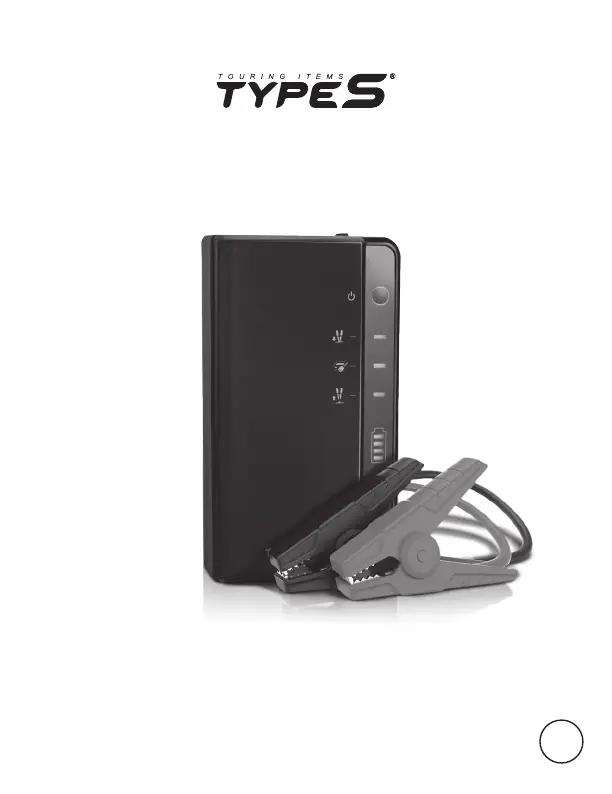
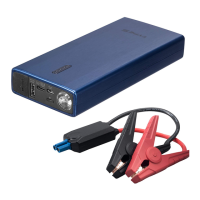
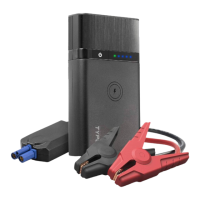
JUMP STARTER &
POWER BANK
ITM. / ART. 1510120
WP ITM. AC532806

Questions and Answers

  • A
    Alex DixonAug 5, 2025
    Why my TypeS Remote Starter cannot jump start?
    • K
      katherinecantrellAug 5, 2025
      If your TypeS Remote Starter won't jump start, it could be due to several reasons. First, ensure the red jumper cable is clamped to the positive (+) post and the black cable to the negative (-) post or car interior. If the 45-second timer has expired, disconnect and reconnect the cables. Also, check the battery level; recharge via USB until at least three solid lights or 51% charge.
  • J
    James DavidAug 18, 2025
    What to do if hazard light or flashlight does not turn on on TypeS AC532806 Remote Starter?
    • C
      Cynthia BairdAug 18, 2025
      If the hazard light or flashlight on your TypeS Remote Starter does not turn on, it could be due to a low battery. Recharge the unit using a USB cable. As a safety feature, the hazard light or flashlight will not work while the unit is charging. Unplug the unit or wait until charging is complete before using the light.

Summary

Product Features and Specifications

Technical Specifications Overview

Key technical details including dimensions, battery capacity, and operating parameters.

Feature Identification

Identifies all major components and ports of the jump starter unit.

Important Safety Information

General Safety Warnings

Crucial safety instructions to prevent fire, electric shock, and injury.

Personal Safety Precautions

Safety measures for personal protection when working near batteries.

Specific Operational Warnings

Warnings related to temperature, damage, servicing, and vehicle compatibility.

Battery Disposal Guidelines

Instructions for the proper disposal of the product's internal battery.

Operation and Charging

Package Contents

Lists all items included in the product package.

Power Level Indicators

Explains how to interpret the LED indicators for battery capacity.

Charging the Jump Starter

Detailed steps for charging the jump starter at home and in a vehicle.

Charging Mobile Devices

Instructions on how to charge external mobile devices using the jump starter.

Jump Starting a Vehicle

Pre-Jump Start Procedures

Essential checks and preparation before attempting to jump start a vehicle.

Connecting Jumper Cables

Detailed instructions for connecting clamps to battery terminals safely and correctly.

Initiating and Completing Jump Start

Steps for starting the vehicle, disconnecting cables, and post-start actions.

Polarity Protection Status

Table detailing LED and sound indicators for polarity protection status and their meanings.

LED Floodlight Functions

Red Light Modes

Instructions to activate red floodlight, strobe, and hazard lights.

White Light Modes

Instructions to activate white floodlight, strobe, and hazard lights.

Warranty and Compliance

Warranty Terms and Conditions

Details the limited warranty, claim conditions, and owner responsibilities.

FCC Compliance Information

Information on FCC compliance and measures to mitigate potential interference.

Troubleshooting Guide

Cannot Jump Start Issues

Solutions for common problems preventing jump starting.

Clamp Box LED Status

Explanation and remedy for the LED light on the clamp box flashing.

Light Functionality Issues

Troubleshooting steps when the hazard light or flashlight does not turn on.

TypeS AC532806 Specifications

General IconGeneral
BrandTypeS
ModelAC532806
CategoryRemote Starter
LanguageEnglish

Related product manuals