EasyManua.ls Logo

TypeS AC56794-60 - User Manual

TypeS AC56794-60
16 pages
Print Icon
To Next Page IconTo Next Page
Loading...
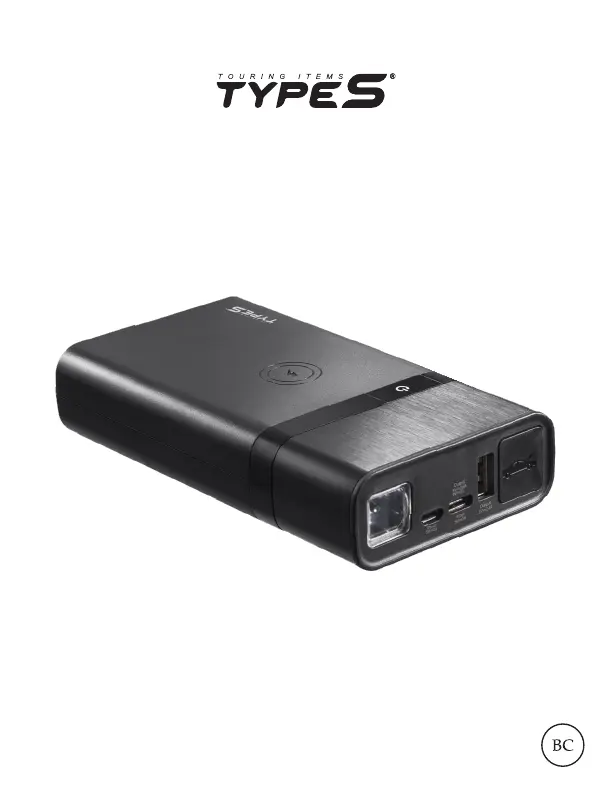
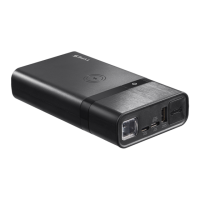
JUMP STARTER
& Portable Power Bank with Wireless Charging
ITM. / ART. # 1279003
WP ITM. AC56794
AC56794-60
User Manual

Questions and Answers

  • M
    Mrs. Debra CamposAug 11, 2025
    What to do if my TypeS AC56794-60 Remote Starter cannot jump start my car?
    • S
      Sarah AndersonAug 11, 2025
      If your TypeS Remote Starter fails to jump start, it could be due to several reasons. First, ensure the red jumper cable is clamped to the positive (+) post and the black cable to the negative (-) post or car interior. Second, the jump starter might have timed out; disconnect and reconnect the cables. Finally, the unit may have low battery; recharge it via USB until at least three solid lights or 51% charge are displayed.
  • B
    Billy BondAug 17, 2025
    Why doesn't the flashlight on my TypeS AC56794-60 turn on?
    • S
      Sara BlakeAug 17, 2025
      If the flashlight on your TypeS Remote Starter doesn't turn on, it could be due to a low battery. Recharge the unit using a USB cable. Alternatively, the flashlight is disabled while the unit is charging as a safety precaution. Unplug the unit or wait until charging is complete before using the flashlight.
  • N
    Nichole HintonAug 25, 2025
    What to do if the wireless charging feature on my TypeS AC56794-60 doesn't charge my smartphone?
    • C
      Christopher JohnsonAug 25, 2025
      If your smartphone isn't charging wirelessly with the TypeS Remote Starter, first adjust its position on the charging pad. If your phone case is thicker than 0.3 mm, remove it to ensure proper contact. Also, verify that your smartphone supports wireless charging, as this feature is required for wireless charging to work.
  • Q
    qrodriguezAug 29, 2025
    Why is there no LED indicator light on my TypeS Remote Starter?
    • N
      Noah FullerAug 30, 2025
      If there is no LED indicator light on your TypeS Remote Starter, it could be due to a low battery. Please refer to the Power level indicator on page 4 of the manual. Another possibility is that the power bank is in off mode. Press the power on/off button to turn it on.
  • T
    Tina RussellSep 4, 2025
    What does it mean if the LED light on the clamp box of my TypeS AC56794-60 Remote Starter keeps flashing?
    • A
      amandagarciaSep 4, 2025
      If the LED light on the clamp box of your TypeS Remote Starter keeps flashing, it indicates that the protection circuit is active. Please refer to the status table on the indicator box or page 9 of the manual for more information.

TypeS AC56794-60 Specifications

General IconGeneral
BrandTypeS
ModelAC56794-60
CategoryRemote Starter
LanguageEnglish

Related product manuals