15
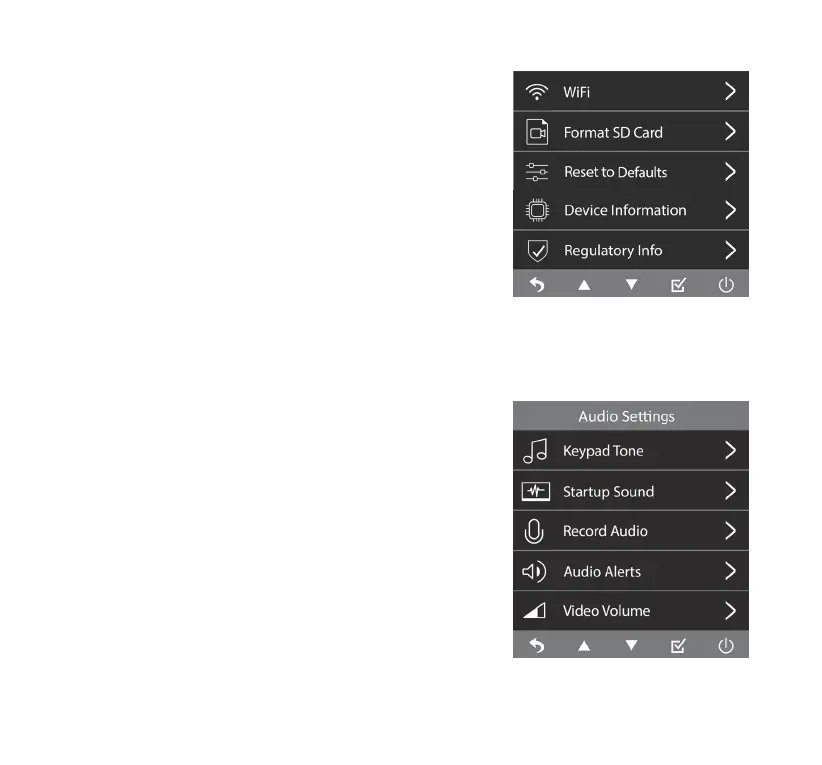
9. WiFi
The auto-sync feature via WiFi allows you to view/manage/
download les onto your smart device wirelessly via the
TYPE S Drive App.
NOTE: Refer to page 19 for pairing procedure.
10. Format SD Card
Format the MicroSD card. This action will erase all data
stored on the MicroSD card.
11. Reset To Defaults
Reset settings to factory defaults.
12. Device Information
Show the current rmware version of the camera.
13. Regulatory Info
Show regulation related information.
Audio Settings
1. Keypad Tone
Mute/Unmute keypad tone.
2. Startup Sound
Startup Sound On/O.
3. Re cord Audi o
Record Audio On/O. This feature enables the camera to
capture sound during recording.
4. Au dio Ale rt s
Audio Alerts On/O. If set to ON, the system will sound an
alert whenever an AI warning is triggered by active Driver
Assistance features.
5. Video Volum e
Adjust the volume of the recorded footage.



 To Next Page