14
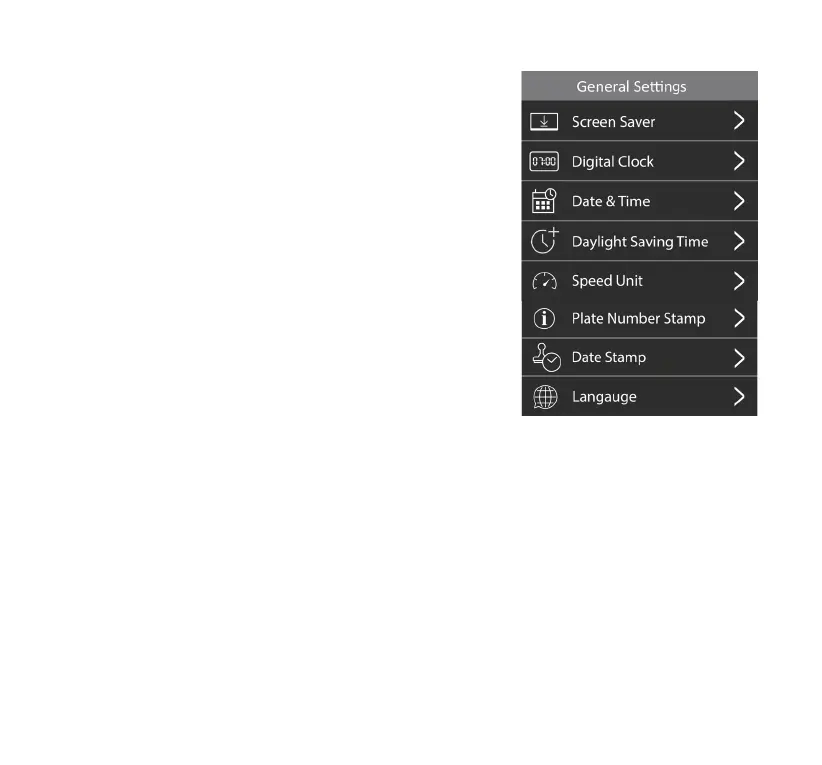
General Settings
1. Screen Saver
Select the period of inactivity to activate the screen saver.
When the screen saver is running, a digital clock will be
displayed, and the screen will remain active for any AI
warnings.
2. Digital Clock
Enable/Disable the digital clock in the screen saver. If set to
OFF, the screen saver will present a black screen instead.
3. Date & Time
Set the current date & time, and choose the format for how it’s
displayed on the camera and on all its recorded media les.
4. Daylight Saving Time
Daylight Saving Time On/O.
The Daylight Saving Time feature allows you to adjust the
clock forward or backward by 1 hour when daylight saving
time changes occur.
NOTE: The camera will automatically sync its clock to the time on your phone every time you
connect it to the TYPE S Drive App.
5. Speed Uni t
Select the unit of speed between MPH and KM/H. Default speed unit is set as MPH.
6. Plate Number Stamp
Input your vehicle license plate number here. When activated, your plate number will be displayed
on all recorded media les.
7. Date & TYPE S Logo Stamp
Enable/Disable the Date & TYPE S Logo Stamp. If set to ON, the date & TYPE S logo will be displayed
on all recorded media les.
8. Language
Choose your desired language.



 To Next Page