20
6
7
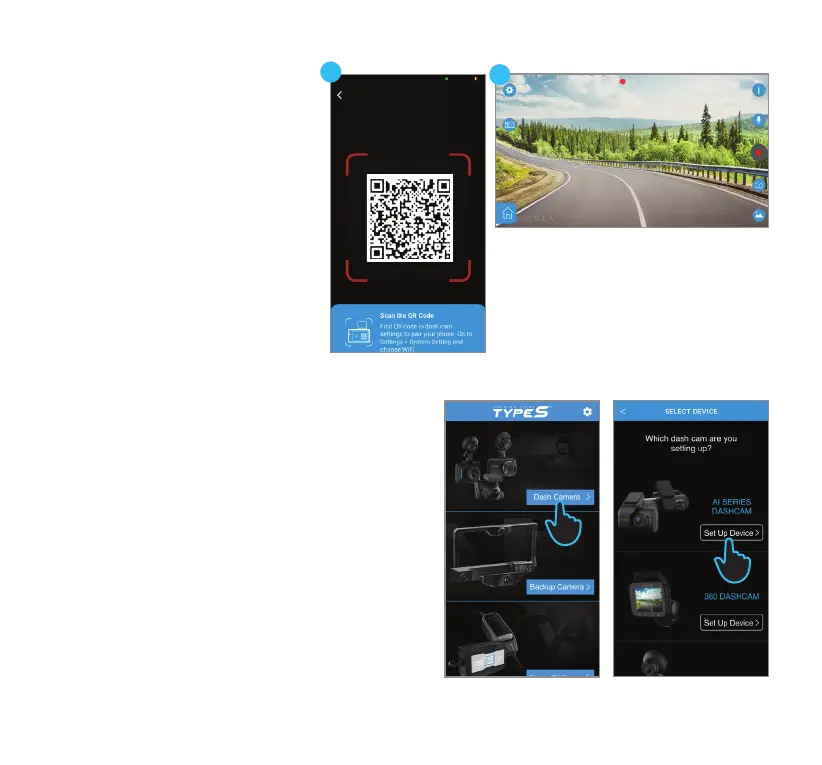
6. Scan the QR code on the camera.
7. After establishing the connection,
you will have the ability to view the
live feed from the camera through
the App.
NOTE: After the initial connection,
the App retains your camera's
network information. This ensures
that you will be automatically
directed to the live view the next
time you connect, eliminating the
need for manual reconnection.
iOS Device (Follow Steps 1-2 from previous
instructions)
3. Please make sure Bluetooth, Location Services and
Local Network Access are enabled on your device.
4. Run the TYPE S Drive App and select the Dash
Camera category.
5. Select AI SERIES DASHCAM from the list of devices.
Click Set Up Device.
4
5



 To Next Page