Tyson Bio HT100-B meter provides 4 reminder alarms. All reminder alarms are OFF as default. Please follow these steps to
setup reminder alarms.
1. When the meter is OFF, press and hold for 4 seconds or longer to enter setting.
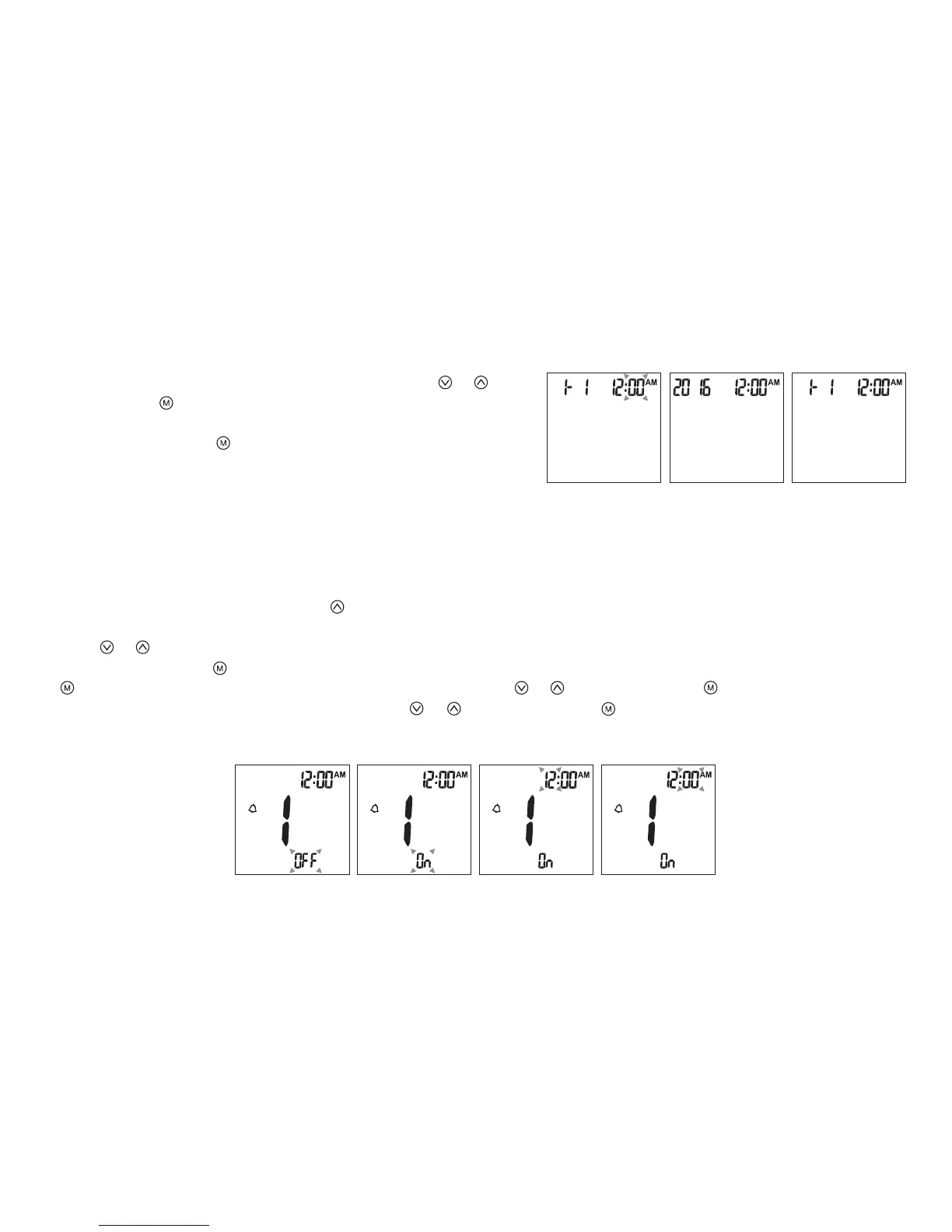
2. The rst reminder alarm will appear on the display (Fig.12).
3. Press or to select “ON” or “OFF”.
4. If “OFF” is chosen and pressed, the meter will proceed to the next reminder alarm setting. If “ON” is chosen (Fig.13) and
pressed, the number of “hour” will start ashing (Fig.14). Press or to adjust and press to conrm.
5. The numbers of “minutes” will ash (Fig.15). Press or to adjust and press to conrm. The meter will go to the next
reminder alarm setting.
6. Repeat steps 3 to 5 to set the rest of reminder alarms.
8. The numbers of “minute” will appear and ash. Press or to
adjust. Press to conrm (Fig.9).
9. The set date and time will now be displayed on screen
(Fig.10, Fig.11). Press to turn o the meter.
10. The meter date/time setting is complete.
(Fig.9) (Fig.10) (Fig.11)
Reminder Alarms Setup
(Fig.12) (Fig.13) (Fig.14) (Fig.15)
09



 To Next Page