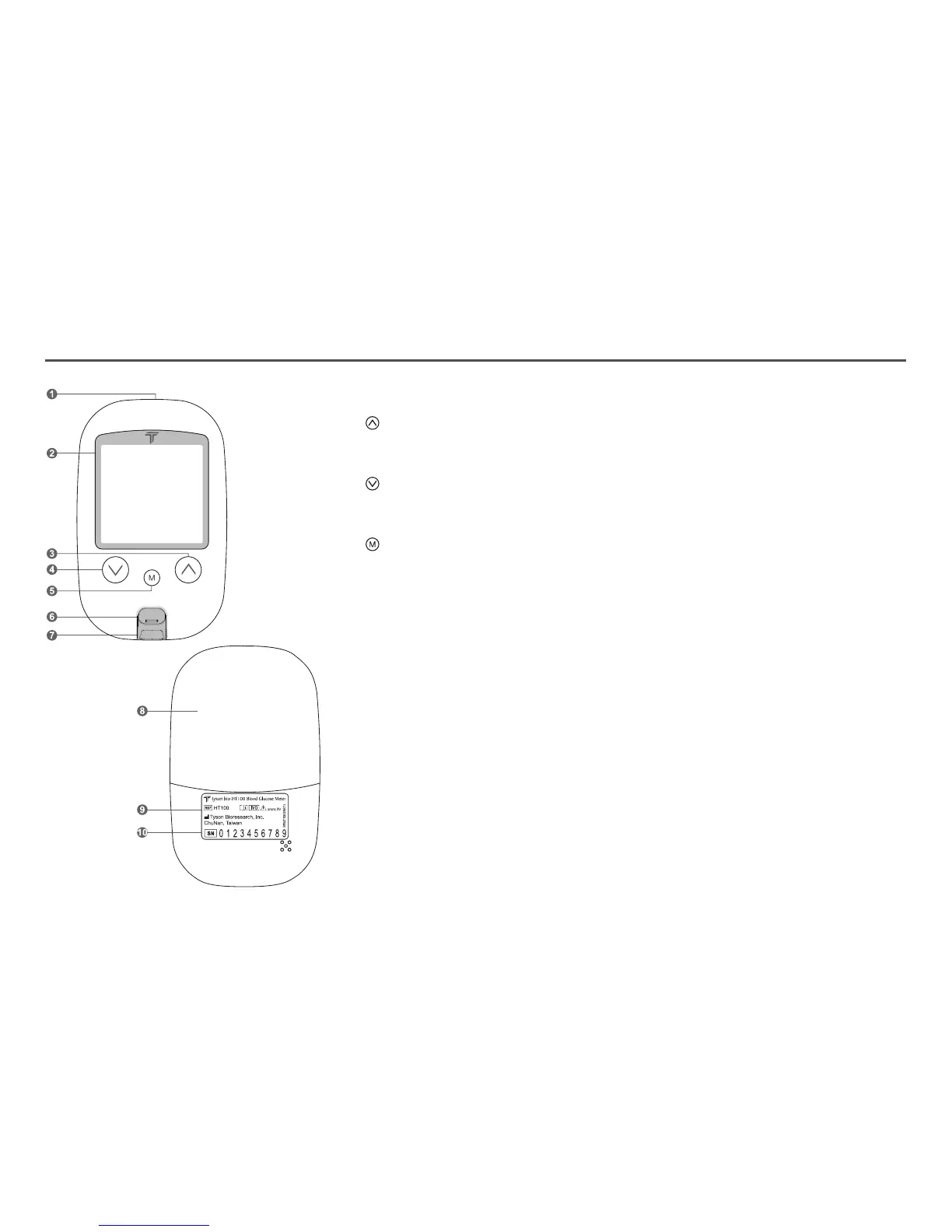
1. Data Port To connect interface cable for data transferring
2. Display To display results in numbers and icons
3. Button Press and hold to enter reminder alarm and HI/LO alarm setup
To adjust numbers and to toggle settings
To browse test results and averages in memory
4. Button Press and hold to enter buzzer setup
To adjust numbers & to toggle settings
To browse test results and averages in memory
5. Button Press and hold to enter the year/date/time setting
To browse Control Solution test results
To turn the meter ON/OFF
6. Strip Ejector Push to eject the test strip
7. Test Port The test strip is inserted here
8. Battery Cover To slide open and close
9. Meter Label Manufacturer information
10.
Serial Numbers
The meter manufacturer serials
About Tyson Bio HT100-B Blood Glucose Meter
04



 To Next Page