HI/LO Alarms Setup
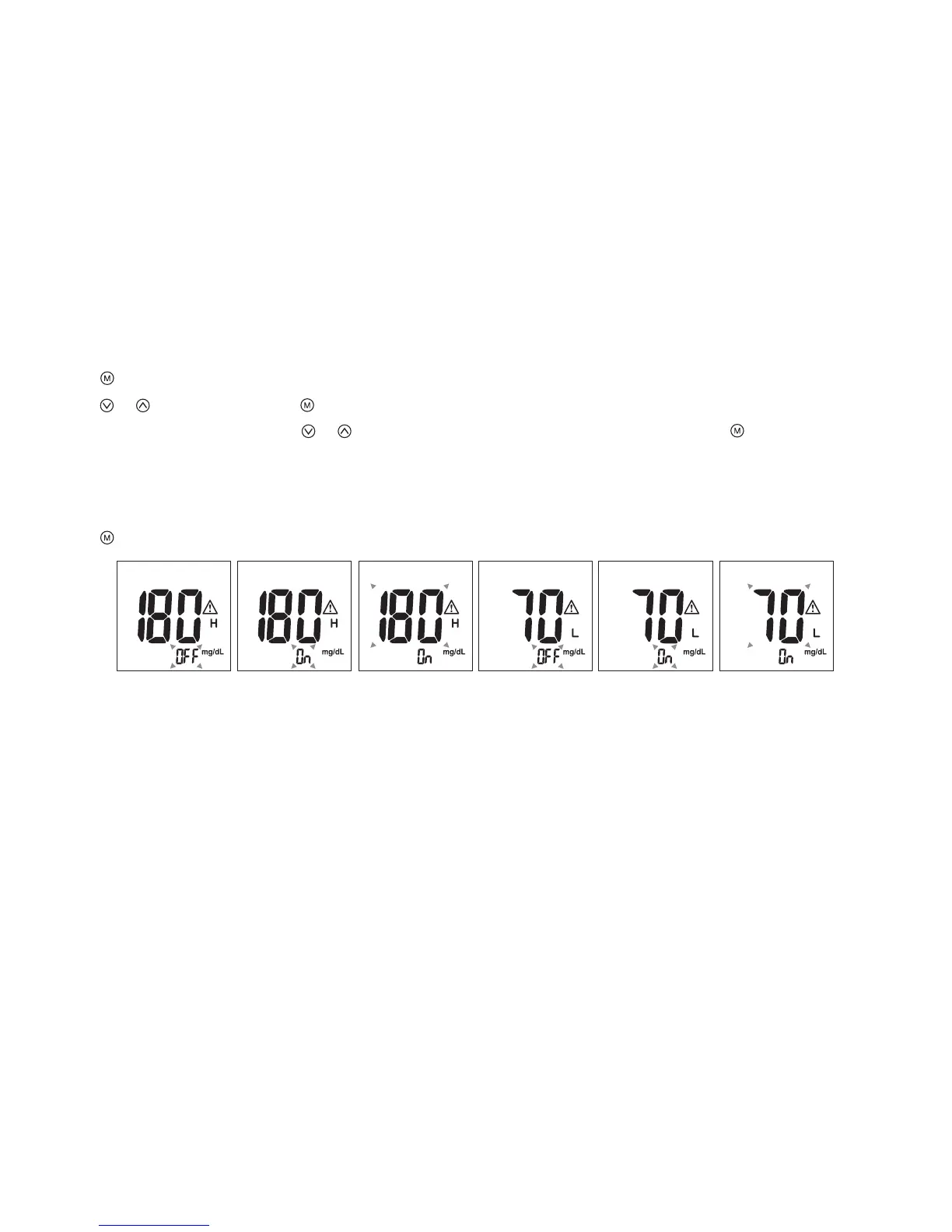
1. Press to enter the HI alarm setting after completing the reminder alarm setup.
2. Press or to set “ON" and press to conrm. If "OFF" is chosen, the meter will skip this setting (Fig. 16, 17).
3. To change the alarm setting, press or until you reach your desired HI setting and then press to conrm. (Fig.18)
The HI alarm value range is 100 ~ 400mg/dL and the default value is 180mg/dL.
4. Continue to the LO alarm setting (Fig.19), repeat Step 2 and 3 (Fig.20, 21) to conrm or to change LO alarm setting.
The LO alarm value range is 40 ~ 90mg/dL and the default value is 70mg/dL.
5. Press to nish setting and the meter will be turned o.
NOTE:
The hypoglycemic (LO) and hypoglycemic (HI) alarm glucose values should be selected in consultation with your
health care provider.
(Fig.16) (Fig.17) (Fig.18)
(Fig.19) (Fig.20) (Fig.21)
10



 To Next Page