Main
Restore to Factory Default Settings Press and hold the Reset button for more than
five seconds.
The Main port is a Gigabit PoE port used to connect the power and should be
connected to the LAN and DHCP server. Power can be provided by one of the
following:
Gigabit PoE Adapter (included)
Ubiquiti UniFi Switch with PoE
802.3af/802.3at PoE+ compliant switch
Hardware Installation
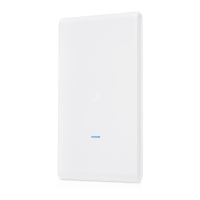
The UAP-AC-M-PRO can be mounted on a pole or mast, or on a wall. Perform the
steps for the appropriate installation.
Pole Mount
1.
2.



 To Next Page
 Loading...