UBTECH CADEBOT USER MANUAL
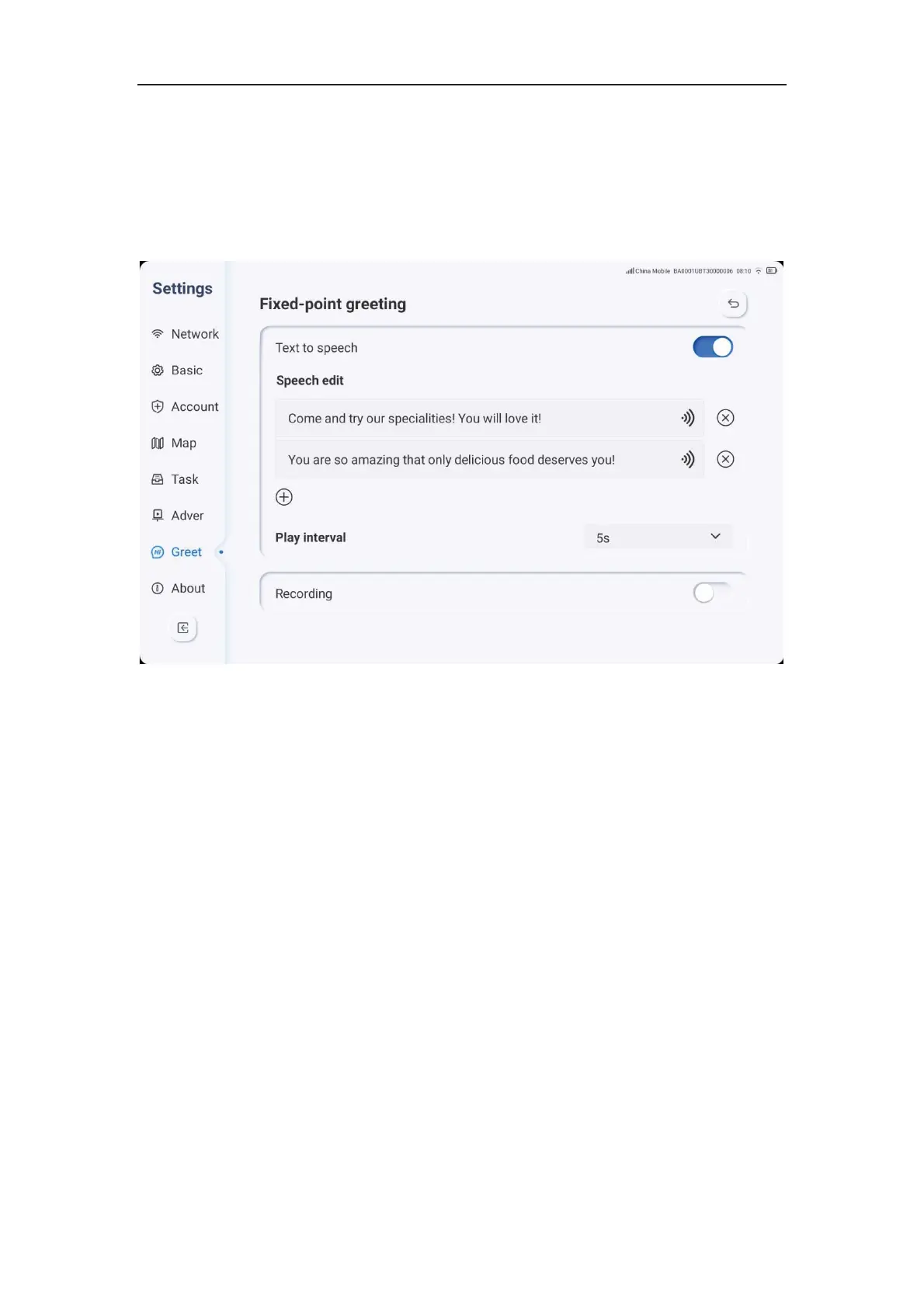
autonomous recording, neither of which can be enabled simultaneously. However, both
can be disabled simultaneously, indicating that the robot will not say any welcome phrases
during the welcome process.
3. The speech setting supports both Chinese and English languages. Under Chinese and
English language systems, users can choose between text-to-speech input or
autonomous recording. Under other languages, only recording is available.
4. The speech setting has two default phrases for text-to-speech and five maximum
allowed for autonomous recording. Each character limit for text-to-speech is 500 and the
maximum duration for each recorded phrase is 60 seconds.
5. The phrases are played in order from top to bottom with a specified interval time of 5
seconds. If users select text-to-speech, they can click the play button to preview after
inputting the text, and the delete button to remove the phrase. If users select recording,
they can click on the recording box to replay after finishing, and the delete button to
remove the phrase.
6. Touching the head allows users to access the head touching setting. Users can
choose either manual input of text-to-speech or autonomous recording, neither of which
can be enabled simultaneously but both can be disabled simultaneously. The speech
setting supports both Chinese and English languages. Under Chinese and English
language systems, users can choose between text-to-speech input or autonomous
recording. Adding up to five allowed for each type of recording. The specific process and
details of the welcome setting can be referenced above.
7. When a guest touches the robot, it will only play one phrase after saying the previous
one. After the current phrase finishes playing, the robot will play the next phrase in
sequence.



 To Next Page