Cocoon 951 Twin 7
Cocoon 951 Twin
ENGLISH
•
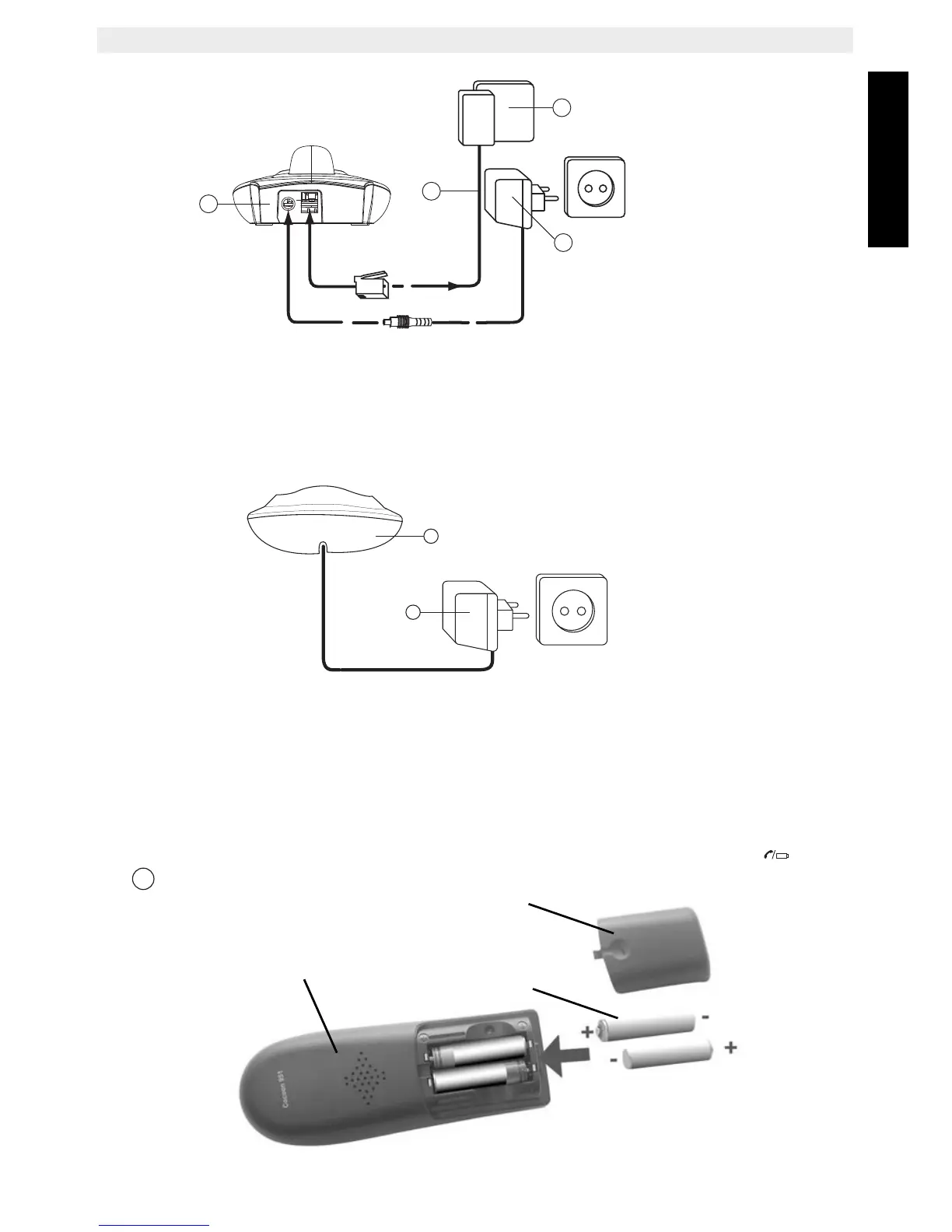
A. Telephone wall outlet
B. Power cable
C. Back view of BASE
D. Telephone cord
4.2 Installing the second handset charger
E. Back view of charger
F. Power cable
4.3 Installing the batteries
• Open the battery compartment (see below).
• Insert the batteries respecting the (+ and -) polarity.
• Close the battery compartment.
• Leave the handset on the base unit for 16 hours. The Line/Handset indicator (LED)
on the base unit will light up.



 To Next Page