12 UCOM Twintalker 4700
UCOM Twintalker 4700
13.7 VOX Selection
The PMR is capable of voice activated (VOX) transmission. In VOX mode, the radio will
transmit a signal when it is activated by your voice or other sound around you. VOX operation
is not recommended If you plan to use your radio in a noisy or windy environment.
13.8 Call Tones
A call tone alerts others that you want to talk.
13.8.1 Sending a call Tone
Press the button briefly. The call tone will be transmitted for 3 seconds on the set
channel.
13.8.2 Setting the Call Tone
The Twintalker 4700 has 10 call tones
13.9 Roger Beep On/Off
After the PTT - button is released, the unit will send out a roger beep to confirm that you
have stopped talking.
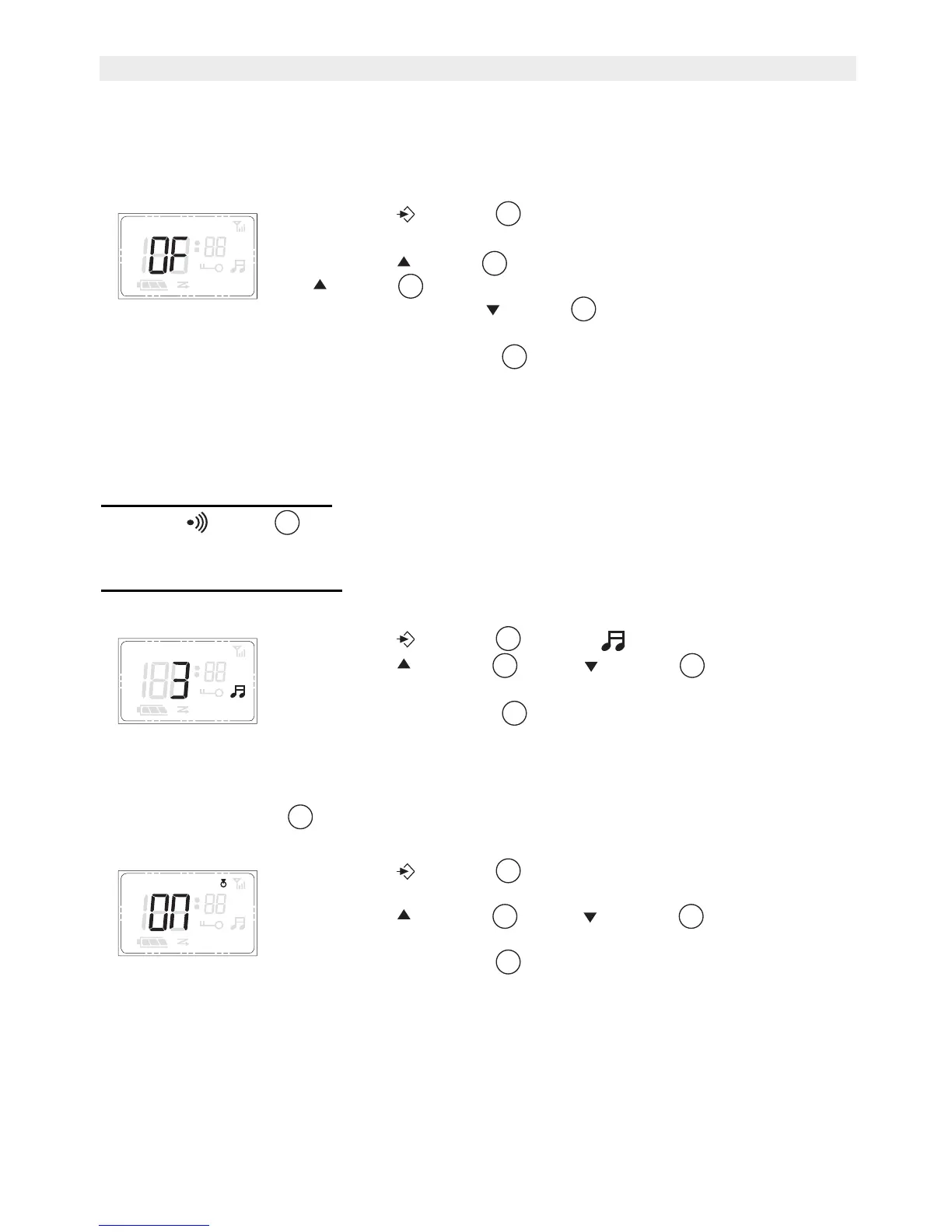
• Press the - button 3 times, the current VOX setting
flashes on the display and the VOX icon is displayed.
• Press the -button to turn the VOX feature ON. Press the
-button again to select the VOX sensitivity level which
displayed. Press the -button until OFF appears on the
display, to turn VOX OFF.
• Press the PTT - button to confirm and return to stand-by
mode.
• Press the - button 4 times, flashes on the display.
• Press the - button or the - button to change to
another Call Tone
• Press the PTT - button to confirm and return to stand-by
mode.
• Press the - button 5 times, the current Roger Beep
setting flashes on the display.
• Press the - button or the - button to enable (ON)
or disable (OF) the Roger Beep.
• Press the PTT- button to confirm and return to stand-by
mode.
+
APO VOX


 To Next Page