UCOM Twintalker 4700 9
UCOM Twintalker 4700
ENGLISH
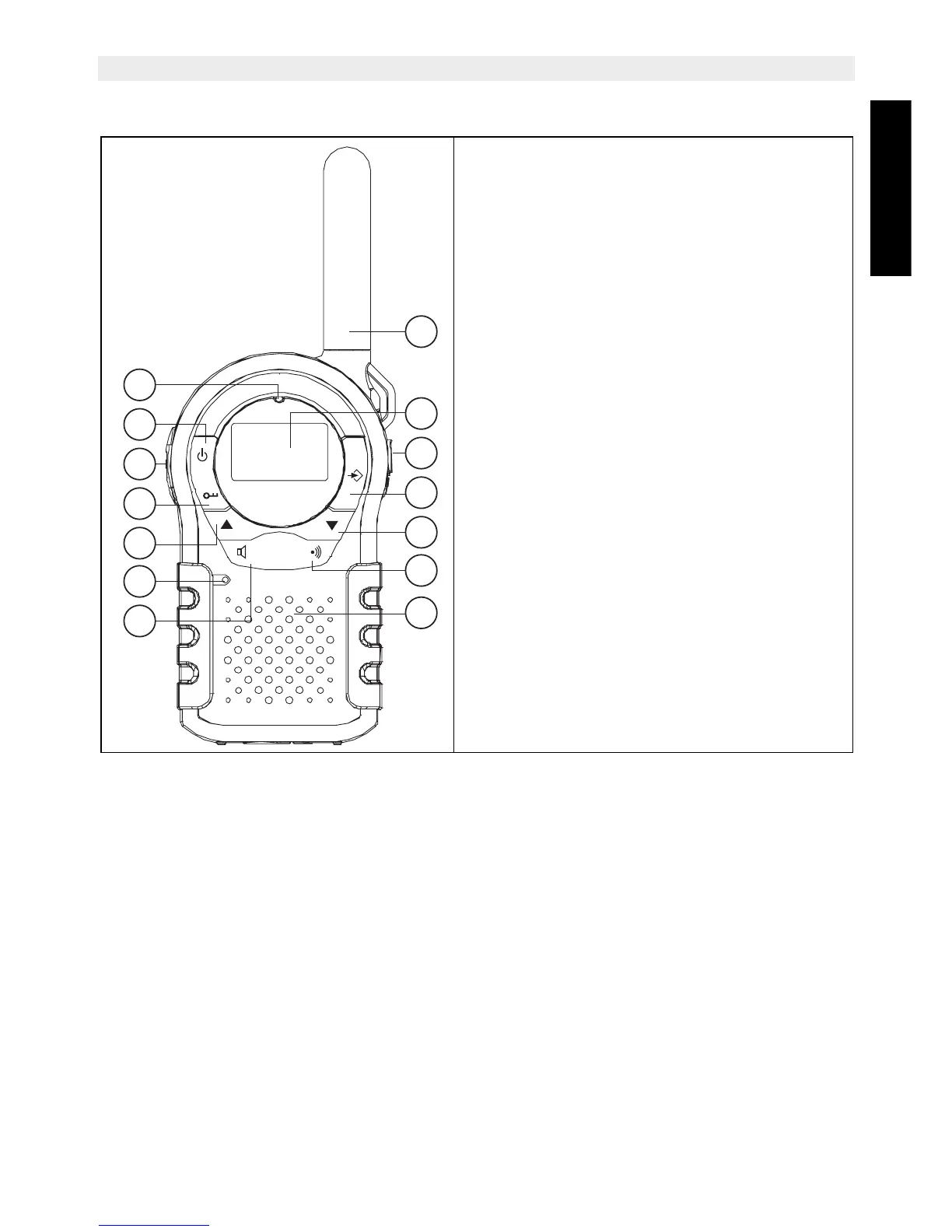
11 Buttons
1. Antenna
2. LCD Display
3. Charger / Earpiece connector
4. MENU
– Enter the setting menu
5. DOWN button
– Decrease the speaker volume
– Select the previous value in the menu.
6. CALL button
7. Speaker
8. SCAN/MONITOR button
9. Microphone
10. UP button
– Increase the speaker volume
– Select the next value in the menu.
11. Lock button
12. PUSH TO TALK button
13. ON-OFF button
14. TX LED
– Burns during transmission
TwinTalker 4700
1
4
5
6
7
3
2
8
9
10
11
12
13
14


 To Next Page