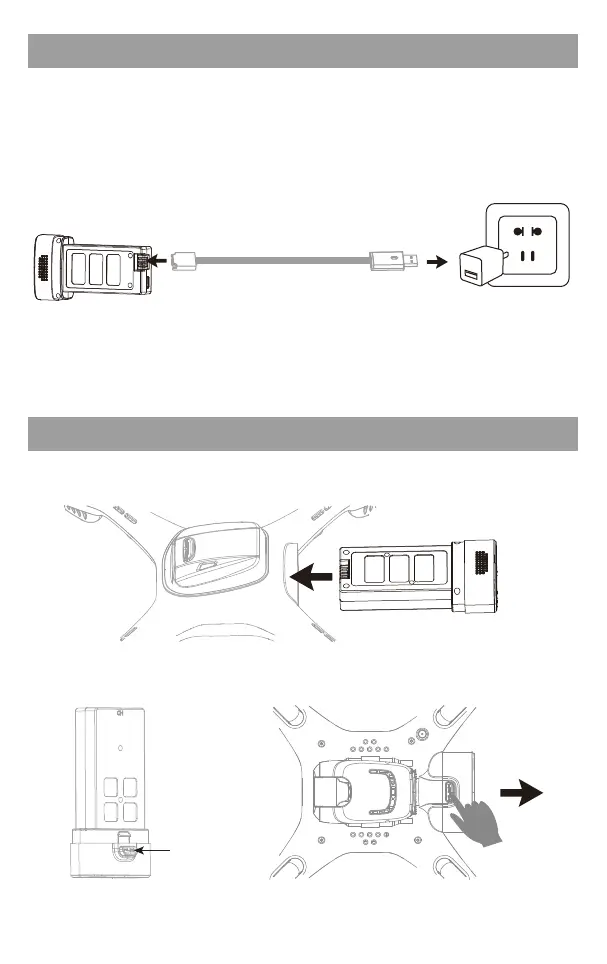
Drone battery installation
Battery Charger
Drone battery
Connect the original charging cable with the drone battery, and then connect other USB
charging port. The charger line indicator is red when charging and the light turns green
when fully charged.
②①
USB adapter(Not Include)
Battery power is insufficient in the original plant. It must be charged
saturated before it can be used.
▲ Only use the original charging line; suggest select adapters with output current of 5V 2A.
Installation:Push the battery to the bottom of the body battery slot.
Disassembly:Press the battery lock and pull the battery out backwards.
Battery lock
Original Charging Line
3



 To Next Page