Mobile Phone Installation
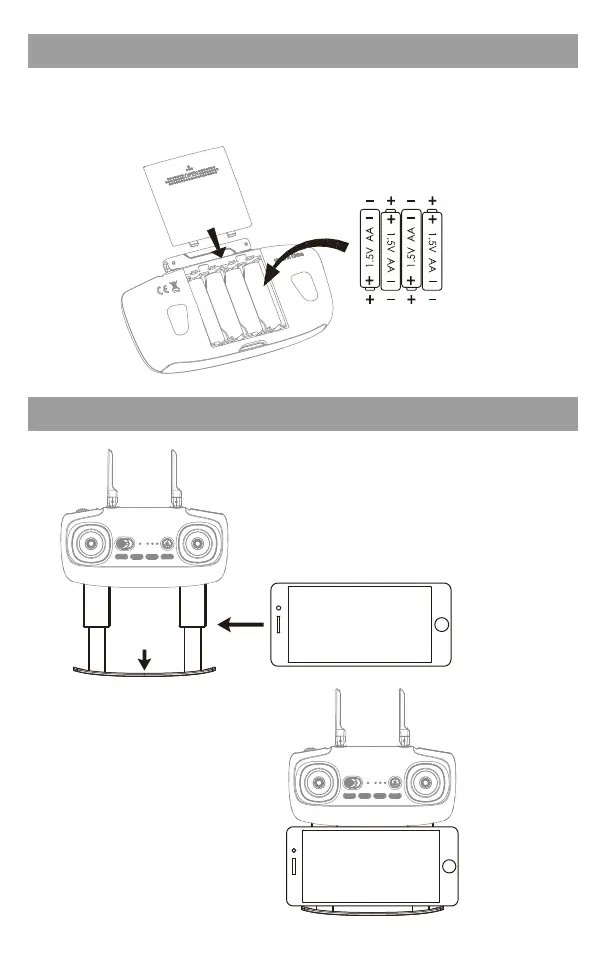
Transmitter battery installation
Open the battery cover on the back side of the transmitter ,according to the
"+-" electrode instruction in the battery groove, place the battery with the
same type of saturated power (battery not include).
Battery Cover
4*1.5V AA Batteries
② Place the phone in the upper and lower
clamps,and the clamp will automatically
clamp the mobile phone.
① Pull down and out of the
phone clip.
* Pay attention to don't clip
the buttons on the side of
the phone.
* Phone is
not included !
* Phone is
not included !
5



 To Next Page