Transmitter connect with drone
Frequency Pairing
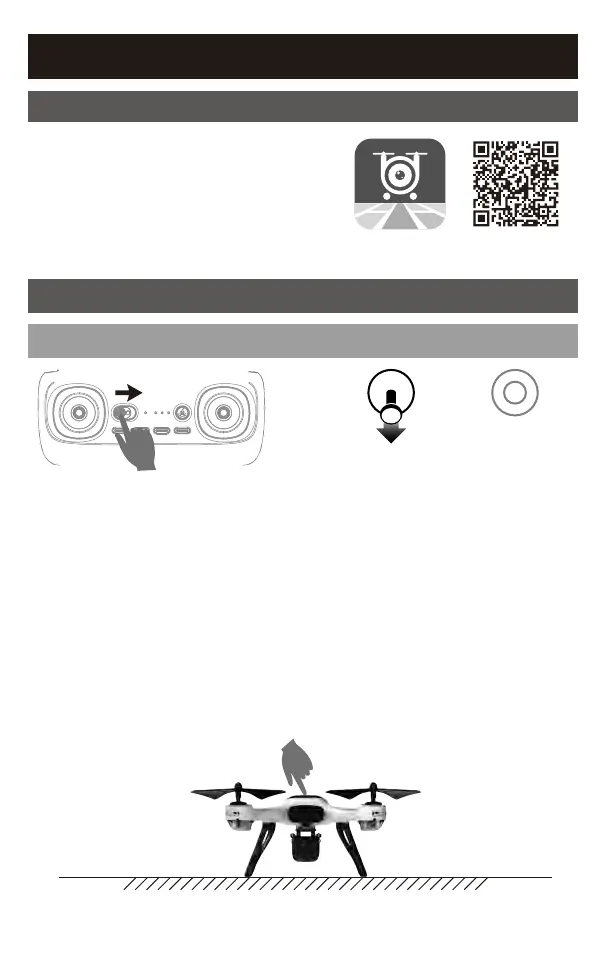
① Turn on the power of transmitter.
② Pull the left stick to the lowest
position and let go, the indicator
light changed to slow flash. It
indicates the transmitter enters
the frequency state.
③ Long press the power of the drone for 2 seconds and placed it on the
horizontal ground. After the navigation light is on for 2 seconds, the
fuselage lights become flash, and the drone and the transmitter are
connected to each other successfully. When the left light of the drone
flashes and the right light does not turn on, it is suggested that the
horizontal correction of the compass is needed at this time.
Horizontal ground
Flight Operations
Mobile phone connect with Drone
Download and install APP: UDIGPS
This software is suitable for mobile phones
in the IOS and Android system.
For detailed operation, please check the
system “HELP” of APP.
6



 To Next Page