Using the Flyingsee APP
Pairing your device with the drone
2. Enter your device’s set up screen, turn on Wi-Fi (WLAN) and choose udirc-***,
Return to main screen after successful connection.
1. Install the Li-po battery into the drone and power on the drone. Put the drone
on a flat surface in a horizontal position. ( Very Important)
3. 4.
Go to UIDRC official website for more information about our products.
Download the manual and learn how to fly the drone properly.
1
2
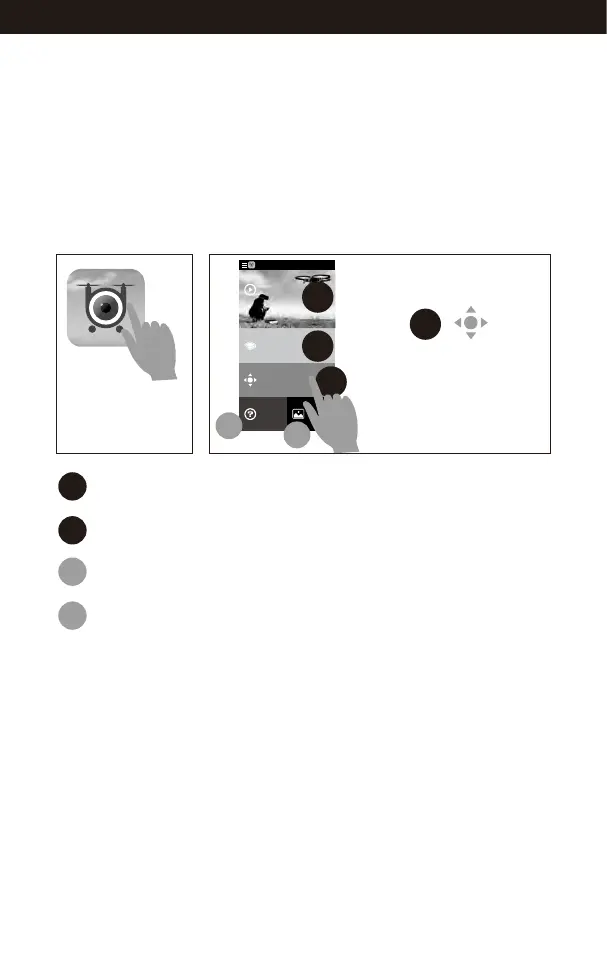
Help & Tips.
View your photos or videos.
4
5
Tap this icon to
open the APP.
Flyingsee
Learn the operation
of drone
Remote control interface
Media
Help
Explore UDIRC Drone
HOME
1
2
3
4
5
Select to enter
the remote control interface
for real time transmission.
3
16
www.udirc.com



 To Next Page