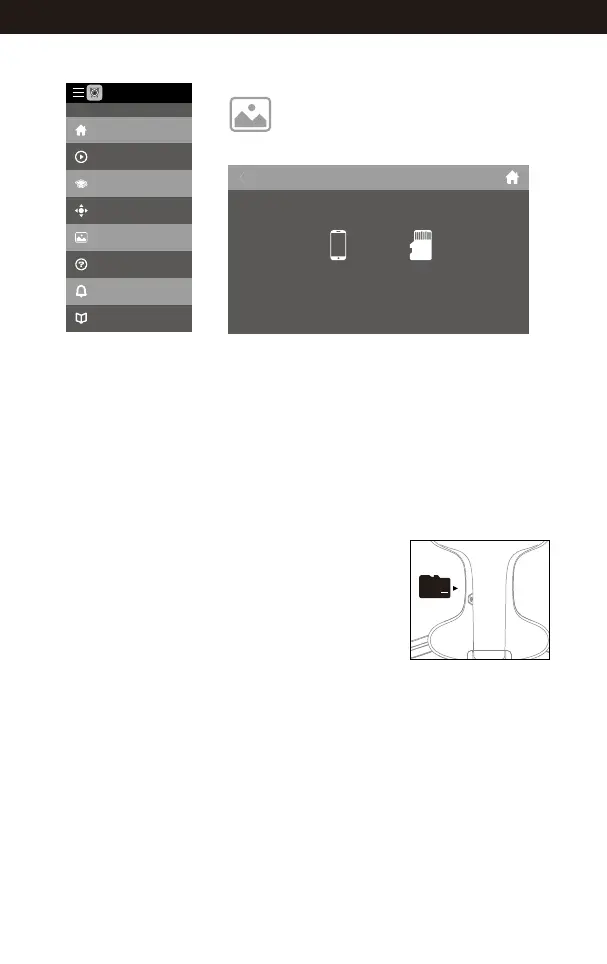
Notice: App must be authorized to access the phone gallery, if not, then may
be unavailable to display the video and photos.
The photos are stored in the local phone gallery and TF card, the video is only
stored in the TF card, you need to download the video to the phone gallery and
display it. Please download the video as per APP instruction.
To view the photos and videos.
Display the photos and video
Main menu Media interface
My Gallery
Internal Memory
Home
Explore UDIRC Drone
Learning Drone
Remote control interface
My Gallery
Help
News
Notice
FLYINGSEE 1.0
Picture 22
Tip: Please play the video or photo after coping all aerial photography data to
computer and make sure the play software can support AVI format.
Basic parameter for aerial camera: Video DPI 1280*720P
Image Size 1280*720P.
To take photo and record video
1. Insert the TF card to the slot in accordance with Picture 22.
(*TF card is not included)
2. The aerial photo will be saved in your mobile phone
and the TF card, while the video only be saved in the
TF card. But you can download the video to the mobile
phone or view the video on the phone only when the
mobile phone connecting with the drone Wi-Fi and
the TF card in the drone.
Tip: Tap the video icon to save a video when ending recording,
or the video cannot be saved.
3. Power off the drone first when finish aerial photography. Take out TF card and
insert the card to a card reader. Connect the card reader with computer USB
port. After a while, view the aerial photography data from “my computer”-
”mobile disk”.
22
www.udirc.com



 To Next Page