Need help?
Do you have a question about the UGREEN CM292 and is the answer not in the manual?
Thank you for purchasing UGREEN products. For optimum operation, please read this manual carefully before using.
Important warnings including data backup before use, formatting, and safe ejection of hard drives.
Lists all items included in the package, such as the enclosure, power adapter, and cables.
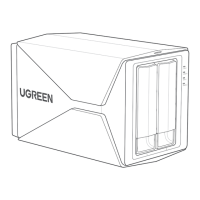
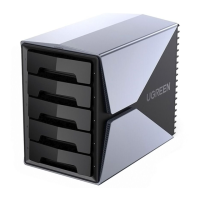
Details the different parts and features of the UGREEN 5-Bay RAID Hard Drive Enclosure.
Explains the status and meaning of the LED indicators for power, drive activity, and RAID modes.
Provides technical specifications like input, output, USB standard, transfer rate, and dimensions.
Instructions on how to remove the hard drive tray from the enclosure for installation.
Guide on installing 3.5-inch and 2.5-inch hard drives onto the drive tray.
Steps to reinsert the filled drive tray back into the hard drive enclosure.
Instructions for connecting the enclosure to a power source and PC/laptop.
Explains how to switch between different RAID modes and the initial setup process.
Details various RAID modes, their descriptions, minimum drive requirements, and corresponding DIP switch settings.
Guides on partitioning and formatting drives for Windows, macOS, and Linux after setting up RAID.
Procedure for adding new hard drives to an existing RAID configuration without data loss.
Steps to replace a failed hard drive in RAID 1/3/5/10/Clone modes and restore data.

 To Next Page
 General