Unlocking Hard Drive Tray
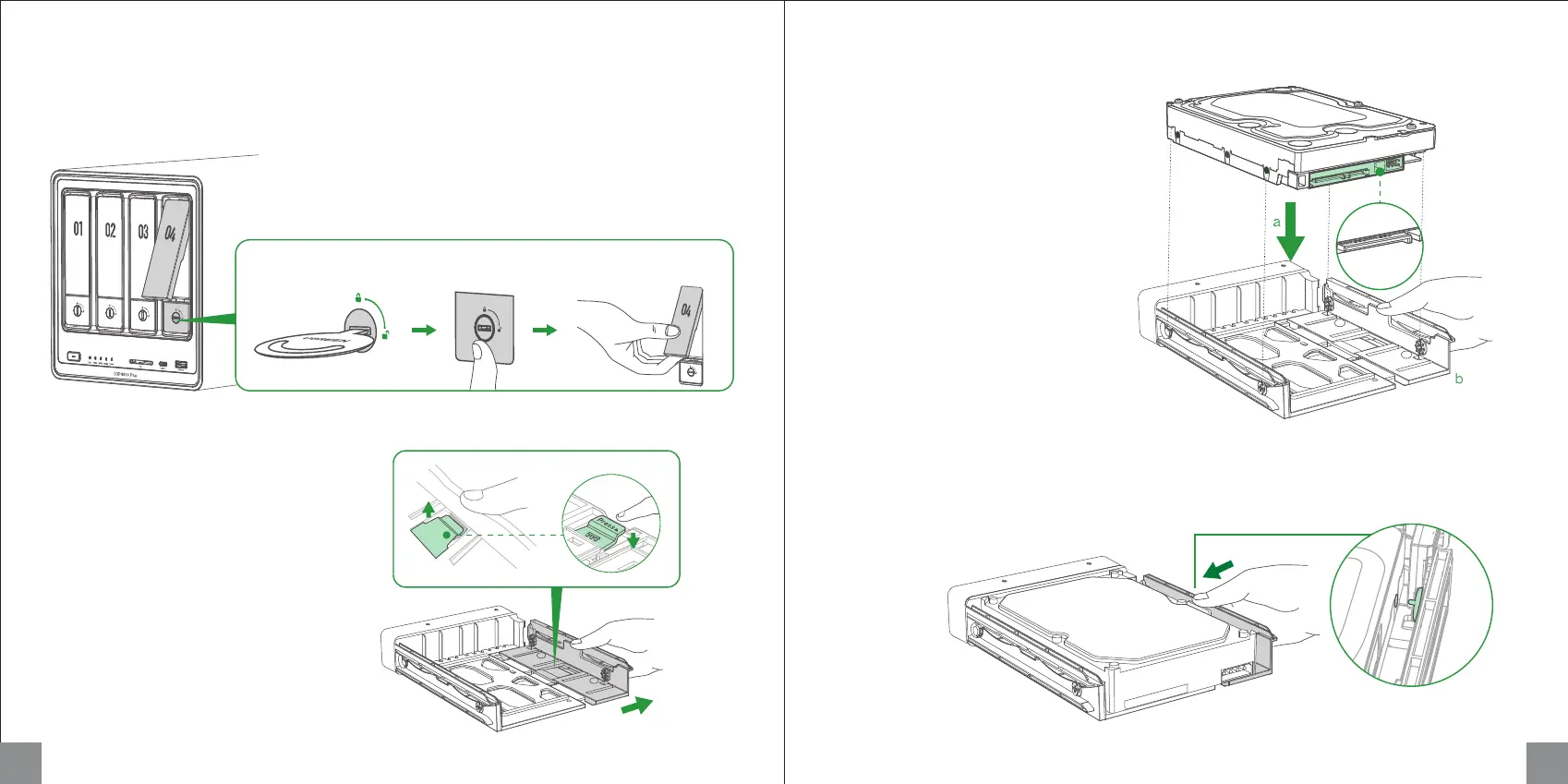
Use the key to unlock the hard drive tray, and press the buckle to pop the handle out, then pull the tray out.
Installing 3.5-inch Hard Drives
1. Flip tray to the back, press buckle with the
"Press" icon to pull the clamp arm.
Pull the
clamp arm
2. Place hard drive on the tray following the
angle shown in the figure. Ensure the four
fastening pins on the tray (two on each side)
are aligned with the screw holes on the
hard drive.
3. Push back the clamp arm to secure hard drive. Then insert loaded drive tray into empty drive bay and
push the handle to fasten in place.
5 6
a b c
Hard drive pins
a
b



 To Next Page