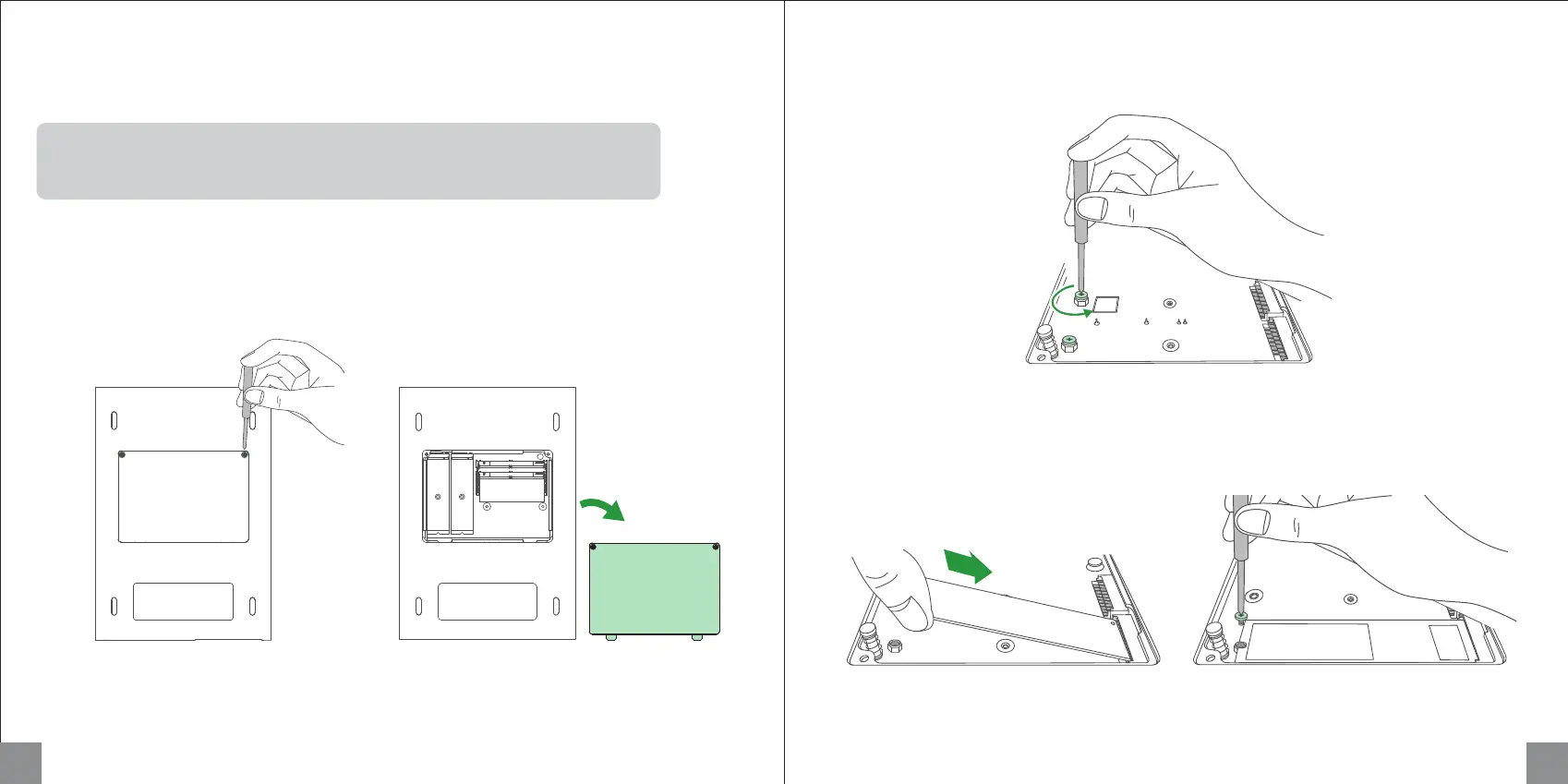
2. Unscrew the M.2 fixing screws.
1. Power off the NAS device, then turn it over. Loosen the screws and remove the bottom panel.
3. Insert M.2 SSD into the slot in the direction as shown in the image, then tighten the screws.
Installing M.2 SSDs (Optional)
9 10
a b
What does installing an M.2 SSD do?
M.2 SSDs can be used as a normal storage drive or as a read/write cache to improve
reading and writing performance of random data.



 To Next Page