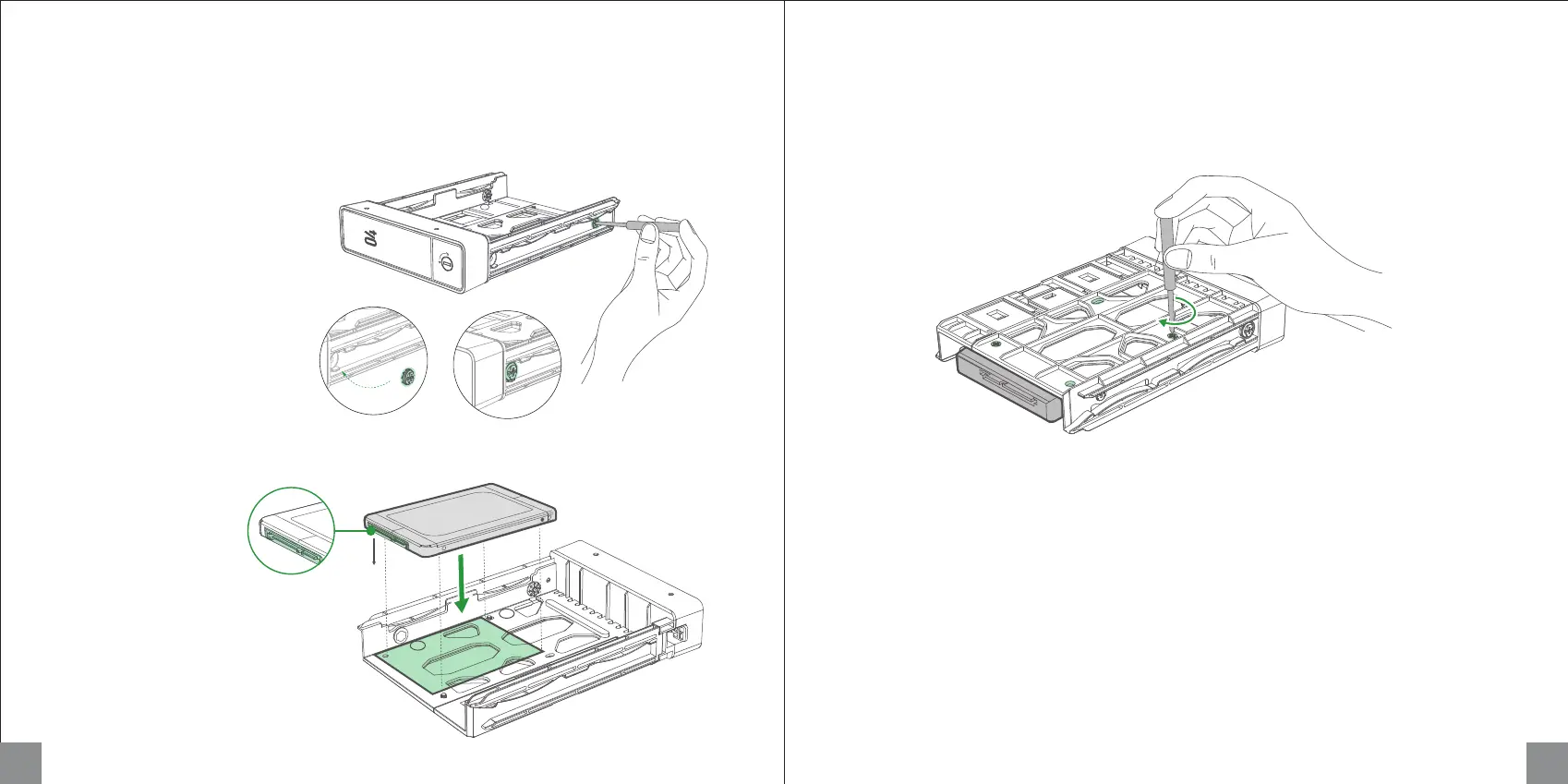
2. Place drive on the tray so that the holes on the bottom of the drive are aligned with the holes on the tray.
3. Turn the tray upside down and tighten the screws to secure the drive in place. Then insert loaded
drive tray into empty drive bay and push the handle to fasten in place.
Installing 2.5-inch Hard Drives
1. Remove the fastening pin as shown.
Note: Removed fastening pins can be attached in fixed holes near the tray covering incase they are
needed for 3.5-inch hard drives.
7 8
Hard drive pins
face down



 To Next Page