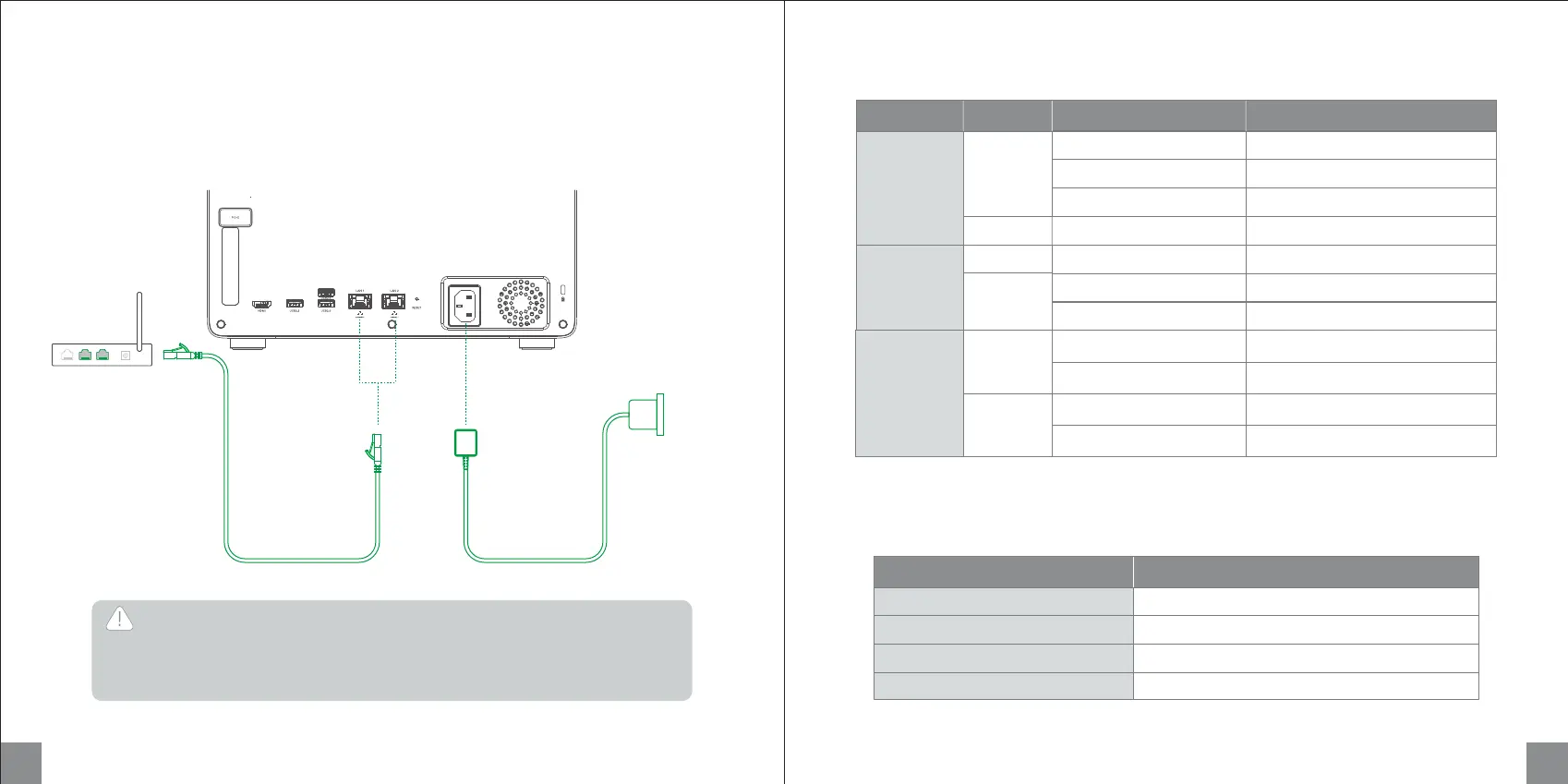
Powering On
Use Ethernet cable to connect NAS to a LAN port on a router. Connect the power supply to the device,
then short press the power button to turn it on.
Tips: After powering on, you can download "UGREEN NAS" then go to "Control Panel" > "Hardware &
Power" to select automatic startup after powering on.
Indicator
Buzzer
LED Color Status
Static
Pulsing
Slow flashing (once per 1s)
Slow flashing (once per 1s)
Flashing
Pulsing
LAN
Network
Indicator
Orange
Static
White
Flashing
Internet not connected
Data transfer (No Internet)
Power on
Flashing (once per 0.5s) Power off
System hibernation
Device error
Drive error
Drive active
Drive hibernation
Description
Power
Indicator
DISK 1-6
Hard Drive
Indicator
Orange
Static
Flashing
Internet connected
Data transfer (Internet connected)
Orange
White
White
17 18
LAN
Warning
By means of a power cord connected to a socket-outlet with earthing connection.
au moyen d'un cordon d'alimentation connecté à un socle de prises de courant
avecconnexion à la terre.
Short beep once
Short beep once
Beep once at 3-second intervals
Beep once at 2-second intervals
Beeper
Power on
System reset
Drive error
System error
Status


 To Next Page