About the DXP6800 Plus
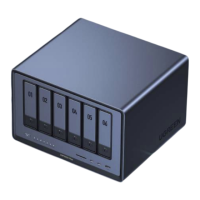
The DXP6800 Plus is a network-attached storage device designed for personal users, home offices,
studios, and small businesses. The device works as an intelligent data management center where users
can store and access data via multiple terminal devices, such as smartphones, laptops, tablets, and TVs,
anywhere there is network access.
Included are a wide range of multimedia applications for you to easily enjoy photos, music, and videos.
Access, share, and sync your data effortlessly from anywhere, anytime, and on any device. Additionally, a
variety of productivity tools are available to create a seamless working flow for collaboration and enhance
work efficiency.
A high-speed, 10 Gigabit Ethernet port with PCIe expansion slot boosts application performance and
system functionality. With the scalable design, you can expand the storage capacity based on your needs.
Top-of-notch safety, high-performance, and easy scalability, this device is here to provide you with a
next-generation data management experience.
Instructions Before Use
In order to ensure data transmission efficiency, it is recommended to use a router or switch with 10-Gigabit
LAN ports or higher and to connect the NAS using the included Ethernet cable (CAT7 or higher).
It is recommended to use new hard drives. When installing ANY drive(s), the NAS system will format the
drive, erasing ALL existing data. Ensure any important data is backed up prior to installation.
Please only use the original power cable, or a safety-certified power cable, that meets the power
specifications for this device.
Do not insert or remove hard drives when NAS device is on. If necessary, please turn off the device first
by using the app to prevent potential file loss, data corruption, or drive damage.
ONLY update firmware with a stable power supply. Do NOT disconnect the power supply during the
update process.
After unbinding the device, all data will be removed and can NOT be retrieved. Ensure data is backed up
appropriately before unbinding the device.
·
·
·
·
·
·
1 2
Package Contents
2×Hard Drive
Tray Key
1×User Manual 1×Warranty Card1×Network
Attached Storage
1×Power Cable
2×Ethernet Cable
(CAT7)
2×SSD Silicone Pad
(For Thermal Conduction)
Screws &
Screwdriver


 To Next Page