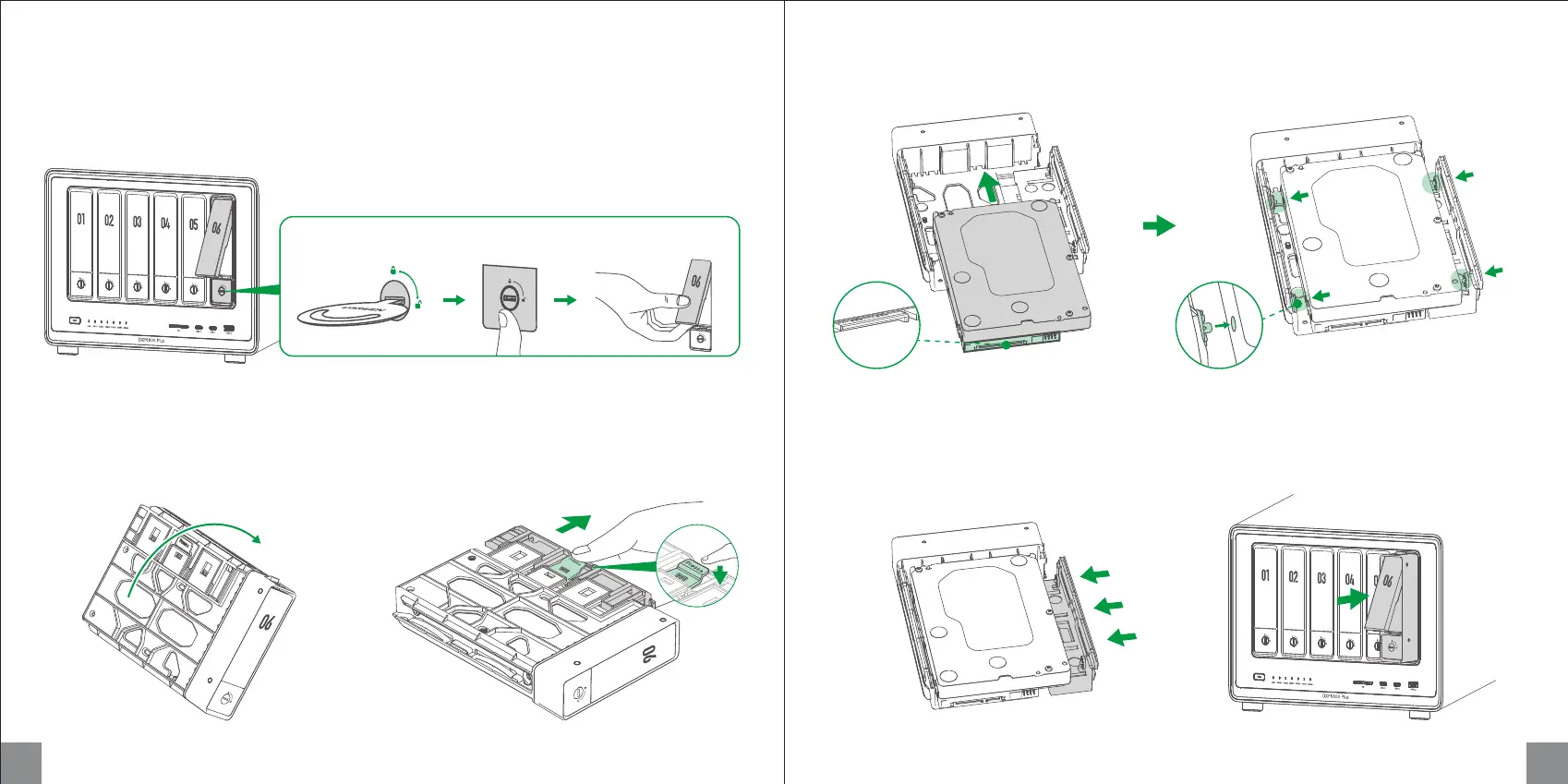
Unlocking Hard Drive Tray
Use the key to unlock the hard drive tray, and press the buckle to pop the handle out, then pull the tray out.
5 6
a b c
Installing 3.5-inch Hard Drives (No Screwdriver Required)
1. Flip drive tray: Flip tray to the back. 2. Pull the clamp arm: Press the buckle marked with
the "Press" icon to pull the arm.
3. Install the drive: Place drive on the tray. Ensure the four fastening pins on the tray (two on each side)
are aligned with the screw holes on the drive.
4. Secure the drive: Push back the clamp arm
to secure the drive.
5. Load the tray into the bay: Insert the loaded
drive tray into the empty drive bay and lock it.
Align fastening pins with screw holes
Hard drive pins
face down


 To Next Page