Need help?
Do you have a question about the UIrobot UIM24002 and is the answer not in the manual?
Lists key features like miniature size, wide voltage input, adjustable current, and micro-step resolution.
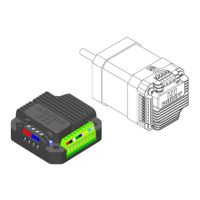
Details the UIM240xx series, mounting compatibility, thickness, current capabilities, and enclosure material.
Details the function, color, and voltage for each screw terminal connection (V+, GND, Vcc, DIR, STEP, SHDN).
Explains how to connect the stepper motor phase A and phase B to the controller's pads.
Illustrates the wiring diagram for connecting a user device, stepper motor, and power supply to the controller.
Explains the logic control inputs, opto-coupler common anode (Vcc), and required external resistors for voltage > 5V.
Defines voltage, store, and working temperature limits to prevent damage to the controller.
Details supply voltage, output current, stepping resolution, insulation, and dielectric strength.
Covers communication interface, micro-step resolution, working environment, and storage requirements.
Specifies the physical dimensions and weight of the controller.
Explains the wide input voltage range and how higher voltage affects performance and power loss.
Details how to adjust the output current using a trimmer, relating voltage (Va) to current output for each model.
Describes how to set the micro-step resolution (Full, Half, Quarter, Sixteenth) using the DIP switch.
Provides detailed mechanical dimensions of the UIM240xx controller in millimeters.
Illustrates the process of attaching the UIM240xx controller to a stepper motor using flange and screws.
 General
| Brand | UIrobot |
|---|---|
| Model | UIM24002 |
| Category | Controller |
| Language | English |

 To Next Page