Page|10
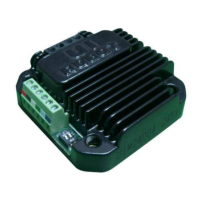
UIM2501
UI Robot Technology Co. LTD M25020101008EN
RS232 COMMUNICATION
2.0 RS232 COMMUNICATION
UIM2501 controller communicates and exchanges information with user devices through
the RS232 serial protocol. The RS232 configuration of user device, the hand-shaking
methods, and the instruction used to change the baud rate will be introduce in this Chapter,
along with the method to reset the baud rate to factory default.
2.1 Settings for User Device RS232 Port
To communicate with UIM2501, user device needs to have following RS232 port settings:
1. 8 bits data
2. 1 stop bit
3. None Parity
2.2 Hand-Shaking
If user device knows the baud rate, it can start sending instructions without hand-shaking.
Hand-shaking is more used as a method to check the existence and firmware version of the
controller. Hand-shaking is considered successful, if the user device receives a greeting
message starting with 0xAA, 0xAB, 0xAC.
Under following two situations the UIM2501 will issue a greeting message:
1. When UIM2501 is powering up.
2. When UIM2501 receives following ASCII message: ABC; (case sensitive and ended
with a semicolon)
A greeting message from UIM2501 has the following structure:
0xAA 0xAB 0xAC 0x19 0x1 0 0 0 0 0 [ver1] [ver0] 0xFF
Where,
0xAA, 0xAB, 0xAC denotes the greeting message.
0x19, 0x1 denotes the UIM2501 controller.
[ver1:ver0] denotes the firmware version.


 To Next Page