VLS Service Manual - REV2015.04
Table of Contents
Adjustments and Settings
Page | 14
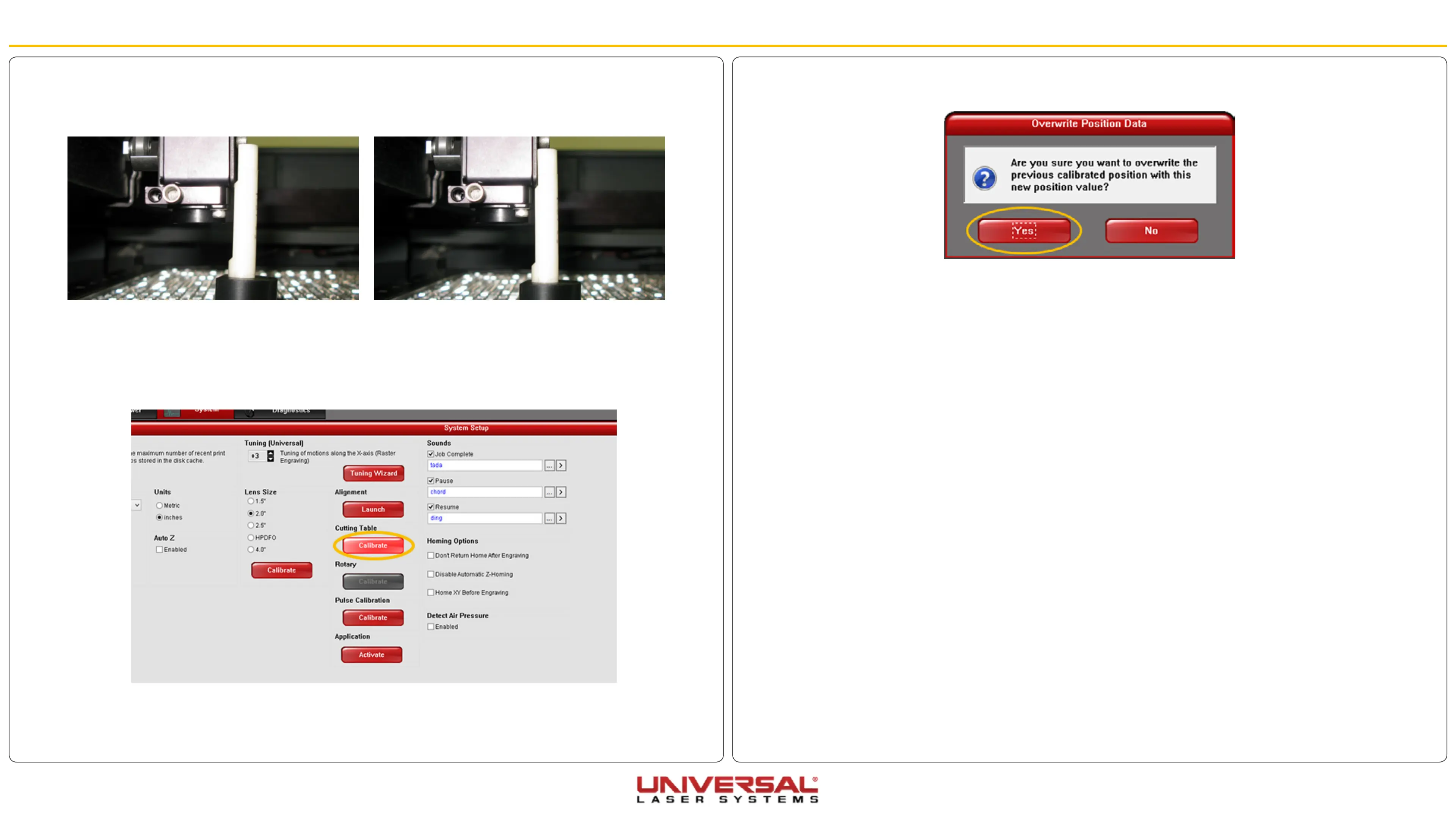
4. Manually focus the lens to the Cutting Table surface using the appropriate focus tool. Bring the table up
using either the UCP or the arrows on the keypad.
5. Go to the System Tab. Notice that the red CALIBRATE button for the Cutting Table box is activated.
6. Click CALIBRATE. The Calibrate dialog box will appear.
Adjustments and Settings
7. Accept the new Z-height by clicking SAVE, then click YES when asked if you are sure you want to
override the value.
8. Calibration of the Z-height for engraving or cutting on the Cutting Table is complete for this lens.
Correct Focal HighOut of Focus: The table is to high.


 To Next Page