VLS Service Manual - REV2015.04
Table of Contents
Electronics
Page | 67
Electronics
5. For laser re-installation, locate the alignment fork (1) on the right side of the back of the system as well
as the two laser supports (2) on the back of the system.
6. From the optics side of the laser (opposite to the connector) have the frame of the laser rest in the
center of the alignment fork with the larger tab exposed to the outside.
Laser Source
NOTICE: Handle the laser with care! Do not bump or jar it.
1. Power OFF and unplug the VLS system.
2. Open the rear cover by pulling the latches toward the back of the system or by pressing down on the
button part of the latches until the latches pop up.
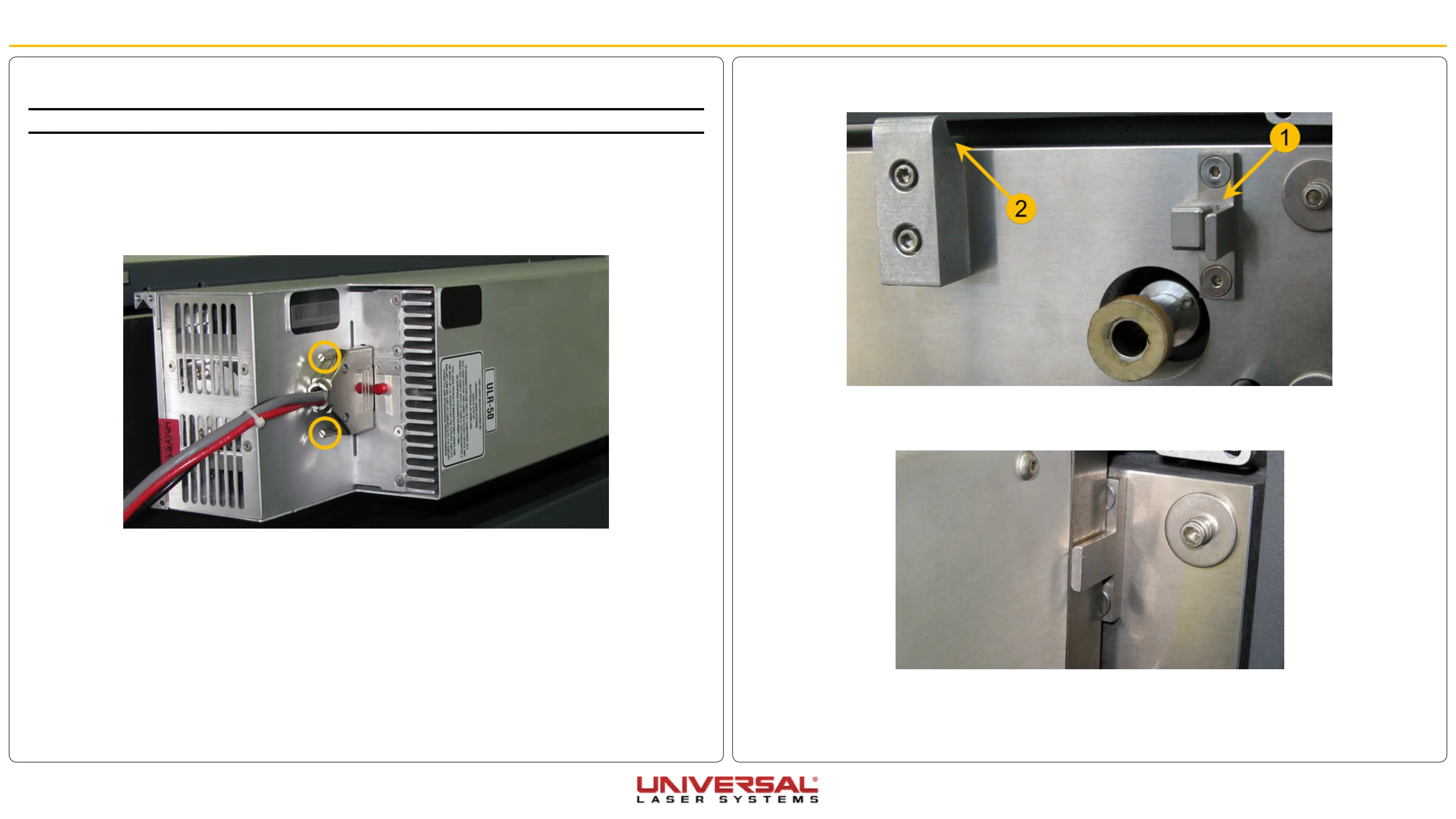
3. Unplug the electrical connector from the Laser by manually undoing the two thumb screws and gently
pulling to the outside.
4. Rotate the laser a few degrees to the outside from the bottom and lift it up and off the mounts. Store the
Laser in a safe place.


 To Next Page