VLS Service Manual - REV2015.04
Table of Contents
Component Removal and Replacement
Page | 30
Component Removal and Replacement
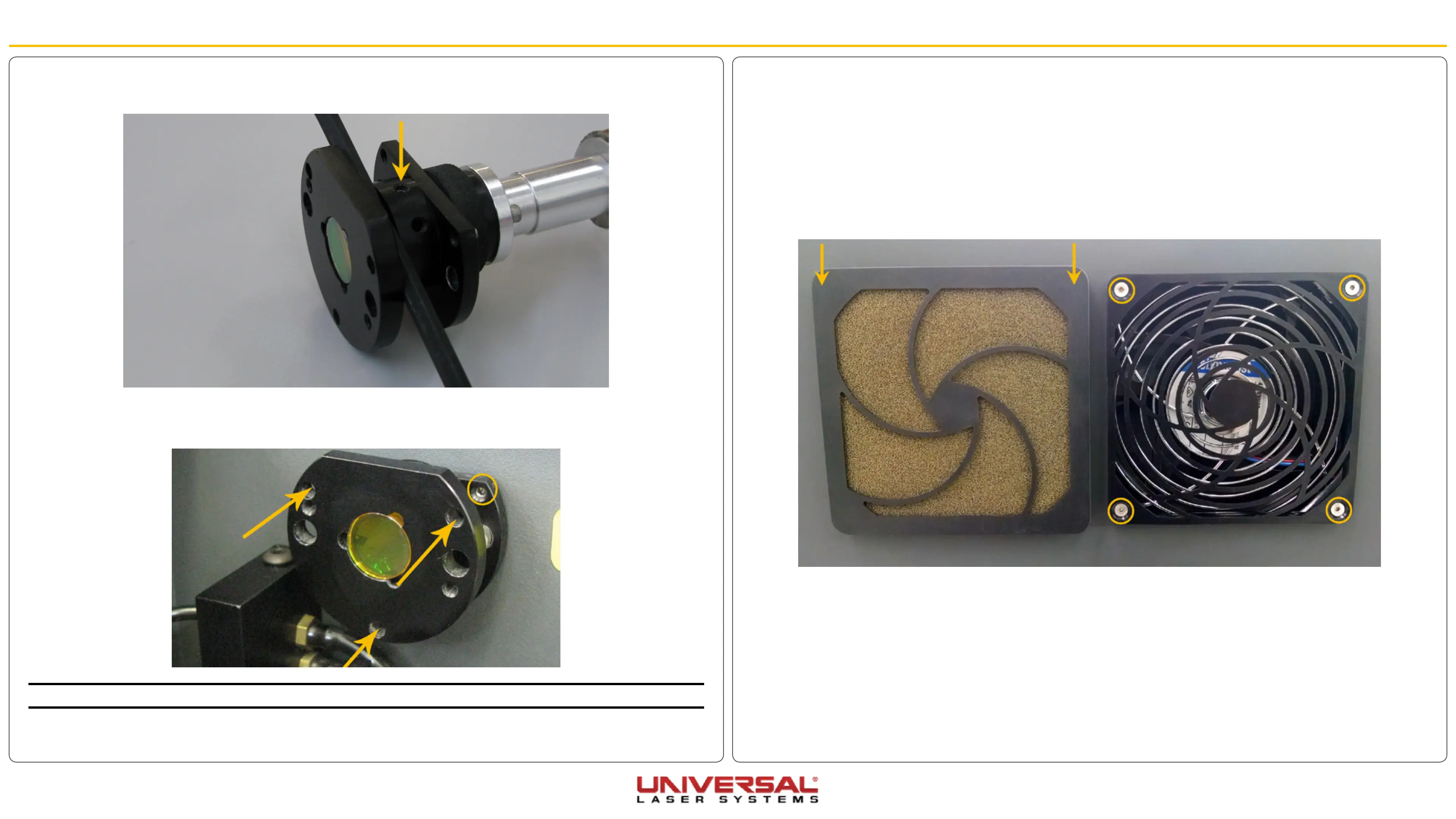
Rear Cover Filter Media and Fan Guard
1. Power OFF and unplug the VLS.
2. Firmly grip the top two corners of the fan cover and pull away. The cover will pop off.
3. Remove the fan media.
4. Remove the screws holding the fan grilles in place.
5. Installation is opposite of removal.
7. Using a 9/64” Allen wrench, check to ensure the new Collimator has the correct gap. The width of the
Allen wrench is approximately the correct gap.
8. Perform a Laser Beam Check and Alignment, however, instead of adjusting the #2 mirror adjust the
Collimator using the three small setscrews by rotating them in extremely small increments, one at a time
until the beam is aligned.
NOTE: Access the setscrews through the holes on the front of the collimator.
9. Installation is complete.


 To Next Page