VLS Service Manual - REV2015.04
Table of Contents
Electronics
Page | 75
Electronics
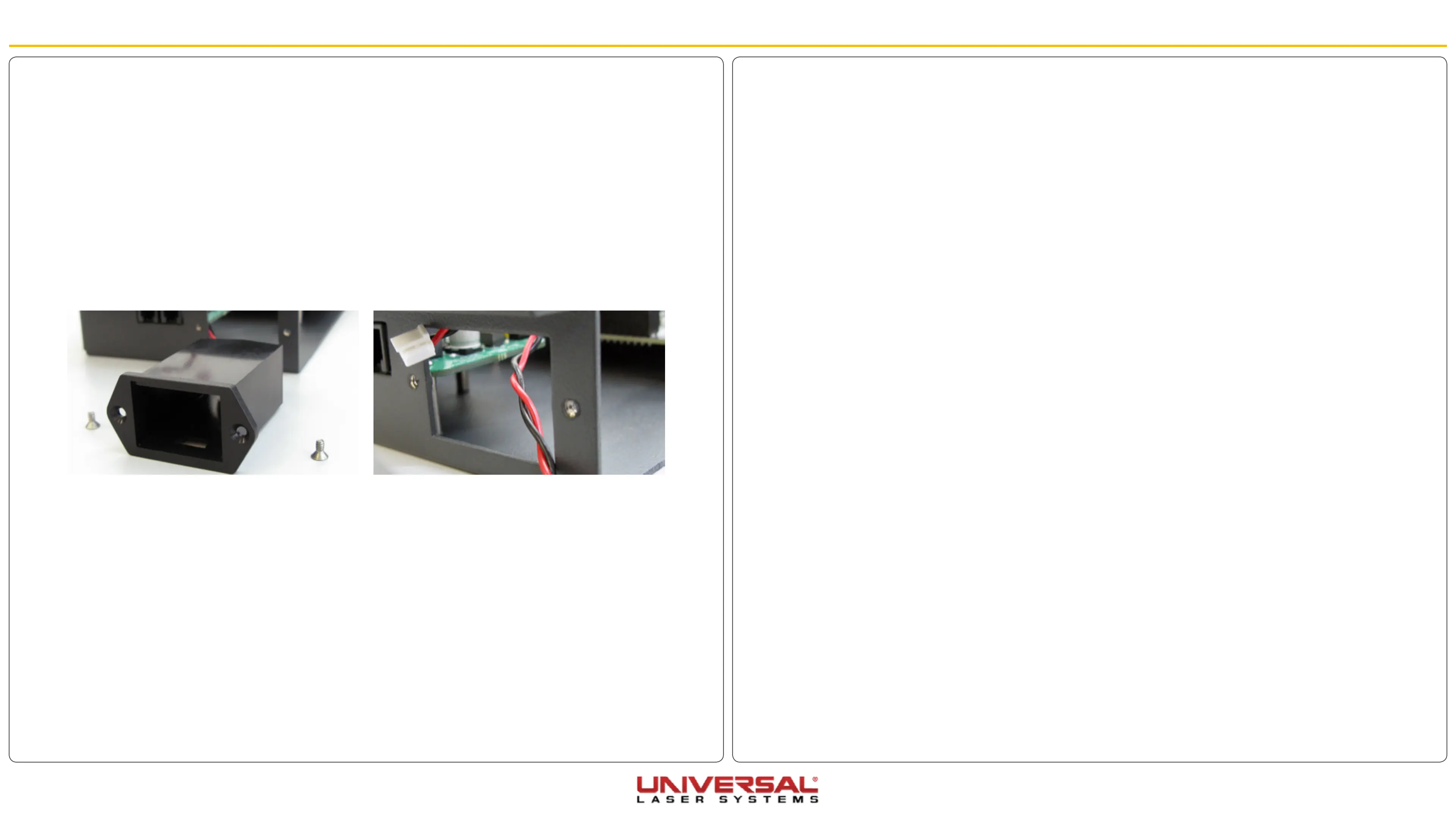
9V Battery Holder/Drawer
1. Power OFF and unplug the VLS system.
2. Open the Rear Cover to its resting position.
3. Remove the laser and set it aside in a safe place.
4. Follow the CPU procedure up to step 7.
5. Disconnect the battery cable from the thermal sensor/com board.
6. Remove the mounting screws from the 9V Battery Holder and set them aside in a safe location.
7. Remove the 9V Battery Holder, pushing outward. Make sure the cables go through the opening without
getting tangled.
8. Installation is opposite of removal.


 To Next Page