03
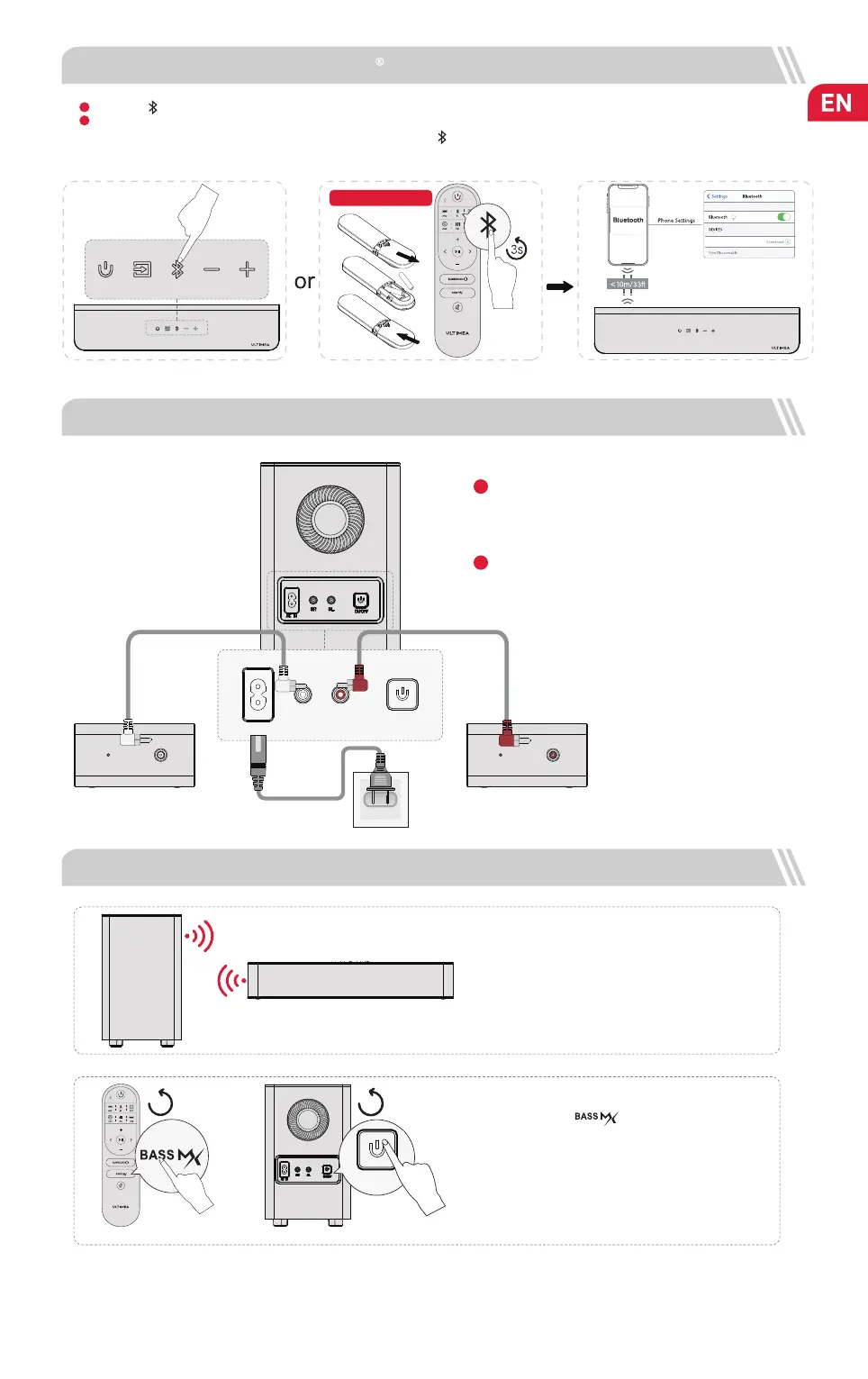
6 CONNECT TO SUBWOOFER AND SURROUND SPEAKERS
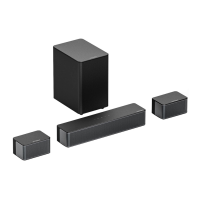
Use the 6m RCA-RCA cables to connect the subwoofer and
surround speakers, please pay attention to match the same
color interfaces on the surround speakers with the
corresponding ones on the subwoofer and place the
surround speakers accordingly.
Use power cable to connect your subwoofer and power port.
1
2
Note: If it’s already in the Bluetooth mode and connected, press and hold “ ” button for 3 seconds to disconnect the current
device and connect to new device manually on your mobile phone / PC / TV.
5 CONNECT TO BLUETOOTH
Press the “ ” button on the soundbar or remote control to enter Bluetooth pairing mode.
Open your phone’s Bluetooth settings, nd and select “Poseidon D50” to connect the soundbar.
Batteries not included
1
2
7 PAIRING SUBWOOFER
The subwoofer has been paired with the soundbar by
ULTIMEA.
If there is no sound coming from the subwoofer, you
need to re-pair the Soundbar with the subwoofer.
Step 1:
Press and hold the “ ” button on the remote control
for 5 seconds, the display will show “SUb” flashing.
Step 2:
Press and hold the ON / OFF button on subwoofer for 5
seconds, the white LED will be fast flashing.
The white LED will be always on when the subwoofer is paired
successfully.
Step 2Step 1
Poseidon D50
ON/OFF
5s
5s
AC IN
SR
SL
ON/OFF


 To Next Page