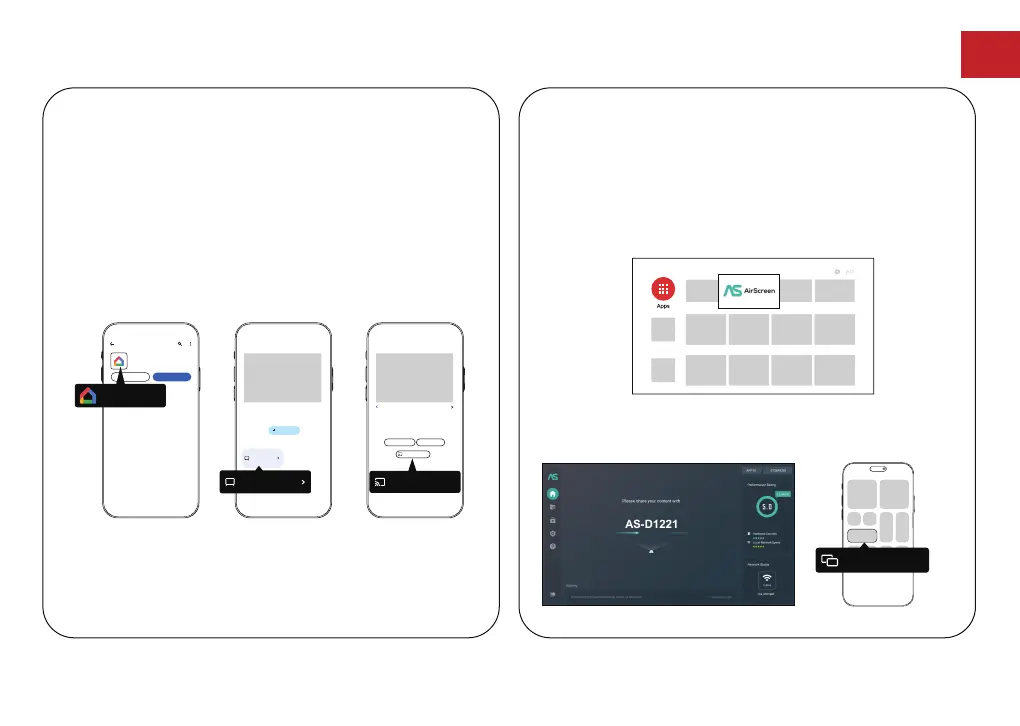
Mirror from Android Devices
① Make sure your Android devices and projector
are connected to the same Wi-Fi network.
② Download the "Google Home" app on your
Android device.
③ Open the "Google Home" app, choose "D1221"
and tap "Cast my screen".
Mirror from iOS Devices
① Make sure your iOS devices and projector are
connected to the same Wi-Fi network.
② Go to "Google Play Store", search and download
"AirScreen" app.
③ Open the "AirScreen" app and follow the
on-screen instructions on AirScreen.
Screen Mirroring
Google Home
Google LLC
Uninstall
Open
11:36
Google Home
11:36
D1221
Devices
When any household member adds a device, it appears
here
Local devices
Add device
D1221
11:36
D1221
1 of 5
Romain Guy
Google·Featured photos
Open remote Add to a room
Cast my screen
Cast my screen
EN
14



 To Next Page