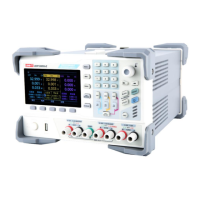
User’s Manual UDP6900 Series Digital Control Power Supply
Instruments.uni-trend.com 17 / 44
2. Press the “Preset “key on the panel, the screen displays the output preset interface;
3. Use the encoder knob to switch the preset parameter group, press the “Edit” key to edit the selected
parameter;
4. When the loaded preset group is edited, press the key to exit the editing page;
5. Explanation of key
a. Load: short press to load the set value and automatically jump to the display page of read-back
waveform.
b. Storage: long press to save the output voltage and current, limit voltage and current and time control
settings to the selected position.
3.8 Over-voltage Protection (OVP) Settings
Press the voltage key slightly (Label 1 as shown in the following figure), move the voltage protection
value to the voltage protection value setting column, use the arrow key with the encoder knob to
switch to the set value or use numeric keyboard to input the set value, push the encoder knob one time, the
icon represents the voltage protection value is set successfully. If you want to turn off the OVP function,
press the voltage key slightly two times (Label 1 as shown in the following figure), and the tick in the
icon will be disappeared.
3.9 Over-current Protection (OCP) Settings
The set steps of OCP settings is the same as OVP settings.
Press the current key slightly, move the current protection value to the current protection value setting
column, use the arrow key with the encoder knob to switch to the set value or use numeric
keyboard to input the set value, push the encoder knob one time, the icon represents the current
protection value is set successfully. If you want to turn off the OCP function, press the current key
slightly two times, and the tick in the icon will be disappeared.
3.10 Main Page Switching
UDP6900 series has main page switching function.



 To Next Page
 Loading...