9
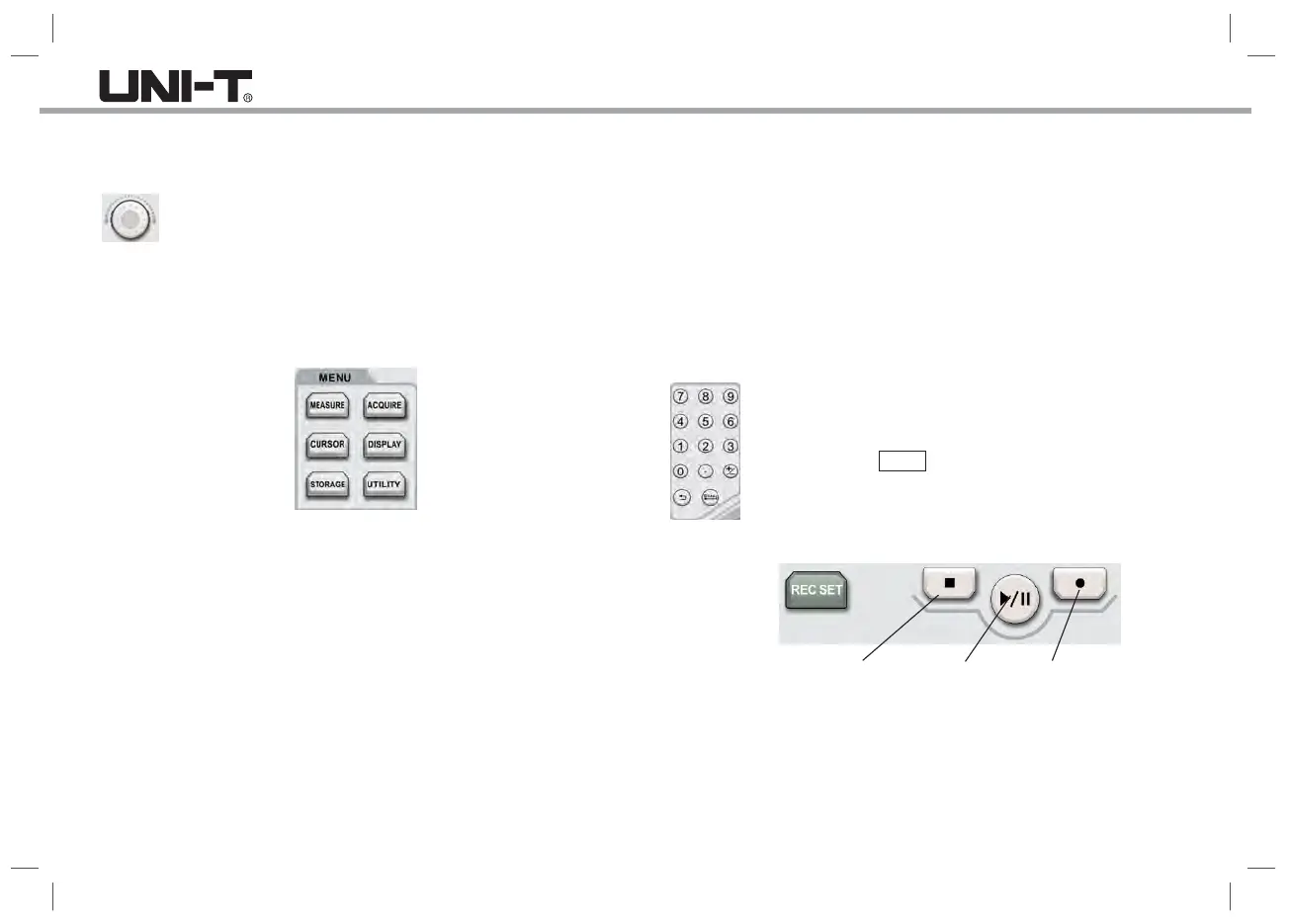
10. Shuttle Knob
For certain numeric parameters that can be set in a large range,
this knob provides a quick-adjust function. Rotate clockwise
(counterclockwise) to increase (decrease) the value. The inner
knob can be fine-tuned, and the outer knob can be coarse tuned.
For example: When playing back the waveform, use the knob to quickly
locate the waveform frames that need to be replayed. Similar parameters
also include: Trigger hold-off time, pulse width setting, slope time, and so on.
MEASURE: Measure setting menu: you can set the measure source, all
parameters, user-defined, perform measurement statistics, select measurement
indicators, etc. The user-defined includes a total of 34 kinds of parameter
measurements, which can be quickly selected through the Multipurpose knob,
and the measurement result will appear at the bottom of the screen.
ACQUIRE: Sampling setting menu for setting the acquisition mode and
deep storage.
CURSOR: Cursor measurement menu, you can measure the time or voltage
of the waveform manually with cursor.
DISPLAY: Select display settings, such as display type, format, grid brightness,
waveform brightness, duration, color temperature, inverse color temperature.
11. Function Keys
STORAGE: Press this key to enter the storage interface. The types that can
be stored include: settings, waveforms. You can store either in the oscilloscope
internal or the external USB storage device.
UTILITY: The utility menu can perform the settings such as auto-calibration,
system information, language, menu display, waveform recording, pass/fail,
square wave output, frequency meter, output selection, backlight brightness,
clear data, IP, RTC, etc.
12. Numeric Keypad
For some numerical parameters that can be set to a large
range, you can directly enter the number plus the time unit,
then press the Enter key to confirm if it is without a unit.
13. Waveform Recording
Stop
Pause/Play
Record
REC SET : Waveform recording setup menu for setting and operation. The
setting items can set or display the recording interval, end frame, play delay,
and maximum frame.
Stop : Press this key to stop the waveform being recorded or replayed.
Play/Pause : In the stop or pause state, press this key to playback the waveform,
press again to pause playback.
Record : Press this key to start the waveform recording.


 To Next Page
 Loading...