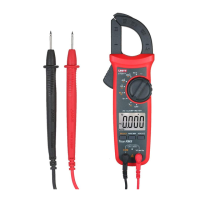
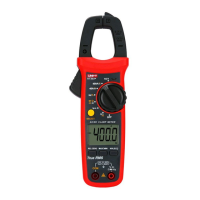
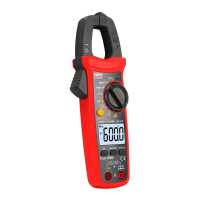
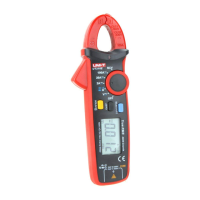
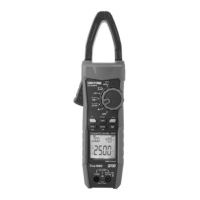
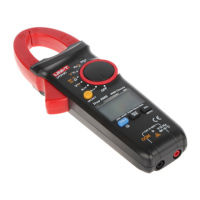
UT200A+/UT200B+ User Manual UT200A+/UT200B+ User Manual
especially, damped product may degrade the performance.
12) Clean the casing with wet cloth and mild detergent, do
not use abrasives or solvents.
V. Electrical Symbols
Symbol
Description
Symbol
Description
High voltage
AC (Alternating
Current)
DC (Direct Current)
Double insulated
Grounding
Warning
VI. General Specification
1.
600Vrms.
2.
the overload indication is “OL”, update 3 times per second.
3.
4.
after about 1 minute.
5.
polarity.
Maximum voltage between input terminal and grounding:
Display count: UT200A+ (3099 counts), UT200B+ (3099 counts),
Range selection: Auto
Backlight function: Light up manually, light off automatically
Polarity: The symbol “—” is displayed for input under negative
6.
left corner of the LCD.
7.
of the LCD.
8.
9.
Storage temperature: -10°C~50°C (14°F~122°F)
Operating altitude: 0~2000m
Data hold function: The symbol “ ” appears at the bottom
Low battery: The symbol “ ”appears at the bottom left corner
Battery: AAA zinc-manganese battery (1.5V×2)
Operating temperature: 0°C~40°C (32°F~104°F)
Relative humidity: ≤75% (0°C~30°C below); ≤50% (30°C~40°C)
External dimension: (194.2*75.1*35) mm
Electromagnetic compatibility (EMC):
11. Weight: About 226g (including battery)
12.
Under radio frequency field over 1V/m, there is no specified
Under radio frequency field of 1V/m, overall accuracy = specified
accuracy + 5% of range.
specification.
VII. External Structure (Figure 1)
2
1
8
9
3
5
10
Figure 1
Function
Description
Function
Description
1
Clamp jaws
6
Rotary switch
2
Meter body
7
LCD display screen
3
Flashlight
8
Functional buttons
4
LED indicator light
9
Signal input terminal
5
Trigger
10
COM input terminal
VIII. Button Functions
SELECT button: Short press this button under composite
corresponding function.function to switch
“ ”button: Short press this button to enter/exit data hold
5
6



 To Next Page