Need help?
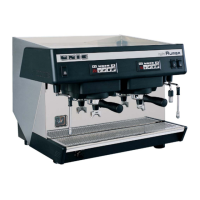
Do you have a question about the Unic AURA 2 and is the answer not in the manual?
Explains manual terms and symbols used to identify hazards.
Details safety precautions for machine operation, children, and unauthorized personnel.
Summarizes PPE required for different stages of machine use.
Provides guidelines for safe transport, handling, and storage of the appliance.
Instructions for professional installation and assembly of the appliance.
Details requirements for connecting the machine to the water mains.
Specifies safety requirements for connecting the appliance to the power supply.
Guidelines for using the appliance in appropriate ambient temperatures and conditions.
Instructions for cleaning and routine maintenance, including safety precautions.
Emphasizes the use of original spare parts for safety and appliance functionality.
Instructions for disposing of packaging materials according to local regulations.
Procedures for making the appliance unusable and destroying CE marking before scrapping.
Highlights the importance of safety devices and manufacturer's liability.
Describes the machine's mechanical safety features and potential hazards.
Explains the fixed guards and safety devices on the machine.
Describes the function of the main switch as an emergency shut-off device.
Details the operation of the 3-position main switch for powering the appliance.
Illustrates and explains prohibition and danger signs used on or near the machine.
Covers risks, precautions, and importance of periodic maintenance for safety.
Lists improper uses that can pose risks to operators or the appliance.
Instructions on how to make the appliance unusable when no longer in use.
Details remaining risks and required precautions for operator safety.
Overview of the manual's content, including intended use and symbols.
Lists and defines key terms used throughout the manual for clarity.
Explains the data plate and its technical information for identification and ordering.
Notes that drawings are not to scale and numerical values refer to millimeters/inches.
Details manufacturer's disclaimer for damages caused by non-compliance or improper use.
States that the manual is for consultation only and requires permission for third-party use.
Instructions on how to keep the manual safe and with the machine throughout its life.
Identifies who should receive and consult the manual.
Defines customer responsibility for ensuring operators are trained and understand the manual.
Ensures personnel are adequately trained and aware of safety in normal machine use.
Lists minimum knowledge and experience required for an operator to use the machine.
Presents a comprehensive table of technical specifications for AURA 2 and AURA 3.
Step-by-step instructions for powering on the machine and initiating heating.
Identifies the icons and functions of the machine's control panel buttons.
Details the specific buttons and their functions for the 4 doses box control panel.
Explains the functions of the Dosamat box keypad for coffee preparation.
Provides instructions on how to properly prepare a cappuccino using the machine.
Guides on how to access and modify machine settings and parameters.
Details the dual authentication process required to enter setting modes.
Instructions for setting and memorizing coffee doses for the different cup sizes.
Explains the function and control of the machine's ambient lighting.
Details the process for cleaning the brewing groups.
Step-by-step guide to initiate the cleaning cycle for the brewing groups.
Procedure for cleaning the group when it is blocked, including detergent use.
Instructions for cleaning the steam output tube, decompression circuit, basin grille, and bodywork.
Discusses how operating conditions affect maintenance intervals.
Highlights the benefits of preventive maintenance and contracts with Customer Care Service.
Advises on testing water hardness and adjusting the water softener.
Guides on environmentally responsible disposal of the machine at its end-of-life.
Describes how the SteamAir option automatically foams and heats milk to a set temperature.
Identifies the components related to the SteamAir option, including foam levels.
Instructions for using the SteamAir option in both automatic and manual modes.
Details how the SteamAir automatically heats milk to a programmed temperature.
Explains how to manually continue heating milk with SteamAir after automatic stop.
Guides on programming steam and hot water times and SteamAir temperature.
Procedure for adjusting the delay time for the small hot water output.
Procedure for adjusting the delay time for the large hot water output.
Instructions for adjusting the delay time for steam output.
Details how to adjust and save the desired steam temperature for the SteamAir option.
 General
| Brand | Unic |
|---|---|
| Model | AURA 2 |
| Category | Coffee Maker |
| Language | English |

 To Next Page