EasyManua.ls Logo

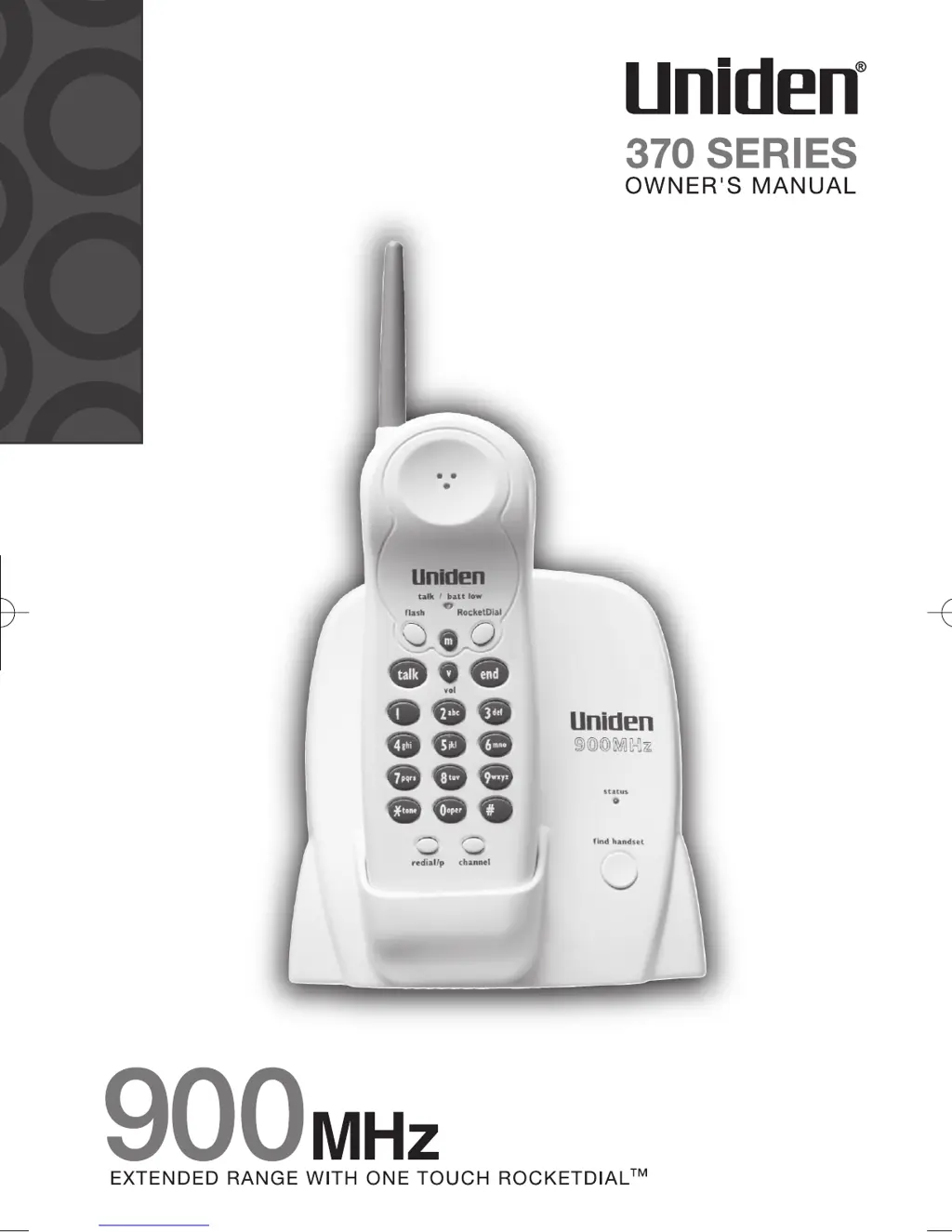
Uniden 900 MHz - User Manual

Uniden 900 MHz
12 pages
Print Icon
To Next Page IconTo Next Page
Loading...
EXP370 1/15/2 11:26 AM Page 12

Questions and Answers

  • A
    Anthony BurtonJul 26, 2025
    What to do if my Uniden Cordless Telephone can't make or receive calls?
    • M
      Matthew EwingJul 26, 2025
      If your Uniden Cordless Telephone is unable to make or receive calls, try the following: Check that both ends of the telephone line cord are properly connected. Ensure the AC adapter is plugged into both the base and a working wall outlet. Try disconnecting the AC adapter for a few minutes, then reconnect it. Change the digital security code. Also, make sure the handset is not too far from the base.
  • J
    Jonathan RobbinsAug 1, 2025
    Why doesn't my Uniden 900 MHz Cordless Telephone ring or receive a page?
    • M
      Michael OliverAug 1, 2025
      If your Uniden Cordless Telephone handset isn’t ringing or receiving a page, it could be due to several reasons. The battery pack may be weak, requiring you to charge it for 15-20 hours. The handset might also be too far from the base. Try placing the base away from appliances or metal objects and also consider changing the digital security code.
  • R
    Ronald CooperAug 6, 2025
    How to fix weak or scratchy audio on Uniden 900 MHz Cordless Telephone?
    • H
      Heather DiazAug 6, 2025
      To address weak or scratchy audio on your Uniden Cordless Telephone, try moving the handset and/or base to a different location, away from metal objects or appliances. You can also press the channel button to help eliminate background noise.
  • R
    Ryan MaldonadoAug 12, 2025
    What causes severe noise interference on a Uniden 900 MHz?
    • M
      mariagonzalezAug 12, 2025
      Severe noise interference on your Uniden Cordless Telephone can be caused by nearby electronic devices. Keep the handset away from microwave ovens, computers, remote control toys, wireless microphones, alarm systems, intercoms, room monitors, fluorescent lights, and electrical appliances. Alternatively, move to another location or turn off the source of interference.
  • R
    Rebecca MeltonAug 18, 2025
    What to do if the status LED doesn't illuminate on my Uniden 900 MHz?
    • S
      sarah18Aug 19, 2025
      If the status LED on your Uniden Cordless Telephone doesn't illuminate when the handset is placed in the base, ensure the AC adapter is correctly plugged into both the base and the wall outlet. Also, check that the handset is properly seated in the base. Finally, make sure that the charging contacts on both the handset and the base are clean.

Summary

Introduction to Uniden 370 Series

Key Features of the Cordless Phone

Lists key features of the Uniden EXP370 Series cordless phones, including range, talk time, and memory.

Controls and Functions Overview

Identifies and describes the physical controls and functions on the handset and base unit.

Setting Up the Phone: Location and Battery

Choosing the Best Location for the Base

Provides guidelines for selecting an optimal location for the cordless phone base, considering interference.

Installing the Battery Pack in the Handset

Details the process of installing the rechargeable battery pack into the handset.

Setting Up the Phone: Power and Charging

Battery Performance and Charging Contacts

Explains battery use time, low battery alerts, and cleaning charging contacts for optimal charging.

Connecting the Base Unit and AC Adapter

Guides the user through connecting the AC adapter and placing the handset on the base.

Setting Up the Phone: Dialing Mode

Choosing the Dialing Mode

Explains how to set the phone's dialing mode between pulse and tone for compatibility.

Using Your Phone: Basic Operations

Making and Receiving Calls

Details how to answer, make, hang up, and redial calls on the cordless phone.

Using Your Phone: Volume, Channels, and Features

Adjusting Ringer and Earpiece Volume

Explains how to adjust ringer tone and earpiece volume levels on the handset.

Managing Call Features

Covers Ringer Mute, Tone Dialing Switch-over, and Traveling Out-of-Range behavior.

Selecting a Different Channel

Guides users on changing the phone's channel to resolve interference issues.

Using Your Phone: Memory Functions

Storing Phone Numbers in Memory

Provides step-by-step instructions for storing phone numbers in memory locations.

Dialing Stored Numbers from Memory

Explains how to recall and dial numbers stored in the phone's memory.

Using Your Phone: Advanced Features

One-touch RocketDial Function

Details the function of the one-touch RocketDial for instant dialing of a preset number.

Chain Dialing and Memory Management

Covers storing number sequences, erasing stored numbers, and changing security codes.

Troubleshooting Common Issues

Common Issues and Solutions

Addresses status LED, audio quality, call connectivity, ringing, and interference.

Safety and Precautions

Battery Safety and Disposal Warnings

Warns about Ni-Cd batteries, their handling, potential hazards, and proper disposal.

General Safety Instructions

Lists essential safety precautions to follow when using the telephone equipment.

Electrical Safety and Storm Precautions

Advises on electrical storms, power cord safety, and proper adapter usage.

Installation and Operational Considerations

Radio Interference and Multiple Phones

Discusses managing radio interference, selecting channels, and using multiple cordless phones.

Installation Guidelines and Phone Outlets

Covers location selection, phone outlets, cord connection, and power application for setup.

Adapter Safety and Cordless Phone Privacy

Details adapter safety features, privacy considerations, and connecting telephone cords.

Warranty Information

Warranty Terms, Remedies, and Procedures

Outlines warranty duration, remedies, legal rights, and procedures for obtaining service.

Uniden 900 MHz Specifications

General IconGeneral
TypeCordless
Caller IDYes
Call WaitingYes
IntercomYes
ExpandableYes

Related product manuals