EasyManua.ls Logo

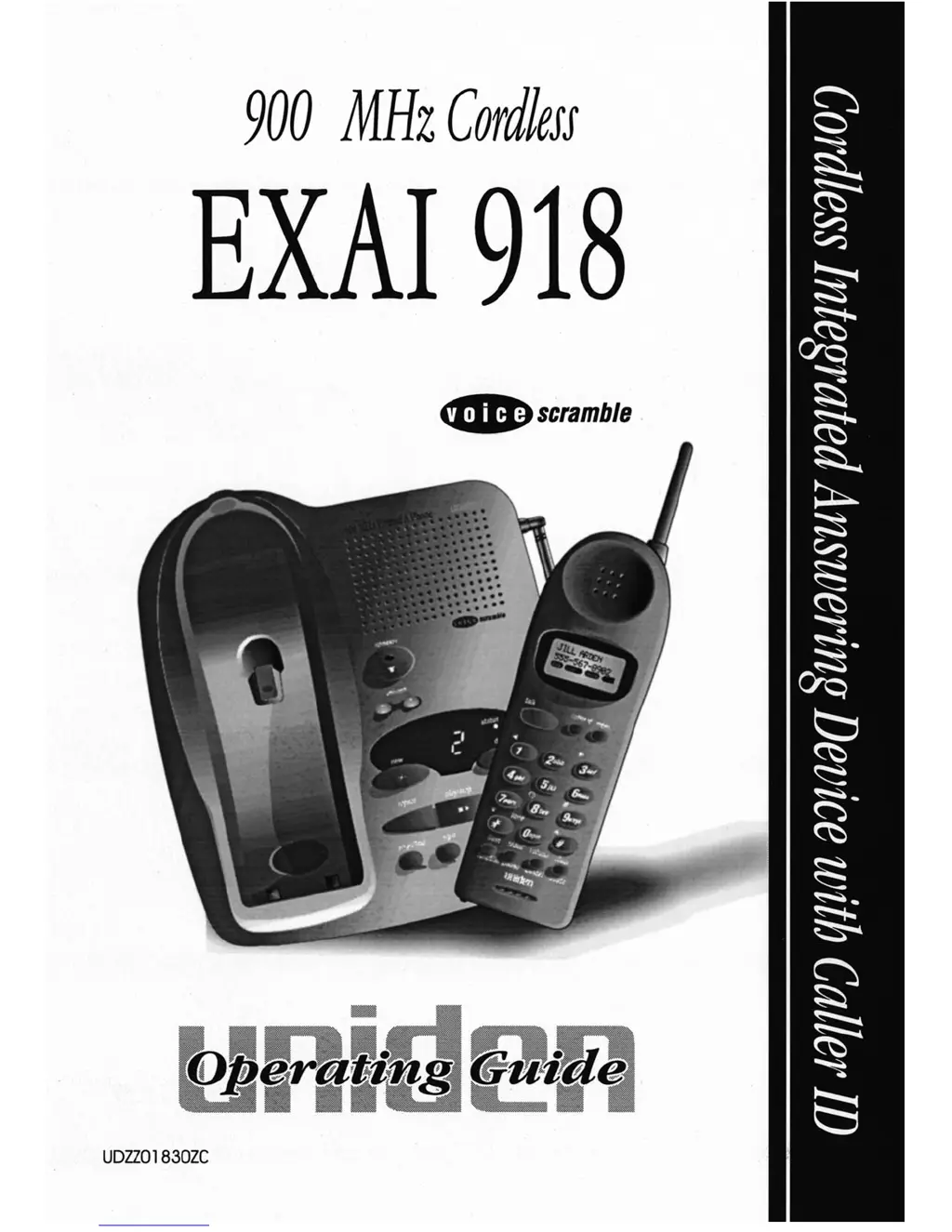
Uniden EXAI 918 - User Manual

Uniden EXAI 918
41 pages
Print Icon
To Next Page IconTo Next Page
Loading...
O:\EXAI918\EXAI918 front cover.vp
Thu Jun 08 15:51:49 2000
Color profile: Disabled
Composite Default screen

Table of Contents

Questions and Answers

  • A
    Alicia LambertAug 12, 2025
    How to fix Uniden EXAI 918 when it can't make or receive calls?
    • K
      Kimberly WhiteAug 13, 2025
      To resolve this, ensure the AC adapter is properly connected to both the base unit and the wall outlet. Also, check the telephone line cord at both ends of the base unit. If the issue persists, try disconnecting the AC adapter for a few minutes before reconnecting it.
  • J
    Janice RussoAug 16, 2025
    What to do if Uniden EXAI 918 handset doesn’t ring?
    • C
      Cynthia PayneAug 16, 2025
      If the Uniden Cordless Telephone handset isn’t ringing or receiving a page, charge the battery on the base unit for 15–20 hours, as the nickel-cadmium battery pack may be weak. Also, rotate the base unit antenna to be fully vertical. Ensure the handset is not too far from the base unit and place the base unit away from noise sources. Finally, the digital security code may be erased, so set the digital code.
  • K
    Kristina GibsonAug 19, 2025
    How to fix Uniden Cordless Telephone status light when it won’t come on?
    • J
      jodi65Aug 19, 2025
      If the status light on your Uniden Cordless Telephone base unit won't illuminate when the handset is placed in it, first ensure the AC adapter is correctly plugged into both the base unit and the wall outlet. Next, verify that the handset is properly seated in the base unit. Finally, make sure the charging contacts on both the handset and base unit are clean.
  • S
    Stephanie PhillipsAug 23, 2025
    Why are messages incomplete on Uniden EXAI 918?
    • E
      Elizabeth HernandezAug 25, 2025
      To fix incomplete messages on your Uniden Cordless Telephone, remind callers to leave brief messages, as incoming messages may be too long. Also, the memory may be full, so delete some or all of the saved messages.
  • M
    Melanie JimenezAug 27, 2025
    How to fix Uniden Cordless Telephone base unit when it doesn’t ring?
    • T
      Teresa SmithAug 27, 2025
      To resolve this issue with your Uniden Cordless Telephone, set the base ringer switch to the 'on' position.
  • M
    mitchelljenniferAug 31, 2025
    Why does Uniden EXAI 918 Cordless Telephone audio sound weak and scratchy?
    • C
      christopher35Aug 31, 2025
      If the audio on your Uniden Cordless Telephone sounds weak or scratchy, ensure that the base unit antenna is fully vertical. You might also need to move the handset or base unit to different locations. Alternatively, press the channel button to select another channel.
  • L
    Larry BrownSep 3, 2025
    How to fix Uniden EXAI 918 Cordless Telephone answering system when it does not work?
    • C
      Christopher HodgeSep 4, 2025
      If your Uniden Cordless Telephone answering system isn't working, ensure the base unit is plugged in and the answering system is turned on. After an AC line spike, press the reset button to reset the system.
  • E
    evelyn59Sep 7, 2025
    What to do if Uniden Cordless Telephone answering system does not answer calls?
    • K
      Kimberly SilvaSep 8, 2025
      If the answering system on your Uniden Cordless Telephone doesn't answer calls, set the rec time ANN/4/1 switch to either the 4-minute or 1-minute position. The memory may also be full, so delete some or all of the saved messages.

Summary

Product Overview and Safety

Precautions and Warnings

General safety warnings and specific precautions for the rechargeable battery.

Important Safety Instructions

Comprehensive safety rules to prevent electrical shock, fire, and injury during operation.

Battery Safety Precautions

Guidelines for safe handling, charging, and disposal of the rechargeable battery pack.

Installation and Setup

Location and Line Connections

Guidelines for choosing placement and connecting the phone to the telephone line.

Mounting, Power, and Charging

Instructions for connecting power, mounting, and initial battery charging.

Basic Phone Configuration

Setting the local area code, pulse/tone switch, and digital security code.

Phone Controls and Operation

Caller ID Keypad Controls

Identifies and explains the buttons and features on the Caller ID keypad.

Handset and Base Unit Controls

Explains the functions of buttons and indicators on the handset and base unit.

Making and Receiving Calls

Guide on how to make, receive, and manage calls, including speakerphone use.

Caller ID and Memory Features

How to view, dial, and delete Caller ID and manage phone memory.

Answering System Features

Answering System Setup

Steps to turn the system on/off, set the clock, and configure PIN codes.

Outgoing Message (OGM) Recording

How to record and select outgoing messages for the answering system.

Message Management

Instructions for playing, repeating, skipping, deleting messages, and managing memory.

Remote Operation

How to operate the answering system remotely using a touch-tone phone.

Troubleshooting and Specifications

Troubleshooting Common Issues

Solutions for telephone and answering system problems, including status light indicators.

Product Specifications

Technical details such as frequency, power requirements, size, weight, and battery capacity.

Warranty Information

Details on warranty coverage, terms, and the procedure for obtaining service.

Uniden EXAI 918 Specifications

General IconGeneral
BrandUniden
ModelEXAI 918
TypeCordless Telephone
Number of Lines1
Frequency900 MHz
Caller IDYes
Call WaitingYes
Handset SpeakerphoneNo
IntercomNo
ExpandableNo
DisplayLCD
Backlit DisplayNo
Headset JackNo
Battery TypeNi-Cd

Related product manuals