EasyManua.ls Logo

Uniden EXAI7980 - User Manual

Uniden EXAI7980
56 pages
Print Icon
To Next Page IconTo Next Page
Loading...
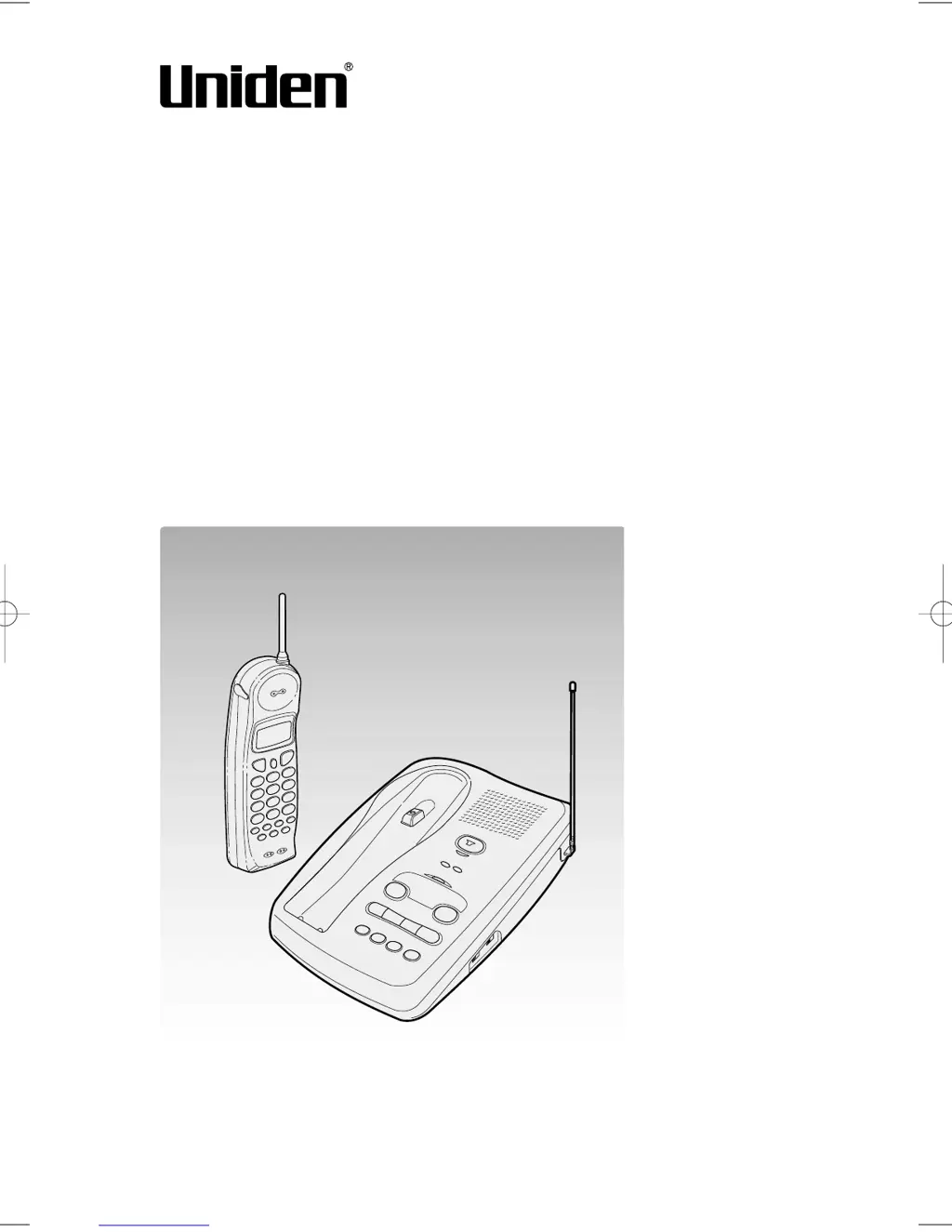
Cordless Telephone
EXAI 7980
Owner's Manual
Thank you for your purchase of the Uniden EXAI 7980 cordless
telephone. Please read this Owner's Manual carefully before
using your cordless telephone to ensure proper use. After read-
ing the manual, please keep it in a safe place and refer to it
when necessary.
©2000 Uniden America Corporation
EXAI 7980 6th HEN 5/22/00 18:09 Page 1

Table of Contents

Questions and Answers

  • N
    nguyenryanJul 26, 2025
    Why doesn't my Uniden Cordless Telephone handset ring or receive a page?
    • D
      Daniel DukeJul 26, 2025
      If the Uniden Cordless Telephone handset doesn't ring or receive a page, the battery pack may be weak. Charge the battery on the base unit for 12-15 hours. The handset may also be too far away from the base unit. Try placing the base unit away from appliances or metal objects.
  • M
    mlewisJul 31, 2025
    How to fix weak or scratchy audio on Uniden EXAI7980?
    • M
      Marcus SmithJul 31, 2025
      If the audio on your Uniden Cordless Telephone sounds weak or scratchy, ensure that the base unit antenna is in a vertical position. Try moving the handset and/or base unit to a different location away from metal objects or appliances. You can also press the button to help eliminate background noise. Also, make sure that you are not too far from the base.
  • K
    Kevin MathewsAug 5, 2025
    What to do if my Uniden Cordless Telephone can't make or receive calls?
    • A
      Allison MartinAug 5, 2025
      If your Uniden Cordless Telephone can't make or receive calls, check both ends of the base unit telephone line cord. Also, ensure the AC adapter is properly plugged into the base unit and the wall outlet. If the issue persists, disconnect the AC adapter for a few minutes, then reconnect it. You may also need to press the button.
  • B
    Brent BrownAug 10, 2025
    What to do if the status light doesn't come on for my Uniden EXAI7980 Cordless Telephone?
    • Z
      zcampbellAug 10, 2025
      If the status light on your Uniden Cordless Telephone doesn't come on when the handset is placed in the base unit, ensure the AC adapter is plugged into both the base unit and the wall outlet. Also, make sure the handset is properly seated in the base unit and that the charging contacts on both the handset and base unit are clean.
  • M
    Mariah LeeAug 15, 2025
    Why does Caller ID not display on my Uniden Cordless Telephone?
    • M
      matthew67Aug 15, 2025
      If the Caller ID does not display on your Uniden Cordless Telephone and the call was placed through a switchboard, call your local telephone company to verify your Caller ID service is current.
  • L
    lauren77Aug 20, 2025
    Why does the Caller ID disappear on my Uniden EXAI7980?
    • A
      anthonywilliamsAug 20, 2025
      If the Caller ID disappears on your Uniden Cordless Telephone, it might be because the handset was picked up before the second ring.

Summary

Introduction and Features

Product Features

Lists the key capabilities and specifications of the Uniden EXAI 7980 cordless telephone.

Getting Started Overview

Initial Setup Steps

Essential initial steps before operating the cordless telephone, including unpacking, base setup, battery, and Caller ID.

Digital Security Code

Explains the function and purpose of the digital security code for the phone.

Package Contents

Checking Package Contents

Verifies all included items are present in the telephone package.

Uniden Parts Department

Contact information for obtaining replacement parts or assistance from Uniden.

Base Unit Setup

Choosing the Best Location

Provides guidelines for selecting an optimal location for the telephone base unit.

Connecting the Base Unit

Base Unit Connection Steps

Step-by-step instructions for connecting the telephone base unit to power and the phone line.

Dialing Mode

Choosing the Dialing Mode

Instructions for setting the TONE/PULSE switch based on the local dialing system.

Battery Pack Preparation

Preparing the Battery Pack

Detailed steps for inserting the battery pack into the handset and initial charging.

Battery Usage and Maintenance

Battery Usage Information

Information regarding battery life from a full charge and standby duration.

Low Battery and Contact Cleaning

Handling low battery status and cleaning battery contacts for optimal charging.

Caller ID Options

Setting Caller ID Options

Configuration settings for Auto Talk, CIDCW, and Area Code features.

Entering Area Code

Entering Your Area Code

Procedure to input the local area code for proper Caller ID operation.

Making Calls

Dialing from Standby

Instructions for initiating a call when the handset is idle.

Other Call Operations

Minor operations related to making calls, such as improving reception or adjusting volume.

Dialing from Talk Mode

Dialing from Talk Mode

How to make a call when the handset is already in use or off the base.

Redialing

Redialing the Last Number

Steps to redial the last number dialed using the redial key.

Receiving Calls

Receiving Call on Handset

Process for answering an incoming call using the handset.

Auto Talk and Call Waiting

Explanation of Auto Talk and how to handle incoming calls during an active call.

Handset Features

Handset Ringer and Volume

Instructions to select ringer sound and adjust earpiece volume during a conversation.

Base Unit Features

Receiving Call on Base

Procedure for answering calls using the base unit's speakerphone.

Base Ringer and Speaker Volume

Control for base ringer and adjusting base speaker volume.

Memory Storing

Storing Phone Numbers and Names

Guide to saving phone numbers and associated names into the phone's memory.

Storing Numbers Continued

Memory Storing Process

Continues instructions on storing contact information, including names and numbers.

Memory Dialing

Making Calls with Memory Dialing

How to initiate calls using the stored memory locations.

Displaying Programmed Numbers

Display Programmed Number

Instructions on how to view stored phone numbers and their associated names.

Memory Editing

Editing Stored Name;Number

Steps to modify existing contact information stored in memory.

Editing Memory Continued

Memory Editing Process

Further details on editing stored contact information, including numbers and names.

Display Programmed Number

How to view programmed numbers and toggle between names and numbers.

Memory Erasing

Erasing Stored Name;Number

Guide on how to delete stored contact information from the phone's memory.

Page Feature

Using the Page Feature

Instructions on how to locate the handset using the page function.

Caller ID Features

When the Telephone Rings

Describes how Caller ID information is displayed when a call is incoming.

Viewing Caller ID List

Viewing Caller ID Message List

How to access and review the list of incoming calls stored by Caller ID.

Long Distance Call Settings

Procedures for setting or cancelling the long distance call prefix '1'.

Deleting Caller ID Entries

Deleting Information from Caller ID List

Steps to manually delete individual incoming call records from the Caller ID list.

Deleting All Caller ID Data

Deleting All Caller ID Names;Numbers

Instructions to clear all stored Caller ID records from the phone.

Calling from Caller ID List

Calling from the Caller ID List

How to initiate a call directly from an entry in the Caller ID list.

Storing Caller ID in Memory

Storing Caller ID Messages in Memory

Guide on saving incoming call details from the Caller ID list to memory dialing.

Caller ID with Call Waiting

Using Caller ID with Call Waiting

How to manage incoming calls when using Caller ID and call waiting service simultaneously.

Answering Machine Setup

Setting the Clock

Procedure for setting the current time and date on the answering machine.

Greeting Management

Recording the Greeting

Instructions for recording a personalized greeting message for the answering machine.

Changing the Greeting

Steps to switch between a recorded greeting and the pre-recorded message.

Answering Machine Operation

Turning Answering Machine On;Off

How to activate or deactivate the answering system functionality.

Setting the Number of Rings

Configuration options for the number of rings before the answering system answers.

Message Recording Time

Setting Max Recording Time

Adjusting the maximum duration for recorded incoming messages.

Playing Recorded Messages

Playing Recorded Messages

Steps for listening to saved messages on the answering machine.

Message Management

Deleting Recorded Messages

Instructions for removing saved messages from the answering machine.

Screening Incoming Calls

How to listen to callers leaving messages through the base unit speaker.

Voice Memos

Leaving a Voice Memo

Guide on recording short voice messages for household members.

Recording Conversations

Recording a Phone Conversation

How to record a conversation that is currently in progress.

PIN Code Selection

Selecting a PIN Code

Steps to set a two-digit Personal Identification Number for remote access.

Remote Access

Remote Access Away from Home

Instructions for operating the answering system remotely via phone.

Remote Monitoring and Activation

Remote Room Monitor

How to listen to sounds in the room where the base unit is installed remotely.

Remotely Turn On Answering Machine

Guide on remotely activating the answering machine from a touch-tone phone.

Additional Information

3-Way Conversation

Instructions for establishing and managing three-way conversations.

Security Code Change

Changing Digital Security Code

Procedure to reset the digital security code connecting the handset and base unit.

Wall Mounting

Mounting Base Unit on Wall

Detailed steps for mounting the telephone base unit onto a wall plate.

Direct Wall Mounting

Direct Wall Plate Mounting

Alternative method for mounting the phone directly to a wall without a plate.

Accessories Installation

Installing Beltclip and Headset

Instructions for attaching beltclip and connecting headset to the handset.

Power and Maintenance

Power Sources and Battery

Information regarding battery replacement, handling, and power failure.

Phone Maintenance

Cleaning instructions for the telephone unit under various conditions.

Troubleshooting

Troubleshooting Common Issues

Provides solutions for common issues encountered with the cordless telephone.

Troubleshooting Continued

Answering Machine Troubleshooting

Continues to offer solutions for various operational problems with the phone and answering system.

Uniden EXAI7980 Specifications

General IconGeneral
BrandUniden
ModelEXAI7980
CategoryCordless Telephone
LanguageEnglish

Related product manuals