
 To Next Page
S
susansinghAug 14, 2025
Why my Uniden Cordless Telephone handset can make calls, but it doesn’t ring?
- Ddana00Aug 14, 2025
If your Uniden Cordless Telephone handset can make calls but doesn’t ring, make sure the ringer isn’t turned off.

Why my Uniden Cordless Telephone handset can make calls, but it doesn’t ring?
If your Uniden Cordless Telephone handset can make calls but doesn’t ring, make sure the ringer isn’t turned off.
Why my Uniden Cordless Telephone can't make or receive calls?
If your Uniden Cordless Telephone can't make or receive calls, first check the telephone cord connection. If the problem persists, try disconnecting the AC adapter, waiting a few minutes, and then reconnecting it. You may also need to ask your telephone company if they use pulse dialing.
What to do if Uniden EXI8560 handset is not working?
If the Uniden Cordless Telephone handset is not working, you should check the battery pack connection. If that doesn't resolve the issue, try charging the battery for 15-20 hours. As a last resort, try changing the handset-to-base code.
Why Uniden EXI8560 Cordless Telephone handset display doesn't show anything?
If the handset display of your Uniden Cordless Telephone doesn’t show anything, first check the battery pack connection. If it's still blank, charge the battery for 15-20 hours.
How to fix weak or scratchy audio on Uniden Cordless Telephone?
If the audio on your Uniden Cordless Telephone sounds weak or scratchy, try moving the handset closer to the base. Also, move the handset and/or base away from metal objects. You can also try changing the channel by pressing [select/channel] during a call.
What does 'Unavailable' mean on Uniden EXI8560 Cordless Telephone handset?
If the Uniden Cordless Telephone handset displays “Unavailable”, try moving the handset closer to the base. Also, make sure the base is plugged in. If the problem continues, you can try changing the handset-to-base code.
How to fix Uniden EXI8560 Cordless Telephone not displaying Caller ID?
If the Uniden Cordless Telephone handset won’t display any Caller ID information, let incoming calls ring at least twice before answering. Also, check to see if the call was placed through a switchboard. You may also need to check with your telephone service provider to make sure your Caller ID service is active.
What to do if the /in use LED won't turn on on Uniden EXI8560 Cordless Telephone?
To address the issue of the /in use LED not turning on for your Uniden Cordless Telephone, check the handset in the cradle and re-seat the AC adapter connection. Clean the charging contacts on the handset.
Why Voice Message Waiting Indicator does not work on Uniden Cordless Telephone?
If the Voice Message Waiting Indicator on your Uniden Cordless Telephone does not work, contact your local telephone company to ensure that your telephone receives FSK message signaling. You can also try to reset the indicator by pressing and holding [find hs] for five seconds.
Guide on selecting an optimal location for the phone base and handset for best performance.
Instructions for correctly connecting the rechargeable battery pack to the handset.
Steps for connecting the AC adapter and telephone cord to the base unit.
Detailed instructions on connecting the telephone cord to the base and wall jack, including DSL filter advice.
How to attach and remove the belt clip accessory from the handset.
Explains typographical conventions and defines key terms used within the manual.
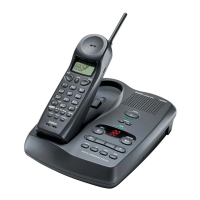
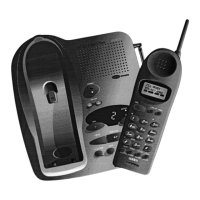
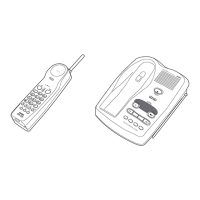
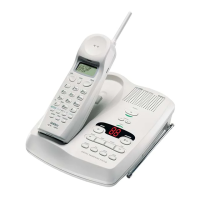
Identifies and labels all components and buttons on the cordless handset.
Identifies and labels all components and indicators on the telephone base unit.
Steps to enable Caller ID on Call Waiting service for incoming calls.
Instructions for changing the display language of the handset menus.
Guide to enabling the AutoTalk feature for answering calls without pressing keys.
How to select and set a preferred ring tone for incoming calls.
Instructions for adjusting the ringer volume level for the handset.
Explains the procedures for initiating and answering phone calls from the handset.
Details how to transfer a call between the earpiece and the speakerphone.
Covers redialing, muting ringers, and voice mail indicator.
Adjusting speaker volume for earpiece and speakerphone.
Locating the handset and using an optional headset.
Steps to view the history of incoming calls, including names and numbers.
How to dial a number directly from the saved Caller ID records.
Guide to setting the local area code for proper Caller ID display.
Instructions for removing individual or all Caller ID records.
Explains how to handle a second incoming call while already on a call.
Covers entering, finding, editing, and deleting contacts.
Includes calling from the list, storing caller ID, and chain dialing.
Resolving common issues and re-registering the handset.
Handling liquid damage, power failures, and battery information.
Product specs and out-of-range behavior.
Covers overall safety, handling, and precautions.
Information on battery handling and lead content.
FCC and other regulatory information.
Industry Canada compliance information for terminal and radio equipment.
Details of the product's one-year limited warranty terms and conditions.
 General
| Brand | Uniden |
|---|---|
| Model | EXI8560 |
| Type | Cordless Telephone |
| Channels | 30 |
| Number of Handsets | 1 |
| Talk Time | Up to 10 hours |
| Standby Time | 7 days |
| Caller ID | Yes |
| Speakerphone | Yes |
| Call Waiting | Yes |
| Answering Machine | Yes |