EasyManua.ls Logo

Uniden DASH VIEW 30 - User Manual

Uniden DASH VIEW 30
28 pages
Print Icon
To Next Page IconTo Next Page
Loading...
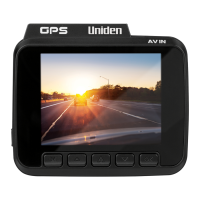
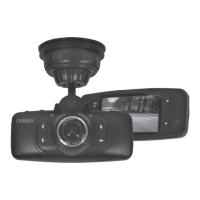
DASH VIEW 30
Accident CAM
Vehicle Recorder
For more exciting new products please visit our website:
Australia: www.uniden.com.au

Questions and Answers

Summary

Important Safety Instructions

Installation

Location

Guidance on choosing the optimal placement for the dash camera.

Installing the Optional Hardwiring Kit

Operation

Micro SD Card

Details on inserting, formatting, and using the micro SD card for recording.

Power On

Recording

Using the App

Device Settings

Video Settings

Configure resolution, video coding, WDR, time and GPS stamps, and anti-flicker.

System Settings

Uniden Player

View the Recorded Files

Troubleshooting

Warranty

Summary

Important Safety Instructions

Installation

Location

Guidance on choosing the optimal placement for the dash camera.

Installing the Optional Hardwiring Kit

Operation

Micro SD Card

Details on inserting, formatting, and using the micro SD card for recording.

Power On

Recording

Using the App

Device Settings

Video Settings

Configure resolution, video coding, WDR, time and GPS stamps, and anti-flicker.

System Settings

Uniden Player

View the Recorded Files

Troubleshooting

Warranty

Uniden DASH VIEW 30 Specifications

General IconGeneral
Video Resolution1080p
Loop RecordingYes
G-SensorYes
Night VisionYes
Wi-Fi ConnectivityNo
GPSNo
Parking ModeYes
Power Source12V car adapter
StorageMicroSD up to 64GB

Related product manuals