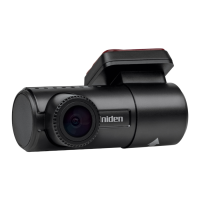
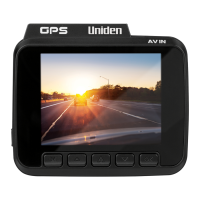
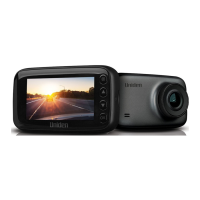
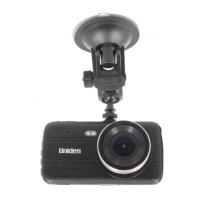
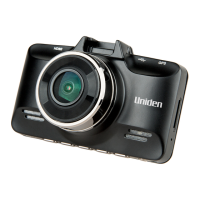
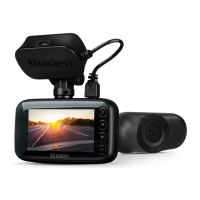
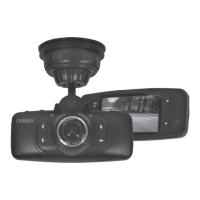
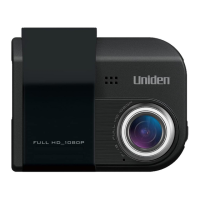
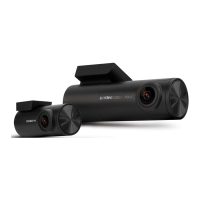
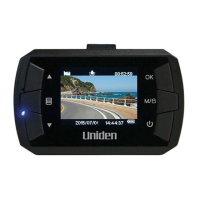
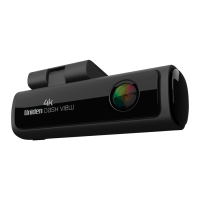
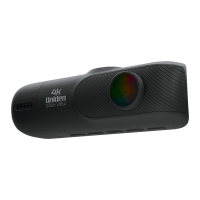
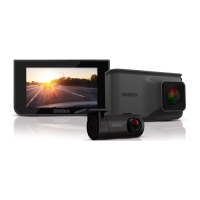
This document is the owner's manual for the Uniden iGO CAM 45R, an Accident CAM Vehicle Recorder. The device is designed to record video and photos while in a motor vehicle, primarily for accident documentation and general driving footage. It includes both a front and rear camera for comprehensive coverage.
Function Description:
The Uniden iGO CAM 45R functions as a dual-camera vehicle recorder, capturing video from both the front and rear of the vehicle. It automatically powers on and begins recording when connected to a car charger and the car supplies power. The device stores recorded videos and photos on a micro SD card (not supplied). Key recording modes include normal video recording and emergency recording. Emergency recording is triggered either manually by pressing the Menu button or automatically by the G-Sensor detecting an impact. These emergency recordings are locked to prevent overwriting. The device also supports a Photo Mode for taking snapshots.
A significant feature is its GPS capability, which allows for location tracking and time stamping of recordings. The recorded files can be viewed on a PC using the Uniden DV Player software, which also allows for tracing the recordings on a map. For mobile access, the Uniden DV app enables users to control the dash camera via WiFi, preview files, browse, playback, and download files to their mobile phone, as well as adjust device settings.
The iGO CAM 45R is equipped with a high-quality, long-life supercapacitor, providing backup power to safely store any recording in progress before the camera shuts off, especially when the vehicle's engine is turned off.
Usage Features:
- Automatic Operation: The device powers on and starts recording automatically when connected to a car charger and the vehicle provides power. It also automatically turns off a few seconds after the car's engine is turned off.
- Manual Power Control: Users can manually power the device on or off by pressing and holding the OK/Power button for at least 2 seconds.
- Dual Camera Recording: Records simultaneously from both front and rear cameras, offering a broader view of events.
- Recording Modes:
- Record Mode: Standard video recording. A red dot icon and a recording timer indicate active recording. Pressing OK stops recording.
- Emergency Recording: Activated by pressing the Menu button or by G-Sensor detection of an impact. These recordings are locked to prevent overwriting.
- Photo Mode: Allows users to take snapshots when the device is not recording. Access by holding the Menu button for 2 seconds.
- Sound Recording: Can be enabled or disabled during recording.
- Playback Mode: Allows reviewing saved videos and photos directly on the device. Users can select to view Normal Record Files, Emergency Files (Protected/Locked videos), or Photos. Files can be toggled using UP and DOWN buttons and selected with the OK button.
- File Management:
- Delete Files: Unlock and delete selected files during playback.
- Protection Files: Lock or unlock files to prevent accidental deletion or overwriting.
- Menu Settings: Access various settings when the device is not recording by pressing the MENU button. Settings include:
- Video Resolution: Adjust recording quality (e.g., 1296P, 1080P, 720P).
- Viewing Mode: Choose between Live View or a speedometer display on the LCD screen.
- Loop Recording: Set the duration for each recorded file.
- Time-lapse Recording: Available in Parking Monitor mode (with optional Hard Wire Kit HWK-1A), recording at 1 FPS for extended periods (8/12/24 hours).
- HDR (High Dynamic Range): Improves video clarity.
- EV Setting: Adjust brightness sensitivity.
- Date Stamp & Car Plate Stamp: Display or hide date, time, car plate, and speed stamps on recorded files.
- G-Sensor Sensitivity: Adjust sensitivity for automatic emergency recording.
- Screen Saver: Set the LCD display off timer.
- Parking Monitor: (Requires optional Hard Wire Kit HWK-1A) Records events when sudden movement/collision is detected after the car is turned off. These videos are locked and saved with a "_SOS" filename.
- Auto Power Off: Sets the duration for automatic power off when powered by the internal battery.
- Frequency: Adjusts the light frequency (60Hz or 50Hz).
- Key Beep: Adjusts button sound volume.
- Date & Time: Manually set date and time, or use GPS for correct time settings.
- UTC: Set GMT (Coordinated Universal Time) Time Zone.
- Daylight Saving: Enable or disable daylight saving time.
- Format SD Card: Permanently erases all files on the SD card.
- Restore Default: Resets the device to factory settings without erasing SD card data.
- About: Displays device firmware version.
- Connectivity:
- PC Connection: Connects to a PC via a USB data cable (not supplied) to view SD card contents. The supplied USB cable is for charging only.
- Uniden DV Player: Desktop software for Windows and macOS to view recordings and trace them on a map.
- Uniden DV App: Mobile application for iOS and Android to control the camera, preview, playback, download files, and adjust settings via WiFi.
Maintenance Features:
- SD Card Management: Requires a compatible micro SD card (minimum 8GB, Class 10) for recording. It is recommended to format the SD card before first use and regularly. Uniden recommends using good quality MLC/SLC micro SD cards rated for Dash Cam use.
- Lens Cleaning: Ensure the camera lens is kept clean and free from obstructions to maintain clear video quality.
- Regular Checks: It is recommended to examine, check, and/or verify the device and its SD card at least once a month to ensure proper recording functionality.
- Troubleshooting Guide: The manual provides a troubleshooting section for common issues such as unclear video, device freezes, SD card errors, and connectivity problems, offering solutions like resetting the device, cleaning the lens, formatting the SD card, or updating firmware.
- Firmware Updates: The Uniden DV App can be used to update the latest firmware, which can resolve operational issues.
- Environmental Considerations: Avoid leaving the device in direct sunlight for long periods or where temperatures exceed 60°C.
- Safe Installation: Install the device in a location that does not obstruct the driver's view or airbag deployment. Ensure the GPS is not obstructed by window tint.
- Rear Camera Connection: Ensure the rear camera connection cable is connected/disconnected only when the device power is off to prevent damage.
- Accessory Usage: Only use the supplied USB Car Charger Adaptor and USB Charging cable to prevent damage to the device.


 To Next Page
 General