
 To Next Page
C
Caleb GilbertAug 16, 2025
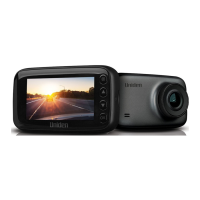
What to do if my Uniden iGO CAM 60 device crashes or freezes?
- BBrittany RiveraAug 16, 2025
If your Uniden Dash Cameras device crashes or freezes, use a pin to press the ‘Reset’ button to restart it.

What to do if my Uniden iGO CAM 60 device crashes or freezes?
If your Uniden Dash Cameras device crashes or freezes, use a pin to press the ‘Reset’ button to restart it.
What to do if my Uniden iGO CAM 60 Dash Cameras SD Card shows error?
If your Uniden Dash Cameras shows an SD Card Error, format the SD card and ensure it's the recommended type for dash cam use.
How to fix unclear video on Uniden iGO CAM 60?
If the video quality on your Uniden Dash Cameras is unclear, make sure there are no fingerprints or dirt on the lens. Keep the lens clean at all times.
What to do if my Uniden iGO CAM 60 Dash Cameras cannot take photos or record videos?
If your Uniden Dash Cameras cannot take photos or record videos, ensure that the SD card is correctly inserted and properly formatted. Using the recommended type of SD card (minimum 8GB Class 10) is also important.
Why does my Uniden iGO CAM 60 display turns off after a few minutes?
If the display on your Uniden Dash Cameras turns off after a few minutes, check the LCD Auto Off setting and select Always On.
Why is my Uniden iGO CAM 60 Dash Cameras showing cross-stripe interference in an image?
Cross-stripe interference in an image from your Uniden Dash Cameras is due to the light frequency. Change the light frequency setting depending on the light source.
Why are my Uniden iGO CAM 60 Dash Cameras images dark while recording water or sky?
If your Uniden Dash Cameras images are dark while recording water or sky, adjust the exposure setting.
Why is the colour of the images not good on my Uniden iGO CAM 60?
If the color of the images from your Uniden Dash Cameras is not good, set the ‘white balance’ setting to automatic.
Why is my Uniden Dash Cameras camera feels warm during operation?
It is normal for the Uniden Dash Cameras to get warm during operation. However, if the camera is exposed to high temperatures for a long period, it might fail to boot up. If this occurs, cool it down and try again.
Why the recorded video doesn’t show mapping information on the GpsTracker Player of my Uniden Dash Cameras?
To see mapping information on the GpsTracker Player of your Uniden Dash Cameras recorded video, ensure your PC is connected to the internet.
Guides on windshield placement and device mounting.
Factors affecting GPS signal quality and troubleshooting.
Details on SD card requirements and battery charging.
Instructions for device power management.
Functions like recording, emergency recording, snapshots, and playback entry.
Configuration options for video resolution, quality, and recording features.
Configuration for camera alerts, ADAS, and park mode.
How to review recorded videos and photos.
Options for date, time, display, and system defaults.
Guides on connecting to a PC and using GPSTrackerPlayer.
Explains GPS functionality and camera alert system.
Details on Advanced Driver Assistance Systems like lane departure.
 General
| Video Resolution | 1080p Full HD |
|---|---|
| Loop Recording | Yes |
| G-Sensor | Yes |
| Night Vision | Yes |
| Parking Mode | Yes |
| GPS | No |
| Display | 2.0 inch LCD |
| Storage | MicroSD card up to 32GB |
| Battery | Built-in rechargeable battery |
| Power Source | 12V car adapter |