Need help?
Do you have a question about the Uniden Dash View 60R and is the answer not in the manual?
Confirms all essential components are included in the package for the dash cam.
Identifies and describes the physical controls and indicator lights on the Uniden Dash View 60+.
Identifies and describes the physical controls and indicator lights on the Uniden Dash View 60R.
Guidance on optimal placement of the dash camera for best view and functionality.
Step-by-step instructions for mounting the dash camera onto the windshield.
Procedure for detaching the dash camera unit from its mounting bracket.
Instructions for mounting and connecting the optional rear camera.
Steps to connect the hardwiring kit for parking mode functionality.
Details on SD card requirements, formatting, and removal for dash cam operation.
Table showing recording times based on card capacity and video resolution.
Factors affecting GPS signal and initial acquisition time for the dash camera.
Procedure for turning on the dash camera and starting recording automatically.
Explanation of how the dash camera powers off automatically.
Information about the device's power source and supercapacitor backup.
Managing recording start, indicator lights, and locking current video files.
Instructions for synchronizing camera date, time, and adjusting for Daylight Saving Time.
Guide to connecting and utilizing the Uniden Dash View mobile application.
Overview of the app's home screen, camera controls, file access, and about section.
Details of the live video preview screen and its operational controls within the app.
Accessing and modifying various camera settings through the app interface.
Configuration options including Resolution, Loop Recording, WDR, Audio, Time Stamp, and G-Sensor.
Software for viewing recordings and GPS routes on a computer.
Instructions for downloading and installing the Uniden Player software.
Requirement for proof of purchase for warranty claims.
Identifies Uniden Australia Pty Limited as the warrantor.
Details the warranty coverage, limitations, and exclusions for the product.
Specifies the warranty duration and geographical validity.
Outlines the remedies available if the product does not conform to the warranty.
Instructions on how to claim warranty service and required documentation.
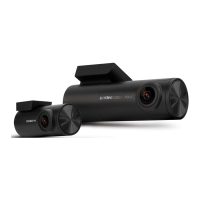
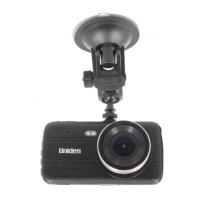
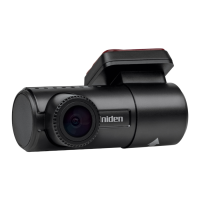
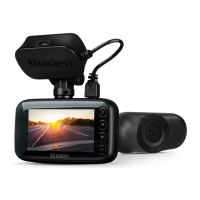
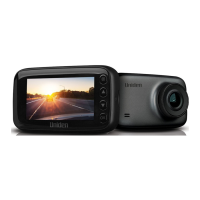
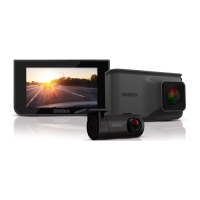
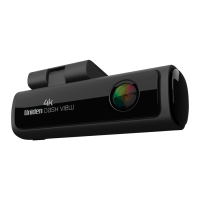
The Uniden DASH VIEW 60+/60R is a dash cam vehicle recorder designed to capture video footage while driving. It comes with a front camera (for both 60+ and 60R models) and an optional rear camera (for the 60R model), allowing for comprehensive recording of your journey. The device is intended for use in a motor vehicle and should be installed in a location that does not obstruct the driver's view or the deployment of airbags.
The primary function of the DASH VIEW 60+/60R is to record video footage while your vehicle is in operation. When connected to a car charger and powered on, the camera automatically begins recording. A flashing blue LED on the device indicates that recording is in progress. The device supports micro SDXC cards up to 256GB, with a minimum speed of Class U3 required for optimal performance. Uniden recommends using high-quality MLC/SLC Endurance micro SD cards specifically rated for dash cam recording.
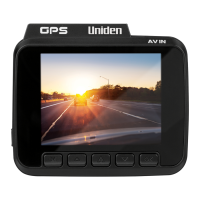
The dash cam features a "Function Key" that allows you to lock existing files with a single press, preventing them from being overwritten during normal video recordings. This feature is also activated automatically when the G-Sensor detects an impact while recording, ensuring important incident footage is protected. A double press of the Function Key toggles audio recording on or off. The device also includes a "Reset Button" which can be used to restart the device if it fails to operate properly. Pressing and holding the Function Key for 10 seconds will reset the device to factory default settings and format the SD card.
The DASH VIEW 60+/60R includes built-in GPS functionality, which allows for the recording of location data. This information can be viewed later using the Uniden Player software on a PC. GPS reception can be affected by tall buildings, tunnels, poor weather, or even windshield tinting. For first-time use, it may take 15-20 minutes to acquire a GPS signal, and about 3 minutes for subsequent uses.
An optional hardwiring kit (HWK-3) is available for those who wish to utilize the parking mode feature. When hardwired, the unit can enter "Time Lapse Parking Mode" (recording at 1 fps and playing back at 30 fps) after the ACC current is cut off, or "Collision Detection Parking Mode" (recording for 60 seconds upon impact detection). Professional installation of the hardwiring kit by a car electrician is advisable.
The DASH VIEW 60+/60R is designed for ease of use, with automatic power-on and recording when connected to a car charger. When the car's engine is turned off, the device will automatically power off after a few seconds. The device incorporates a high-quality, long-life supercapacitor, which provides backup power to safely store any in-progress recordings before the camera shuts off.
The device can be controlled and configured using the "Uniden Dash View App" on your mobile phone (iOS or Android). The app connects to the dash cam via Wi-Fi, which is enabled by default. Through the app, you can preview live video streams, browse and play back recorded files, download files to your phone, take snapshots, and adjust various device settings. The app allows you to synchronize the date and time, set daylight saving time, change recording resolution, enable/disable audio recording, adjust G-Sensor sensitivity (Off/Low/Mid/High), and set the length of video clips (1MIN/2MINS/3MINS).
The app also provides options for "Camera Alert" distances for fixed speed, red light, or red light-speed cameras (Off/100M/200M/300M/500M), setting the correct time zone for GPS, and adjusting the camera's volume level and welcome sound. The "PIP (picture in picture)" function, available when a rear camera is connected, allows you to change the viewing mode between front, rear, or various split-screen options. Voice control is also a feature, allowing you to operate the camera with commands like "Uniden, Turn Off recording," "Uniden, Open Recording," "Uniden, take picture," and "Uniden, lock the video." A "Fatigue Drive Reminder" can be set to remind the driver to avoid driving tired (Off/1H/2H/4H).
For viewing recorded files on a computer, Uniden provides the "Uniden Player" software, compatible with Windows 7, 8, 10, and macOS. The dash cam itself cannot be directly connected to a PC; instead, the micro SD card is inserted into a card reader and then connected to the computer. The Uniden Player allows you to view recordings and trace the GPS route on a map, provided the PC is connected to the internet.
Proper maintenance is crucial for the longevity and optimal performance of your DASH VIEW 60+/60R. It is essential to ensure that the camera lens is kept clean and free from any obstructions. The device should not be exposed to rain or moisture, as it is not waterproof. Avoid leaving the device in direct sunlight for extended periods or in temperatures exceeding 60°C.
Regular checks of the device and its associated SD card are recommended at least once a month to ensure proper recording functionality. Before first use, and periodically thereafter, it is important to format the micro SD card to prevent file damage and ensure smooth operation. The Uniden Dash View App includes a "Format Reminding" feature that can be set to alert you to format the SD card at regular intervals (Off/15 days/30 days/60 days).
If the device experiences issues such as crashing or freezing, a reset can be performed using the reset button. If the SD card is damaged or causes errors, formatting it and using a recommended dash cam-specific SD card is advised. The device is designed to get warm during operation, which is normal. However, if it is exposed to high temperatures for a long time, it might fail to boot up, and cooling it down may resolve the issue.
For any issues accessing the camera via the app for the first time, formatting the SD card is recommended. It is also important to keep the device's firmware updated to the latest version for improved performance and features. Never attempt to disassemble, repair, or modify the device yourself, as this can void the warranty and potentially damage the unit. If further assistance is required, Uniden's customer service or website should be consulted.
 General
| Screen Size | 2.4 inches |
|---|---|
| Field of View (Front) | 140 degrees |
| Loop Recording | Yes |
| G-Sensor | Yes |
| Wi-Fi | Yes |
| GPS | Yes |
| Parking Mode | Yes |
| Night Vision | Yes |
| Video Resolution (Rear) | 1080p |
| Storage | MicroSD |
| Rear Camera | Included |
| Battery | Built-in rechargeable lithium-ion |

 To Next Page